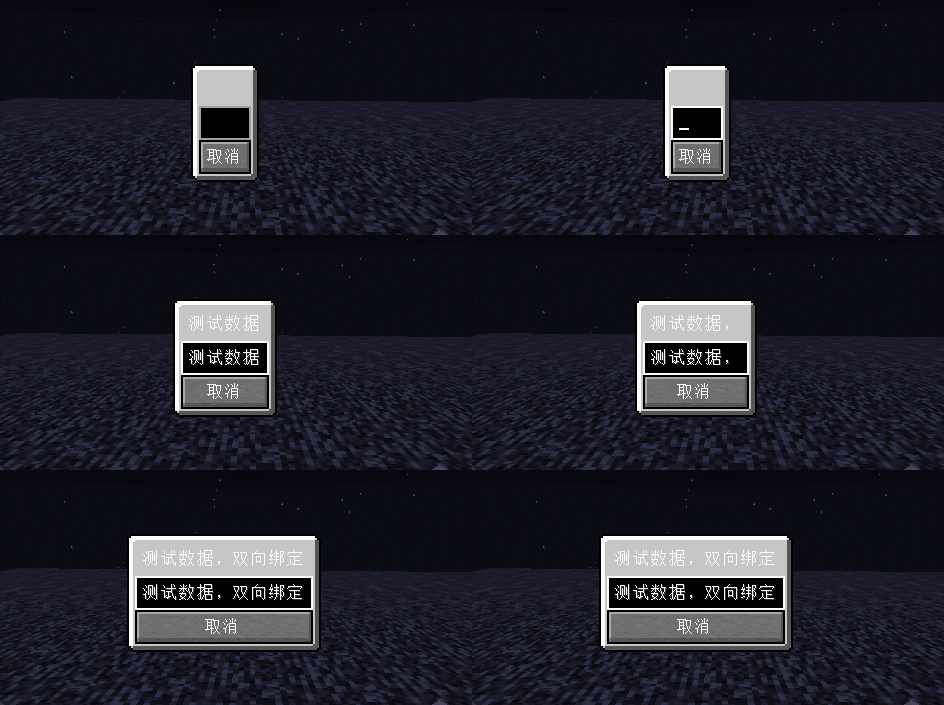
Minecraft Flex UI
For ordinary players do not download the mod
In most cases the module is used by other module developers and is included in their mod Jar package
Description
Based on facebook open source Yoga layout engine implements the Minecraft GUI framework based on the Flex layout.
A subset of the Flex standard is implemented on top of Yoga and most of the CSS properties are implemented as well.
The design concept of MVC is adopted to realize the one-way and two-way data binding.
Developers can design and implement complex UI interfaces on top of this, and this project can be used as Yoga engine embedded in the game as a non-exhaustive reference implementation of the game layout engine.
Example

public class WidgetTestScreen extends WidgetScreen {
	protected StringBuilderObservable text = new StringBuilderObservable();

	public WidgetTestScreen() {
		super(Text.of("test"));
	}

	@Override
	public void widget(ScreenWidget root) {
		root.flexDirection.set(WidgetFlexDirection.Row)
				.justifyContent.set(WidgetJustify.Center)
				.alignItems.set(WidgetAlign.Center)
				.child(new BoxWidget()
						.background.set(RectDrawable.LIGHT_PANEL)
						.child(new LabelWidget()
								.text.binding(text.computed((StringBuilderObservable text) -> Text.of(text.getString())))
								.margin(WidgetEdge.All, 4))
						.child(new TextBoxWidget()
								.text.binding(text))
						.child(new ButtonWidget()
								.click.on((mouse) -> close())
								.child(new LabelWidget()
										.text.set(Text.of("取消"))))
				);
	}
}
Data Binding
By default all bindings from non-computed binding sources are bi-directional bindings.
Setting values for
computed binding sourcesis ignored
But most components will only operate one-way on bound values
- Edition: Minecraft Java
- File type: .jar
- Minecraft versions listed: 1.19, 1.19.1, 1.19.2
- How to install: Install the matching mod loader (Forge, Fabric or NeoForge) for your Minecraft version. → Download the .jar. → Put it in the .minecraft/mods folder and launch that loader profile.
- Where to get it: Opens on Modrinth — not every file is mirrored on our own servers.
Install steps are the general flow for this file type — How to install Minecraft Java mods & modpacks walks through it step by step.
- Ships as mfui-0.0.1.jar — drop this file into the mods folder
- Download size: 255 KB
- Download link checked 7 Sept 2026 — working
These come from our own check of the pack file, not from the source page.