
What you got there?
Java mod listed for Minecraft 1.21. Downloads from the MC Java Mods app on Android.
⬇ Download on Modrinth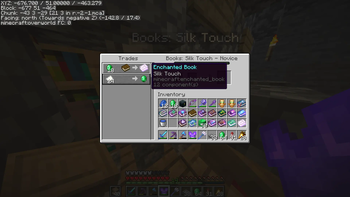
You know that crap when you set up your trade hall, where you place and break profession blocks to get the desired trades? (I'm talking about librarians.) You know that step where you have to enter the trade screen with a villager after placing a department? Personally, it annoys me, and it's impossible to do it using just the mouse.
My mod solves this problem. A tag appears above the librarian showing the books that villager is selling (this tag updates if the villager has new trades).
- Edition: Minecraft Java
- File type: .jar
- Minecraft version listed: 1.21.10
- How to install: Install the matching mod loader (Forge, Fabric or NeoForge) for your Minecraft version. → Download the .jar. → Put it in the .minecraft/mods folder and launch that loader profile.
- Where to get it: Opens on Modrinth — not every file is mirrored on our own servers.
Install steps are the general flow for this file type — How to install Minecraft Java mods & modpacks walks through it step by step.
- Ships as whatyougotthere-1.0.0.jar — drop this file into the mods folder
- Download size: 17 KB
- Download link checked 18 Oct 2026 — working
These come from our own check of the pack file, not from the source page.