
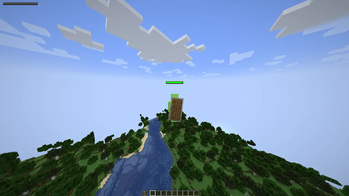
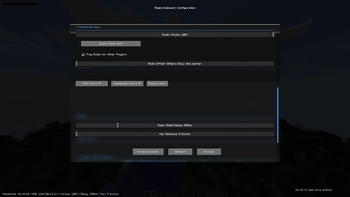
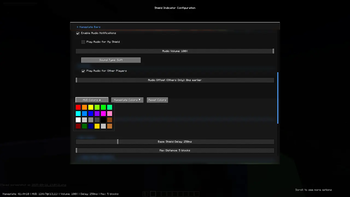
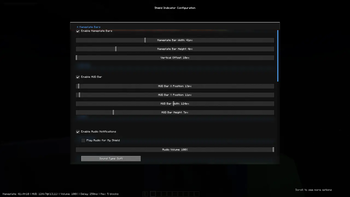
Shield Delay Indicator is now released!
Shield Delay Indicator PVP Mod intends to address a big issue: shielding. With this mod, you can now effectively train your shielding and improve effortlessly.
This mod has several key features:
HUD Shield Delay Indicator (Shows your own shield delay!)
Overhead Shield Delay Indicator (Shows other player's shield delay!)
Shield Delay Audio (Makes a noise to tell you when you're shielding.)
Bar Color Changer / Gradient Changer
Base Delay Changer to compensate for servers changing shield delay timing.
Audio Offset to increase chances of reacting.
You can change positioning, different audios, sizes, and more. Default Keybinds:
K - Open Config Menu / HUD
N - Debug Nameplate Bars
U - Test Audio
H - Toggle HUD Bar
This mod is quite new and is accepting suggestions! Please give me any suggestions you have in the discord: https://discord.gg/9vnAwqvRj6
- Edition: Minecraft Java
- File type: .jar
- Minecraft version listed: 1.21
- How to install: Install the matching mod loader (Forge, Fabric or NeoForge) for your Minecraft version. → Download the .jar. → Put it in the .minecraft/mods folder and launch that loader profile.
- Where to get it: Opens on Modrinth — not every file is mirrored on our own servers.
Install steps are the general flow for this file type — How to install Minecraft Java mods & modpacks walks through it step by step.
- Ships as shield-delay-indicator-1.0.0 (1).jar — drop this file into the mods folder
- Download size: 1.9 MB
- Download link checked 7 Sept 2026 — working
These come from our own check of the pack file, not from the source page.