
Only Vanilla Advancements (Fabric)
Keeps the advancements screen strictly vanilla by removing every non‑Minecraft advancement (mods and datapacks) unless you explicitly keep them. Preserves the vanilla tab layout and avoids orphaned/stacked entries.
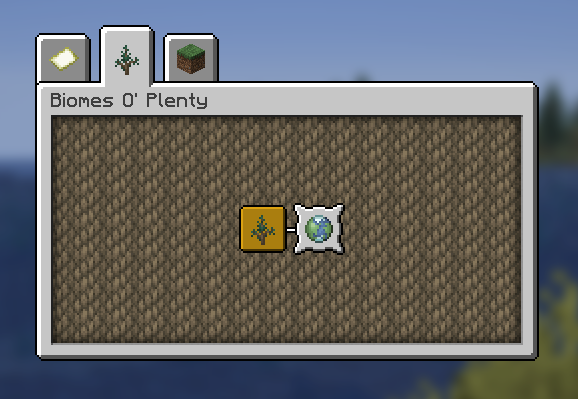
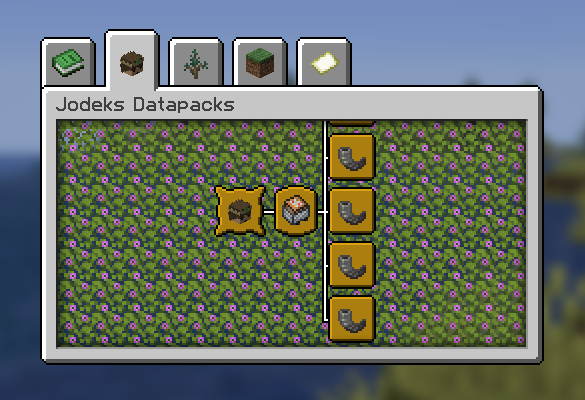
Without the mod
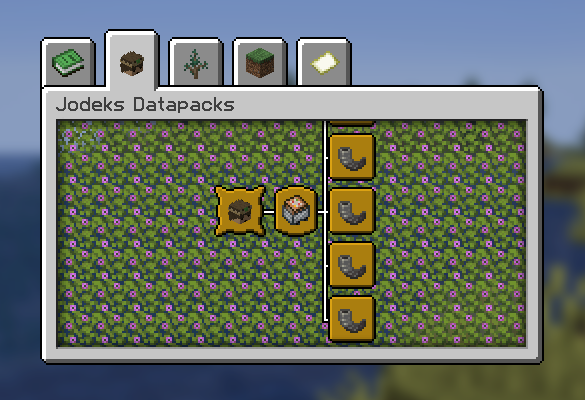
With the mod
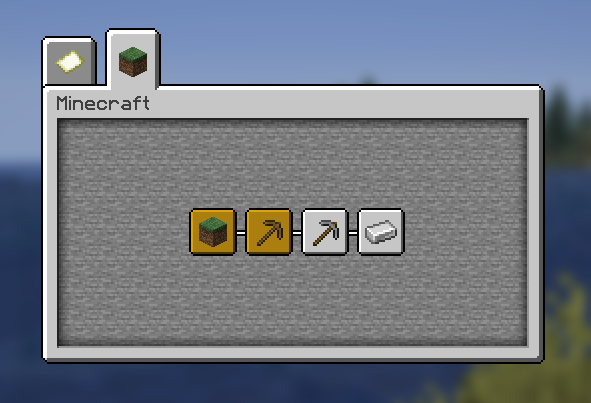
With the mod + 'biomesoplenty' kept using the config
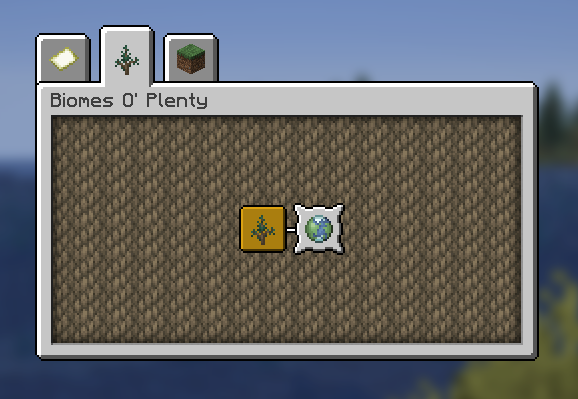
What it does
- Filters out all non‑
minecraft:*advancements on server start and after successful data pack reload. - Optionally keeps specific mods or specific advancement IDs via a simple TOML config.
- Optionally keeps parent advancements for any kept entries so the UI remains intact.
- Zero tick cost; runs only at load/reload.
Install
- Requires Fabric and Fabric API.
- Drop the mod jar into
mods/and launch.
Configure
- File:
config/only_vanilla_advancements.toml(created on first run). - Keys:
kept_mods,kept_advancements,removed_mods,removed_advancements,keep_parent_advancements. - Optional UI: If you also install Mod Menu and Cloth Config, you get an in‑game config screen.
Compatibility
- Server‑side logic; works in singleplayer (integrated server) and dedicated servers.
- Compatible with Mod Menu and Cloth Config if present; not required.
Build
- Java 21, Gradle + Fabric Loom.
- See
gradle.propertiesfor versions. Run./gradlew build.
License
- CC0‑1.0. Use it freely.
Quick facts
- Edition: Minecraft Java
- File type: .jar
- Minecraft versions listed: 1.21, 1.21.1, 1.21.2
- How to install: Install the matching mod loader (Forge, Fabric or NeoForge) for your Minecraft version. → Download the .jar. → Put it in the .minecraft/mods folder and launch that loader profile.
- Where to get it: Opens on Modrinth — not every file is mirrored on our own servers.
Install steps are the general flow for this file type — How to install Minecraft Java mods & modpacks walks through it step by step.
Verified by MCModsHub
- Ships as only-vanilla-advancements-1.0.1+1.21.x.jar — drop this file into the mods folder
- Download size: 228 KB
- Download link checked 8 Sept 2026 — working
These come from our own check of the pack file, not from the source page.