
ImmichMC
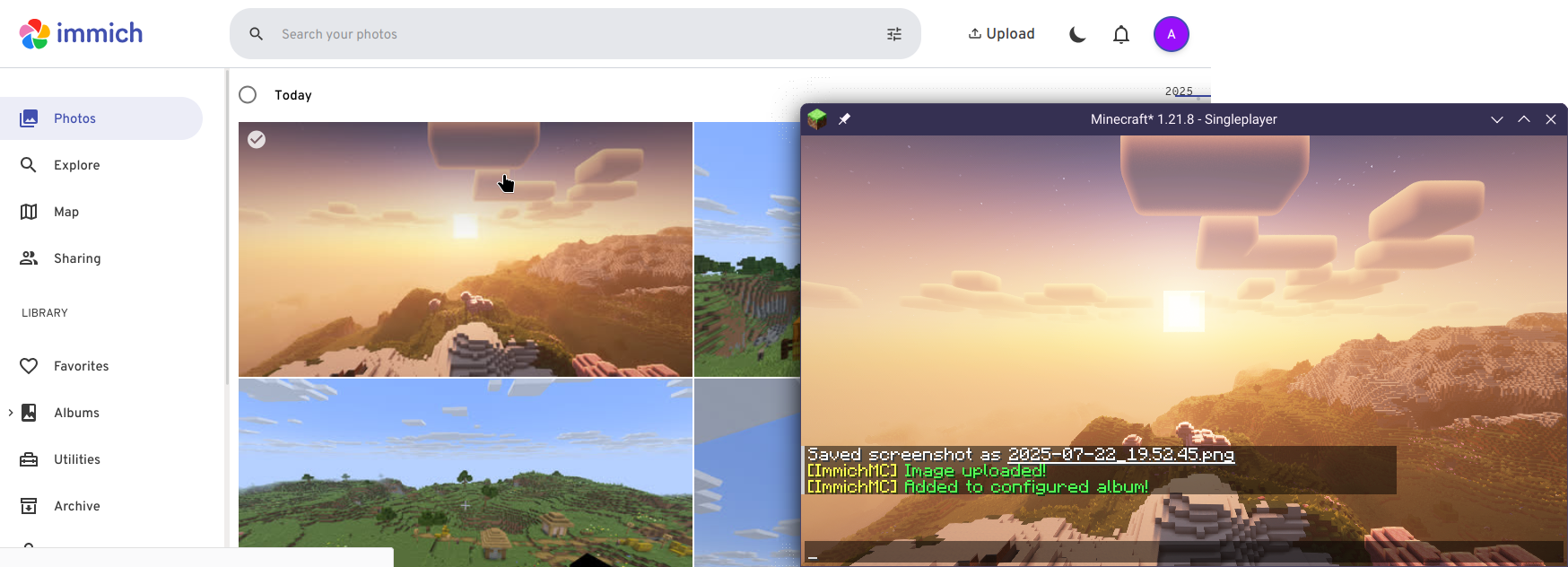
A client-side mod that automatically uploads your screenshot to an Immich instance of your choice, with option for auto-assigning to a specified album.
Works on Minecraft Fabric 1.21.1/1.21.8, tested on Immich v1.134.0
Prerequisite
- Immich is self-hosted software, you first need to have an Immich instance with an account that you can access.
- You need to generate an API Key under your account, please visit here for instruction.
Configuring
Mod Menu is required for configuration.
- Open the mod menu screen, find ImmichMC and click on the configure button.
- Fill the instance API URL (Remember the url should end with
/api!) - Fill in the API Key
- Done! Use F2 to capture a Minecraft Screenshot, and it will automatically be uploaded to the instance!
Bugs/Suggestions
If you have any suggestions or bug report, don't hesitate to open an GitHub issue here!
License
This project is licensed under the MIT License.
Quick facts
- Edition: Minecraft Java
- File type: .jar
- Minecraft version listed: 1.21.10
- How to install: Install the matching mod loader (Forge, Fabric or NeoForge) for your Minecraft version. → Download the .jar. → Put it in the .minecraft/mods folder and launch that loader profile.
- Where to get it: Opens on Modrinth — not every file is mirrored on our own servers.
Install steps are the general flow for this file type — How to install Minecraft Java mods & modpacks walks through it step by step.
Verified by MCModsHub
- Ships as ImmichMC-1.0.0+mc1.21.10.jar — drop this file into the mods folder
- Download size: 3.1 MB
- Download link checked 8 Sept 2026 — working
These come from our own check of the pack file, not from the source page.