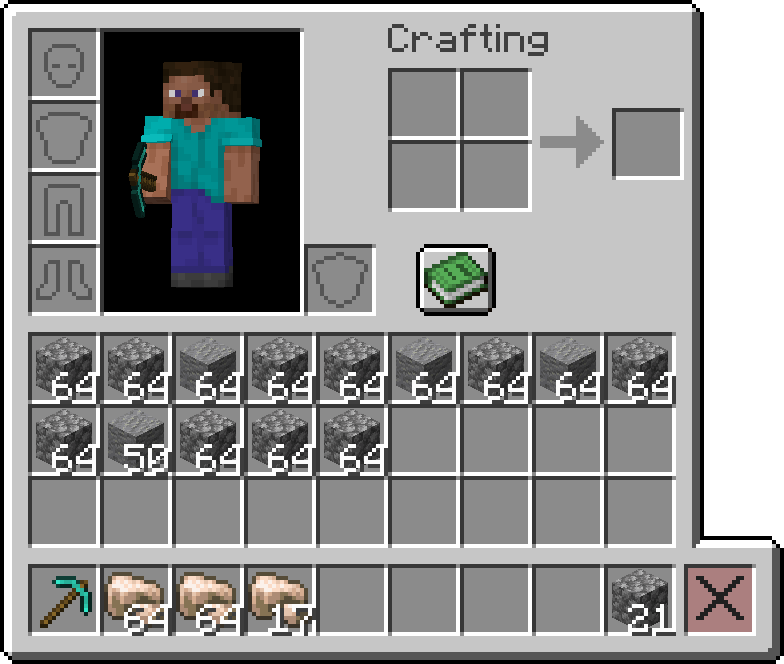
This mod adds a convenient trash bin slot to your inventory for easy item disposal.
It is required on the server, but optional on the client, meaning only the players that want to use it should install it.
Features
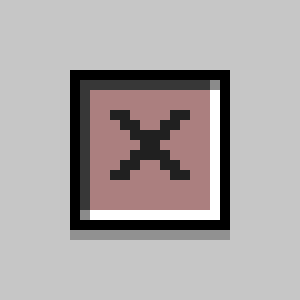
🗑️ Trash Bin Slot
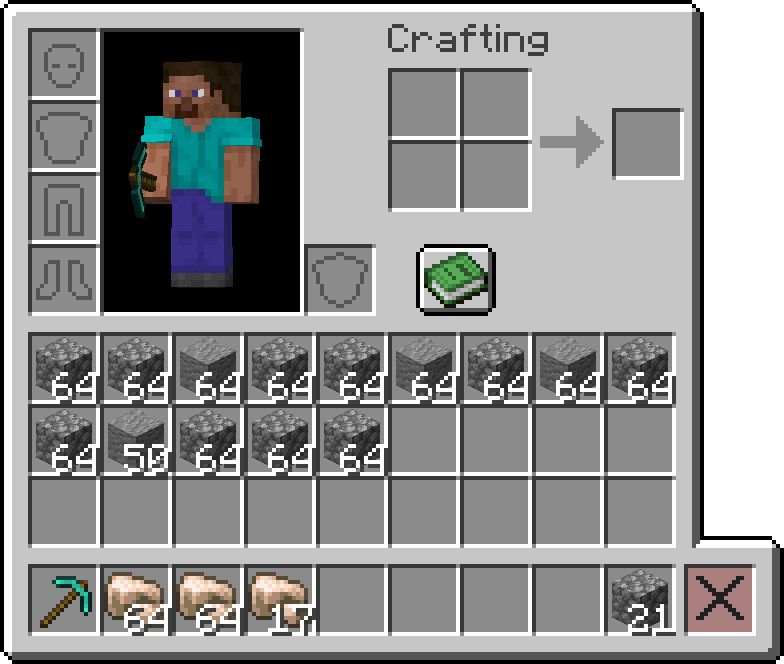
- Adds a dedicated trash bin slot to your inventory interface
- Items placed in this slot are permanently deleted
- Seamlessly integrates with survival mode, creative mode, and all container interfaces
- Since
v1.1.0, the creative inventory built-in deletion slot mechanics now match the mod's trash bin slot functionalities
- Since
🎯 Slot Highlighting
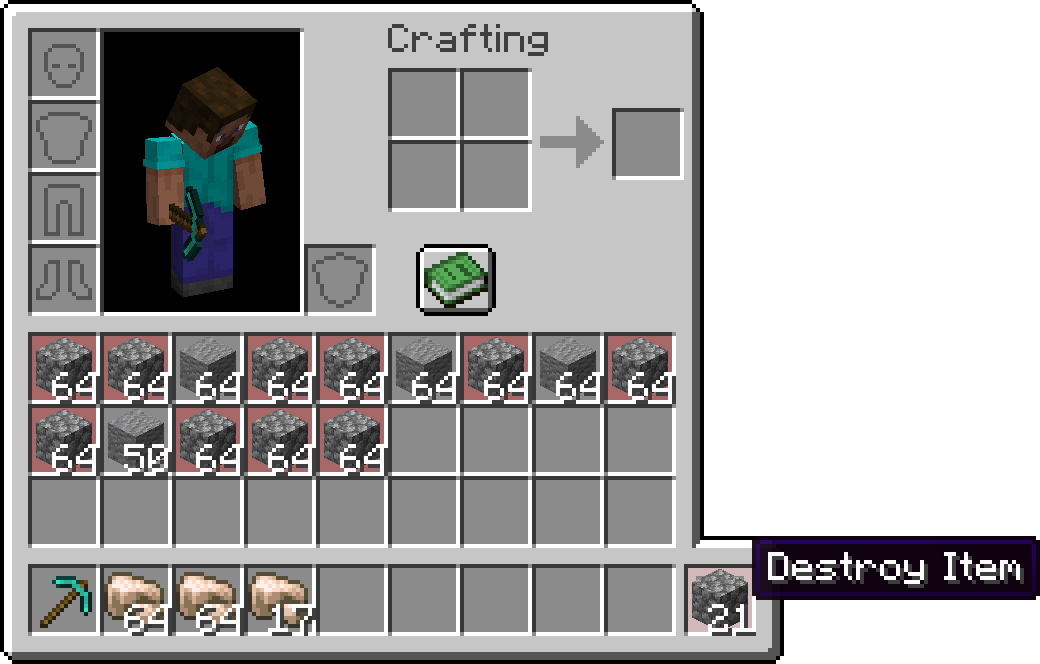
- Shift + Hover: When you hold Shift and hover over the bin slot while holding an item, the mod highlights all matching items (based on ID) in your inventory with a red overlay
- This feature helps you quickly identify which items will be deleted
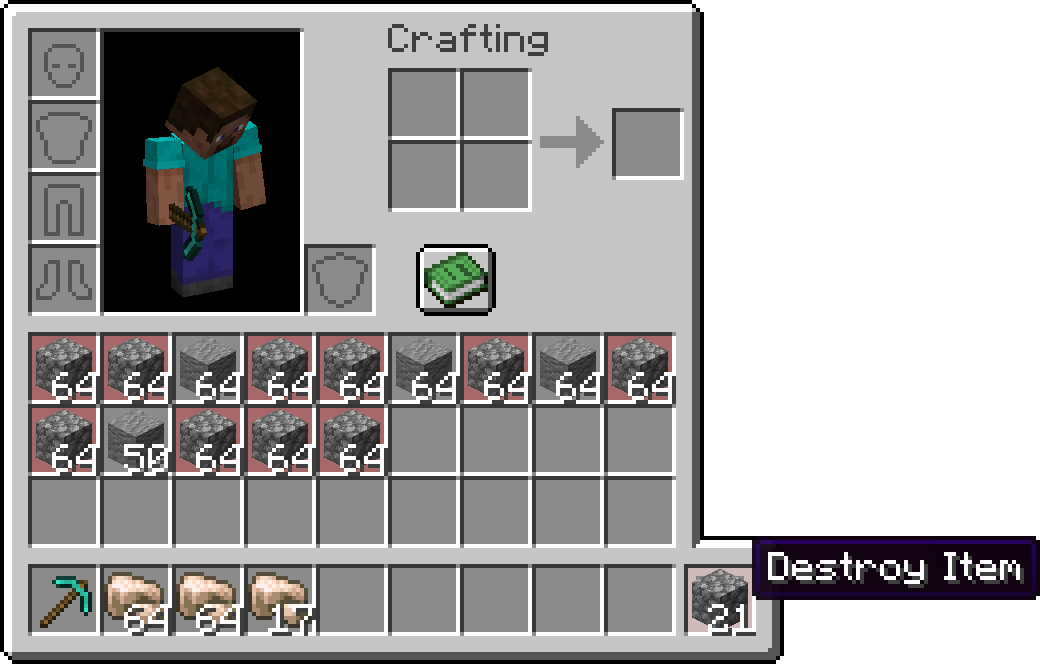
🖱️ Intuitive Controls
- Left Click: Delete items from your cursor stack
- Right Click: Delete a single item from your cursor stack
- Shift + Hover: Preview which items will be highlighted for deletion
- Shift + Click: Delete items from your cursor stack and all matching items from your inventory
- Shift + Click with empty cursor stack: Deletes every item from your creative inventory (
v1.1.0+)
🌐 Translations
- Built-in translations for all the languages in the game
Customization
🖼️ Bin Slot Texture
- The trash bin slot texture is automatically generated using built-in game textures and adapts to match your active resource pack's inventory GUI style
- Alternatively, you can customize the slot texture by using a resource pack that supports this mod
Note: This mod is designed to work seamlessly with vanilla Minecraft and most other mods. If you encounter any compatibility issues, please report them on the GitHub Issues page.
Quick facts
- Edition: Minecraft Java
- File type: .jar
- Minecraft version listed: 1.21.11
- How to install: Install the matching mod loader (Forge, Fabric or NeoForge) for your Minecraft version. → Download the .jar. → Put it in the .minecraft/mods folder and launch that loader profile.
- Where to get it: Opens on Modrinth — not every file is mirrored on our own servers.
Install steps are the general flow for this file type — How to install Minecraft Java mods & modpacks walks through it step by step.
Verified by MCModsHub
- Ships as binslot-1.1.1+1.21.11.jar — drop this file into the mods folder
- Download size: 36 KB
- Download link checked 8 Sept 2026 — working
These come from our own check of the pack file, not from the source page.