
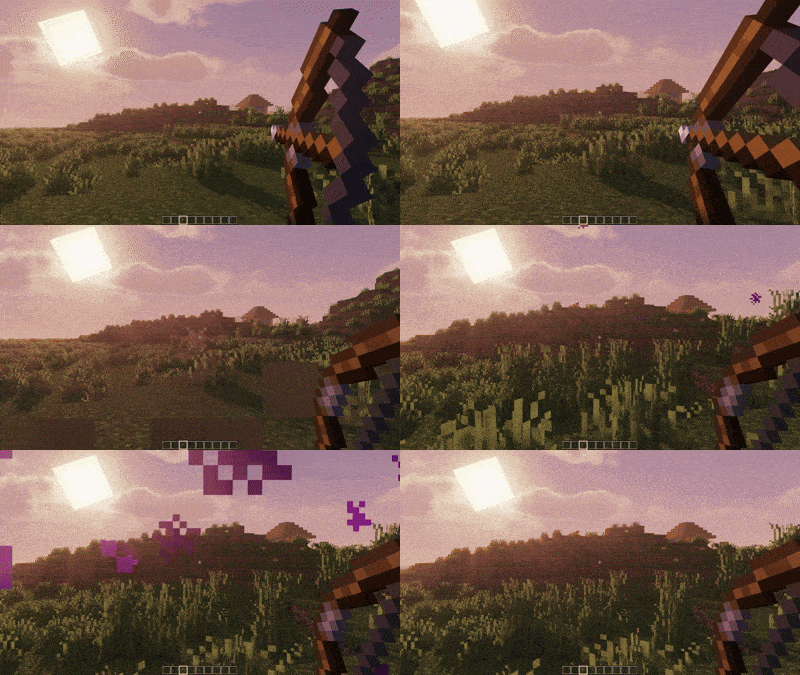



Smart Arrows - Enhanced Arrow Physics for Minecraft
Transform your archery experience with intelligent arrow mechanics!

✨ Features
🎯 Ricochet System
- Smart Bouncing: Arrows ricochet off surfaces at shallow angles
- Configurable Angle Threshold: Adjust ricochet sensitivity (5-45 degrees)
- Multiple Bounces: Set maximum ricochet count (1-8 bounces)
- Realistic Physics: Energy loss with each bounce for authentic feel
🌟 Teleportation
- Crouch-to-Teleport: Hold crouch while shooting to mark arrows for teleportation
- Smart Positioning: Automatically finds safe teleport locations
- Instant Travel: Teleport to your arrow's landing spot instantly
- Safety Checks: Prevents teleporting into walls or dangerous areas(lava, water)
🎮 How to Use
Ricochet Arrows
Toggle G(press G) to open Menu
- Enable ricochet in the config menu (default: ON)
- Shoot arrows at walls at shallow angles
- Watch them bounce off surfaces realistically!
Teleport Arrows
- Hold Crouch while drawing your bow
- Shoot the arrow to your desired location
- You'll instantly teleport when the arrow lands!
Configuration
- Press
Gto open the configuration menu in-game - Adjust ricochet angles and maximum bounces
- Toggle features on/off as needed
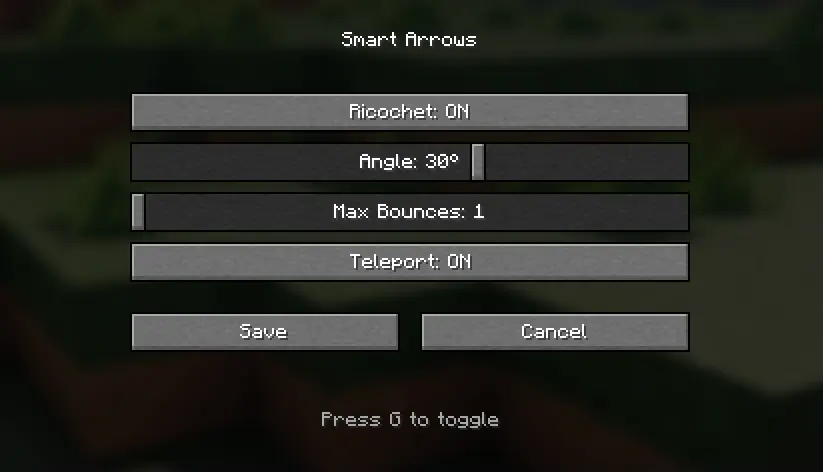
⚙️ Configuration Options
| Setting | Default | Description |
|---|---|---|
| Ricochet Enabled | true |
Enable/disable arrow ricocheting |
| Angle Threshold | 15° |
Minimum angle for ricochet (5-45°) |
| Max Ricochets | 3 |
Maximum number of bounces (1-8) |
| Teleport Enabled | true |
Enable/disable teleportation feature |
🔧 Technical Details
- Client-Side Configuration: Smooth GUI with real-time updates
- Server-Safe: Works on multiplayer servers
- Performance Optimized: Minimal impact on game performance
- Vanilla-Friendly: Preserves normal arrow physics when features are disabled
📋 Requirements
- Minecraft: 1.21.x
- Mod Loader: Fabric
- Fabric API: Latest version for 1.21.5 and >= 1.21.1
🚀 Installation
- Install Fabric Loader for Minecraft 1.21.x
- Download and install Fabric API
- Download Smart Arrows from Modrinth
- Place the mod file in your
modsfolder - Launch Minecraft and enjoy enhanced archery!
Quick facts
- Edition: Minecraft Java
- File type: .jar
- Minecraft versions listed: 1.21.1, 1.21.2, 1.21.3
- How to install: Install the matching mod loader (Forge, Fabric or NeoForge) for your Minecraft version. → Download the .jar. → Put it in the .minecraft/mods folder and launch that loader profile.
- Where to get it: Opens on Modrinth — not every file is mirrored on our own servers.
Install steps are the general flow for this file type — How to install Minecraft Java mods & modpacks walks through it step by step.
Verified by MCModsHub
- Ships as smartarrows-1.0.0.jar — drop this file into the mods folder
- Download size: 88 KB
- Download link checked 8 Sept 2026 — working
These come from our own check of the pack file, not from the source page.