
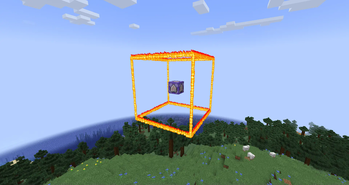
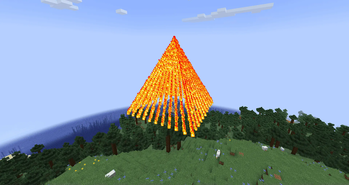
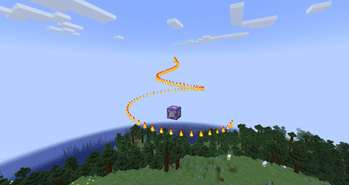
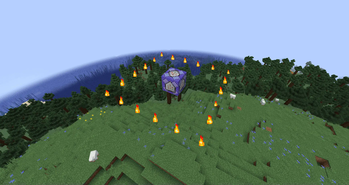
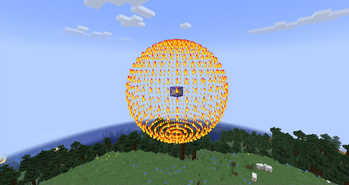
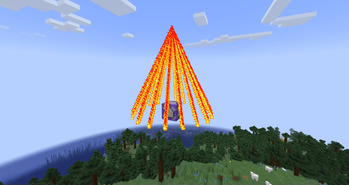
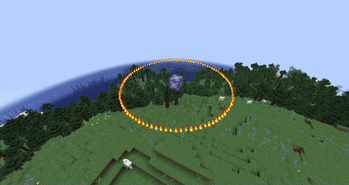
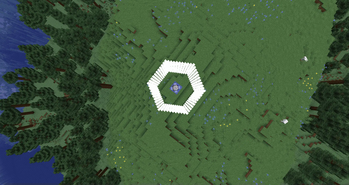
Description Particle Shapes is a server mod for Minecraft 1.21.1 on Fabric, which allows you to create various geometric shapes from particles in the game. With a simple command, you can create circles, squares, spheres, cubes, pyramids, cones, and vortexes from particles such as flames, smoke, hearts, or notes. The mod supports the animation of rotating shapes and the option to force particle visibility for all players, regardless of distance.
This mod is perfect for creating visual effects on servers, decorations, or showing something unusual to your friends. It only works on the server, so clients don't need to install it — it's enough to have the Fabric API.
Using The mod adds the /particles command, which allows you to create shapes from particles. Only players with operator rights (op) or through the server console can execute the command.
Command syntax: /particles [rotate] [force]
- — particle type: flame, smoke, heart, note, soul flame, dragon breath and end rod.
- — coordinates of the center of the shape (for example, ~ ~ ~ for the player's current position or 100 64 100).
- — shape: circle, square, sphere, cube, pyramid, cone, vortex,pentagon, tor and hexagon.
- is the size of the shape (from 0.1 to 50.0):
- For circle, sphere, and vortex, it is the radius.
- For square, cube is the length of the side.
- For pyramid, cone is the height.
- [rotate] — rotation (optional, true or false, default is false):
- If true, the shape will rotate around the Y-axis.
- [force] — forced visibility (optional, true or false, default is false): If true, the particles are visible to all players regardless of the distance.
Features Server mod: Works only on the server, the client does not need the mod itself. Force mode: With force true, the particles are visible to all players, even at a great distance, but this can increase the load on the network. Particle density: The number of particles depends on the size of the shape. Larger shapes (for example, sphere 10) can create more particles and load the server slightly.
- Edition: Minecraft Java
- File type: .jar
- Minecraft version listed: 1.21.4
- How to install: Install the matching mod loader (Forge, Fabric or NeoForge) for your Minecraft version. → Download the .jar. → Put it in the .minecraft/mods folder and launch that loader profile.
- Where to get it: Opens on Modrinth — not every file is mirrored on our own servers.
Install steps are the general flow for this file type — How to install Minecraft Java mods & modpacks walks through it step by step.
- Ships as particle-1.0.3.jar — drop this file into the mods folder
- Download size: 12 KB
- Download link checked 8 Sept 2026 — working
These come from our own check of the pack file, not from the source page.