
The Written Block
I don't know my version or loader
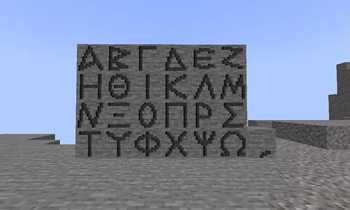
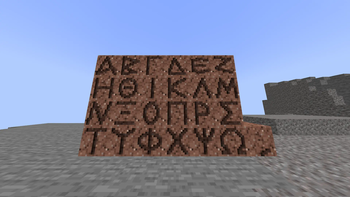

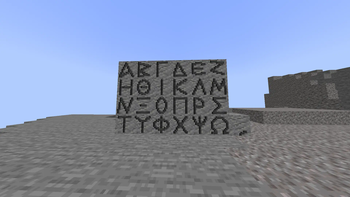
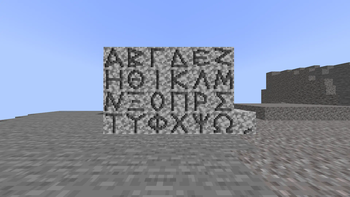
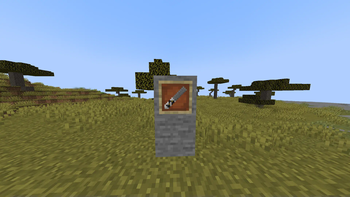
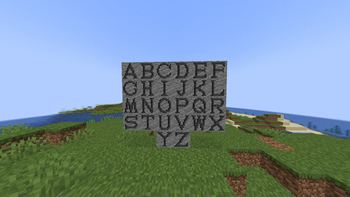
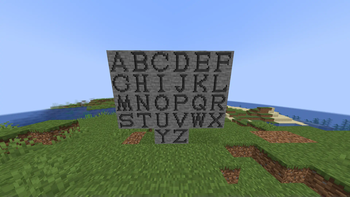
The written word is one of the most essential elements in human history, connecting people around the world across time and space, and it is now available in Minecraft. You get to write on 5 types of stone with all 26 letters of the alphabet, and many more are on the way.
V 0.1.0: -26 Letters on Stone -26 Letters on Sandstone -26 Letters on Andesite -26 Letters on Granite -26 Letters on Diorite -Writing Chisel
V 0.1.1: -Sandpaper (for erasing the letters)
V 0.2.0: -24 Letters on Stone in Greek with tone marker -24 Letters on Sandstone in Greek with tone marker -24 Letters on Andesite in Greek with tone marker -24 Letters on Granite in Greek with tone marker -24 Letters on Diorite in Greek with tone marker -Greek Writing Chisel
WIP: -The Anglo-Saxon Futhark
- Edition: Minecraft Java
- File type: .jar
- Minecraft versions listed: 1.21.4, 1.21.5
- How to install: Install the matching mod loader (Forge, Fabric or NeoForge) for your Minecraft version. → Download the .jar. → Put it in the .minecraft/mods folder and launch that loader profile.
- Where to get it: Opens on Modrinth — not every file is mirrored on our own servers.
Install steps are the general flow for this file type — How to install Minecraft Java mods & modpacks walks through it step by step.
- Ships as thewrittenblock-0.1.1-neoforge-1.21.4.jar — drop this file into the mods folder
- Download size: 1.4 MB
- Download link checked 8 Sept 2026 — working
These come from our own check of the pack file, not from the source page.