
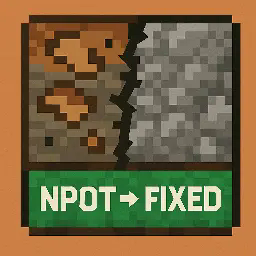
🎨 NPotFixer



Fixes broken, blurry textures in modded Minecraft caused by NPOT (Non-Power-Of-Two) images.
Drop it in. Play. Done. 👊
🔧 What It Does
- ✅ Fixes blurry or broken textures caused by weird image sizes (like 37×19)
- ✅ Makes far-distance sprites look sharp again
- ✅ Drop-in ready - zero configuration
- ✅ Great for modpacks, custom textures, and Sodium users
🤔 Why It Matters
Many Minecraft mods use custom textures that don’t follow the power-of-two (POT) rule.
This breaks mipmaps and causes artifacts, especially when viewing from a distance.
NPotFixer automatically resizes and corrects these textures without touching the original files.
📚 Learn more:
🧩 How to Use
- Download the latest
.jarfrom Modrinth - Drop it into your
mods/folder - Launch the game - and enjoy flawless textures 🎮
🌐 Links
- 💻 GitHub - Source, Issues, Feedback
- 💬 Discord - Community, Support
- 🧠 Read about mipmaps
- 🧠 NPOT explained
📥 Version List
| Version | Minecraft | Description |
|---|---|---|
| 1.0.0 | 1.20.1 | Initial public release |
📄 License
All rights reserved
You may not copy, modify, distribute, or use this mod without explicit permission from the author.
For usage inquiries or permission, contact the developer on GitHub or via Discord
- Edition: Minecraft Java
- File type: .jar
- Minecraft version listed: 1.20.1
- How to install: Install the matching mod loader (Forge, Fabric or NeoForge) for your Minecraft version. → Download the .jar. → Put it in the .minecraft/mods folder and launch that loader profile.
- Where to get it: Opens on Modrinth — not every file is mirrored on our own servers.
Install steps are the general flow for this file type — see the MC Java Mods guides for the full walkthrough.
- Ships as NPotFixer-Fabric+mc1.20.1-1.0.1.jar — drop this file into the mods folder
- Download size: 28 KB
- Download link checked 8 Sept 2026 — working
These come from our own check of the pack file, not from the source page.