
Roofify
Client-side Fabric mod that overlays indicators above Nether roof bedrock to reveal what’s directly below. Helpful when trying to find the best spot to…
⬇ Download on Modrinth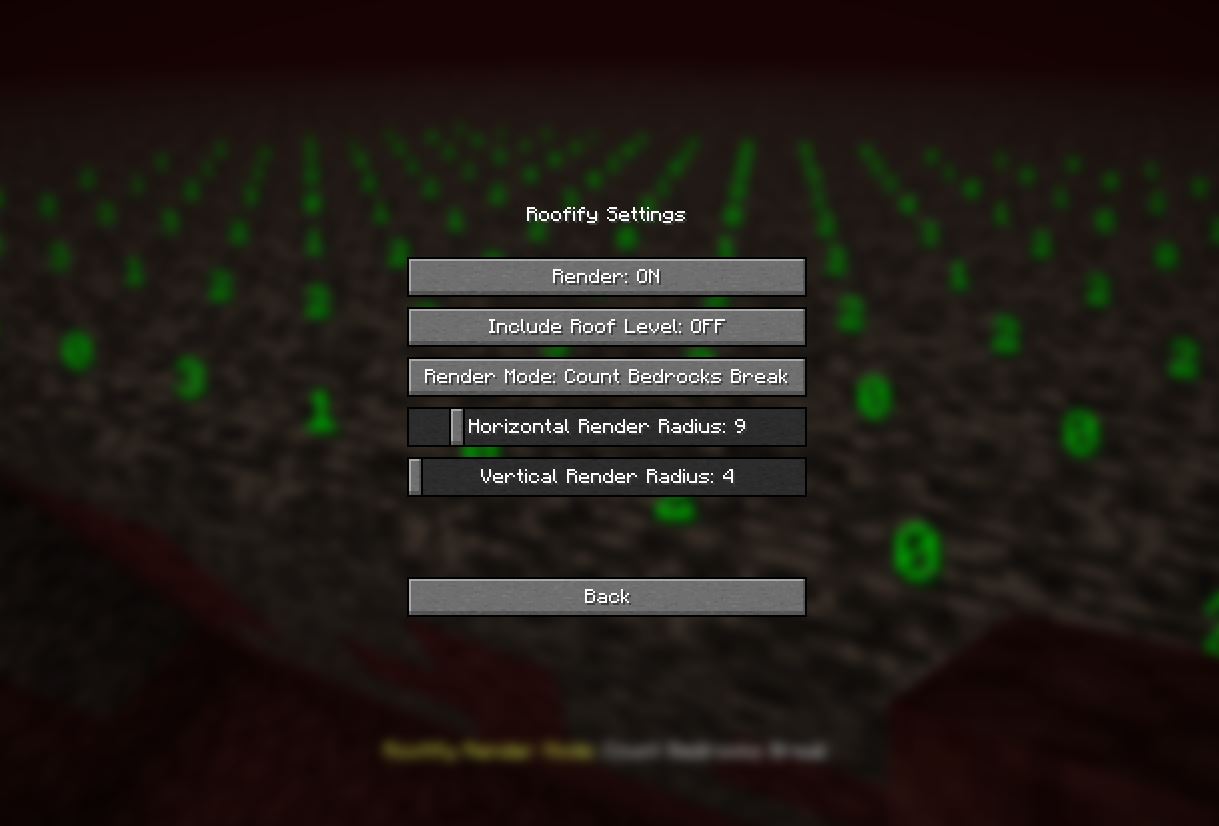
Roofify
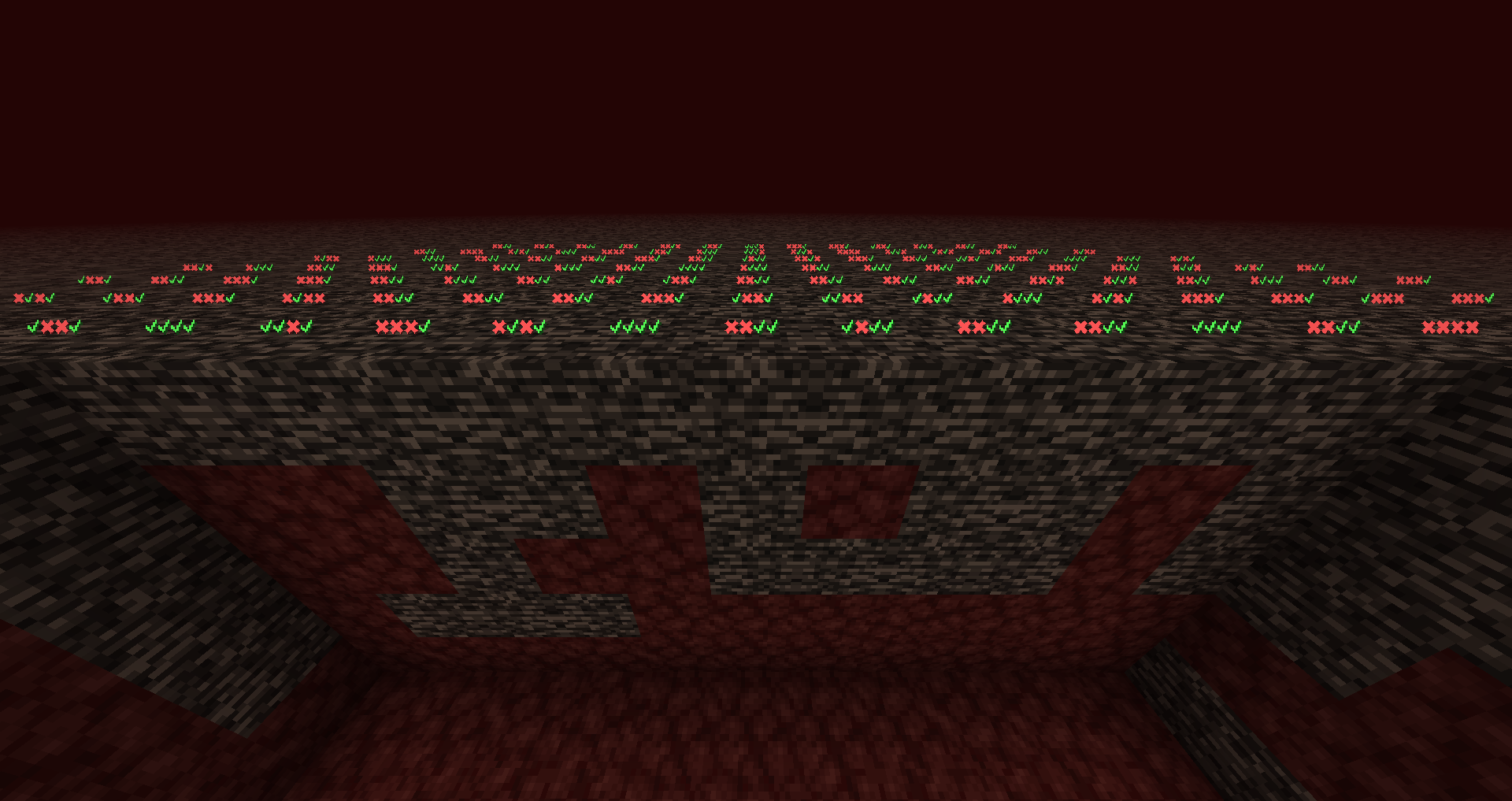
Fully client-sided Fabric mod that overlays indicators above Nether roof bedrock to reveal what’s directly below. Helpful when trying to find the best spot to break bedrock.





Features:
- Customizable keybindings: toggle on/off and switch render mode
- Different render modes: use the best one for your needs.
- Customizable rendering parameters, vertical and horizontal distance.
- Performance friendly: The mod only renders the icons/numbers if you are in the Nether dimension above Y level 125.
Multiple Rendering Modes
- Checkmarks: the first symbol represents the block directly under the roof (or the roof block itself, if "Include Roof Level" is enabled), the next is below that, and so on. ✓ = non-bedrock, ✖ = bedrock.
- Count Bedrocks: counts all bedrock blocks in the column. Does not stop at non-bedrock.
- Count Bedrocks Break: counts until a non-bedrock block is encountered; if the first block under the roof is not bedrock, it shows 0 even if there are bedrock blocks further down.
Good to know
- Default keybind for toggling on/off is "B"
- Default keybind to switch render modes is "N"
- By default settings, the first layer (Y level 127) is not included in the calculations however, if you want you can configure this behaviour.
Multiplayer and Fair Play
Roofify is a client-side visual aid and does not require server-side installation. However, some servers may consider this an unfair advantage. Use at your own discretion. I am not responsible for any bans resulting from using this mod.
Contributions
Contributions are always welcomed in any form! If you have an idea, you can share that with me on discord, or open an issue or a pull request on GitHub.
Credits
The core text rendering approach in RenderUtils is based on work by dark-lion-jp from the Light Level 2025 mod (adapted and trimmed to this mod's needs). Thank you!
License
This project is licensed under the MIT License. See the LICENSE file for details.
- Edition: Minecraft Java
- File type: .jar
- Minecraft version listed: 1.21
- How to install: Install the matching mod loader (Forge, Fabric or NeoForge) for your Minecraft version. → Download the .jar. → Put it in the .minecraft/mods folder and launch that loader profile.
- Where to get it: Opens on Modrinth — not every file is mirrored on our own servers.
Install steps are the general flow for this file type — How to install Minecraft Java mods & modpacks walks through it step by step.
- Ships as roofify-1.0.0+1.21.jar — drop this file into the mods folder
- Download size: 1.2 MB
- Download link checked 8 Sept 2026 — working
These come from our own check of the pack file, not from the source page.