
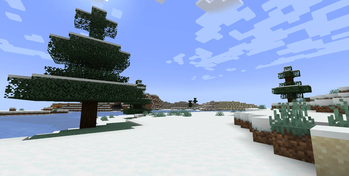
Screenie
A Minecraft mod for taking high-resolution screenshots with custom dimensions and settings.
Features
- Take screenshots at custom resolutions
- Dynamic window size tracking
- GUI configuration screen
- Multiple file formats (PNG, JPG, TGA, BMP)
- HUD hiding option
- Configurable capture delay
- Custom filename templates
Usage
Press J (default key) to open the configuration screen. Configure your settings and press Apply Changes to save.

Taking Screenshots
With the mod configured, use the screenshot key to capture images at your specified resolution.

Configuration
The mod creates a configuration file at .minecraft/config/screenie.properties with the following options:
screenshot_name- Filename template (supports %time% and %world% variables)replace_default- Replace default screenshot functionalityhide_ui- Hide HUD during capturesave_enabled- Enable file savingdynamic_sizing- Automatically track window size changesimg_width- Screenshot widthimg_height- Screenshot heightcountdown- Frames to wait before captureformat- Output format (PNG, JPG, TGA, BMP)
Quick facts
- Edition: Minecraft Java
- File type: .jar
- Minecraft version listed: 1.21.8
- How to install: Install the matching mod loader (Forge, Fabric or NeoForge) for your Minecraft version. → Download the .jar. → Put it in the .minecraft/mods folder and launch that loader profile.
- Where to get it: Opens on Modrinth — not every file is mirrored on our own servers.
Install steps are the general flow for this file type — How to install Minecraft Java mods & modpacks walks through it step by step.
Verified by MCModsHub
- Ships as screenie-0.1.0+1.21.8.jar — drop this file into the mods folder
- Download size: 45 KB
- Download link checked 8 Sept 2026 — working
These come from our own check of the pack file, not from the source page.