
AartBars - HUD Components
A lightweight Minecraft mod that adds various HUD components.

Features
Broken Block Tracker
- Tracks and displays the number of blocks broken by the player
- Simple text-based display
- Customizable position (right-aligned with experience bar by default)
- Counter persists across game sessions
Stuck Arrows
- Displays the number of arrows stuck in your player
- Arrow icon rendering
- Customizable position (right-aligned with food bar by default)
- Basic animation when arrow count changes
Speedometer
- Measures player movement speed
- Analog gauge display
- Customizable position (left of center by default)
- Smooth interpolation between speed changes
- Uses position history for accurate speed calculation
Thermometer
- Displays current biome temperature
- Graphical thermometer display
- Customizable position (left-aligned with health bar by default)
- Temperature range from -0.5 to 1.5
- Updates based on player's current biome
Options
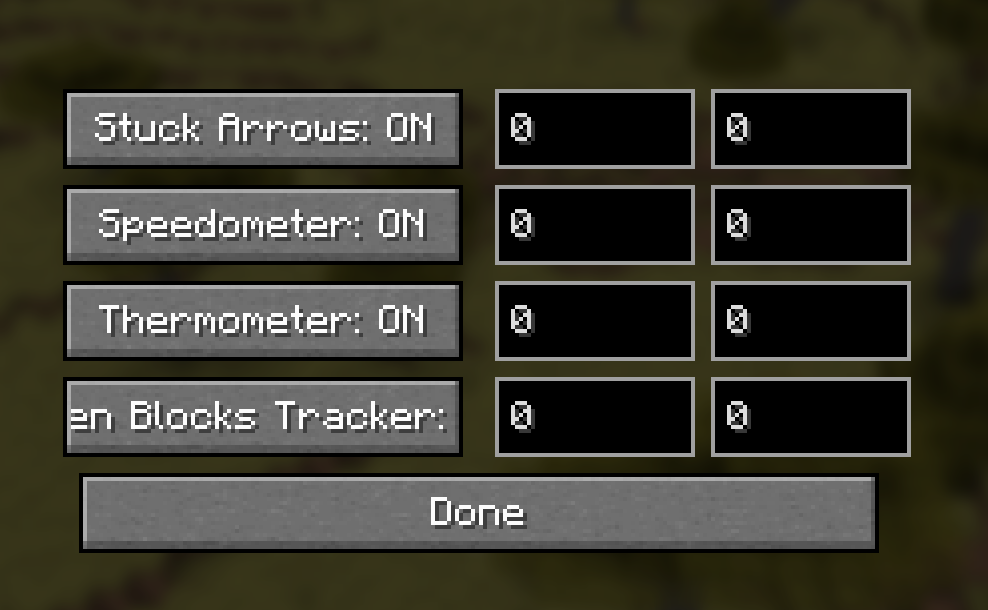
Adjust visibility and X/Y position offset. Menu hotkey needs to be bound.
Compatibility
- Works with Fabric API
- Client-side only - no server installation needed
Credits
- Technical Director: Aart
- Developer: aaddrick
- Special Thanks: Squeek from Appleskin fame, from whom I shamelessly stole the bones of this mode from.
License
This mod is released under the Unlicense, meaning you're free to use, modify, and distribute it however you like!
Quick facts
- Edition: Minecraft Java
- File type: .jar
- Minecraft version listed: 1.21.4
- How to install: Install the matching mod loader (Forge, Fabric or NeoForge) for your Minecraft version. → Download the .jar. → Put it in the .minecraft/mods folder and launch that loader profile.
- Where to get it: Opens on Modrinth — not every file is mirrored on our own servers.
Install steps are the general flow for this file type — How to install Minecraft Java mods & modpacks walks through it step by step.
Verified by MCModsHub
- Ships as aartbars-1.1.0.jar — drop this file into the mods folder
- Download size: 48 KB
- Download link checked 8 Sept 2026 — working
These come from our own check of the pack file, not from the source page.