
USeArKey — Keybinding
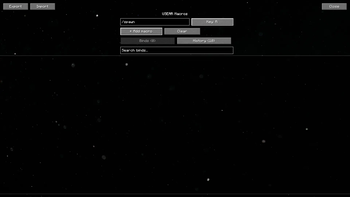
Bind any command to any key or mouse button. USeArKey is a lightweight Minecraft mod that makes hotkey customization simple. Create keybinds, assign them to keys, and streamline your gameplay with fast access to commands.
Features
- Flexible keybinding: assign chat commands or actions to any key or mouse button.
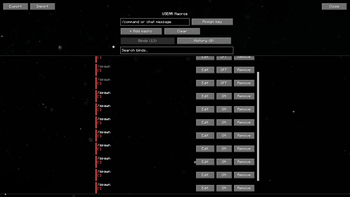
- Scrollable bind list: a native, searchable list of your binds — smooth scrolling and a scrollbar, so it stays clean no matter how many binds you add.
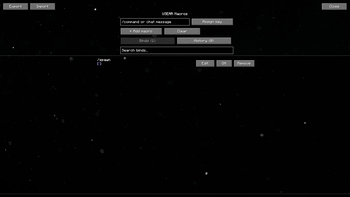
- Enable/disable toggle: temporarily turn a bind off without deleting it.
- Duplicate key warning: binds sharing the same key are highlighted so you can spot conflicts at a glance.
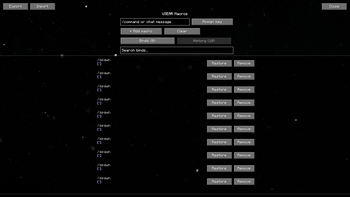
- History support: recently removed binds are kept so you can restore them in one click.
- Export / Import: copy your binds to the clipboard as JSON and share or restore them instantly — great for backups or moving to a new PC.
- Mouse binds: supports side buttons for extra control.
- Smooth, polished UI: fade-in animations, live toast notifications, and a parallax background give the macro screen a bit of extra life.
How to use
- Go to Options → Controls and set a key for Open Keybinder Screen (default:
K). - Open the Keybinder Screen, type a command, press Assign Key, and choose a button.
- Save and use your new hotkey directly in-game.
- Use the search bar and tabs to manage binds once you've added a few — toggle, edit, or remove them anytime.
Installation
- Download the latest version from Modrinth.
- Place the
.jarfile into yourmodsfolder. - Launch Minecraft with Fabric or Quilt.
Why you'll like it
USeArKey keeps things simple: no bloated features, just reliable keybinding with a clean, comfortable interface. Perfect for players who want quick access to commands without typing them every time.
Quick facts
- Edition: Minecraft Java
- File type: .jar
- Minecraft version listed: 1.21.11
- How to install: Install the matching mod loader (Forge, Fabric or NeoForge) for your Minecraft version. → Download the .jar. → Put it in the .minecraft/mods folder and launch that loader profile.
- Where to get it: Opens on Modrinth — not every file is mirrored on our own servers.
Install steps are the general flow for this file type — How to install Minecraft Java mods & modpacks walks through it step by step.
Verified by MCModsHub
- Ships as [1.21.11]USeArKey-3.1.jar — drop this file into the mods folder
- Download size: 934 KB
- Download link checked 8 Sept 2026 — working
These come from our own check of the pack file, not from the source page.