

[MineboxAddons]

MineboxAddons is a simple utility mod for the Minebox server. It adds many quality of life features and improvements to the experience on the server.
Features
Commands:
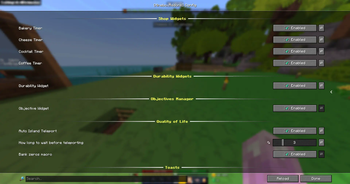
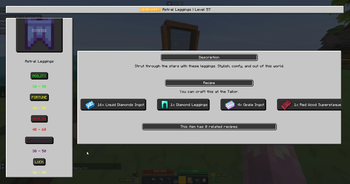
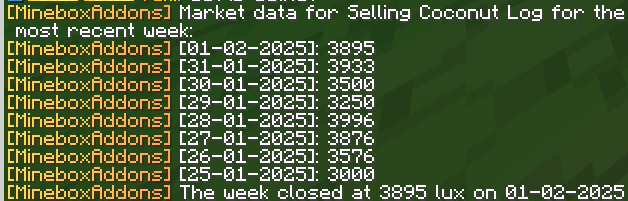
/items view [item name]- View the wiki page for the item in your hand or the name specified./items search [item name]- Search for an item in the wiki and quickly view its stats./items price (period) (direction) [item name]- View the buy or sell price of an item in the Bazaar for the latest Day, Week or Month./mba objective create <objective 1, objective 2, ... comma seperated>- Creates a widget to track a custom list of objectives. Simply separate each of your objectives with a comma, and it will display a scoreboard of the current step/mbaq <objective 1, objective 2, ... comma seperated>- Alias for above/mba objective next- Advances the current objective to the next step/mbaqn- Alias for above/mba config gui- Move or hide the HUD widgets
HUD Widgets
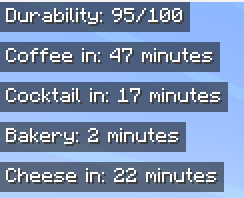
- Durability Widget: Displays the durability of the item in your hand, for example a Watering Can
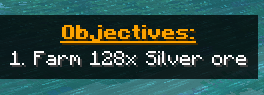
- Objective Tracker: Displays the current step of your objectives, as set by
/mba objective create - Bakery, Cheese, Coffee and Cocktail timers: Displays the time until the next refresh
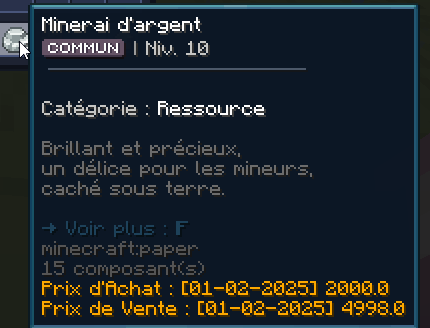
- Bazaar Price Tooltip: Hover over an item in your inventory and the bazaar price will be added to the tooltip
QoL Features
- Shop Toasts: Displays a toast notification and plays a sound when a shop opens
- Bank Macro: When in the bank menu, type "k", "m" or "b" to quickly type the respective amount of zeros without needing to do it manually
- Island Auto Teleport Macro: When you join the server, you can set a delay of 1-10 seconds before automatically running "/is"
Quick facts
- Edition: Minecraft Java
- File type: .jar
- Minecraft version listed: 1.21.3
- How to install: Install the matching mod loader (Forge, Fabric or NeoForge) for your Minecraft version. → Download the .jar. → Put it in the .minecraft/mods folder and launch that loader profile.
- Where to get it: Opens on Modrinth — not every file is mirrored on our own servers.
Install steps are the general flow for this file type — How to install Minecraft Java mods & modpacks walks through it step by step.
Verified by MCModsHub
- Ships as mineboxaddons-1.0.1+1.21.3.jar — drop this file into the mods folder
- Download size: 2.3 MB
- Download link checked 8 Sept 2026 — working
These come from our own check of the pack file, not from the source page.