
Bnnch: Sort
Java mod listed for Minecraft 1.21. Downloads from the MC Java Mods app on Android.
A client and server-side mod that adds intelligent inventory sorting with customizable methods and keybind support.
⬇ Download on Modrinth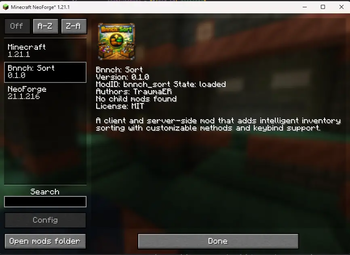

Bnnch: Sort
A NeoForge mod for Minecraft 1.21.1 that provides intelligent inventory sorting with multiple sorting methods, customizable preferences, and an intuitive user interface.
Features
- Four Sorting Methods: Sort items alphabetically, by category, by quantity, or by mod ID
- Ascending/Descending Order: Reverse any sorting method with a single keypress
- Slot Locking: Lock specific inventory slots to exclude them from sorting (v0.2.0+)
- Smart Stack Merging: Automatically combines partial stacks before sorting
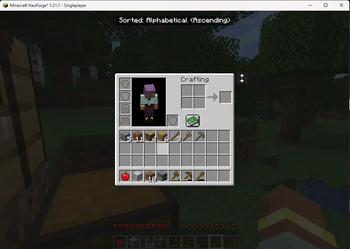
- Visual Feedback: On-screen overlay shows current sort preferences
- Keybindings: Quick keyboard shortcuts for sorting and cycling preferences
- Slash Commands: Full command support for sorting and configuration
- UI Button: Optional sort button on container screens
- Per-Player Preferences: Settings persist across sessions and respawn
Sorting Methods
| Method | Description |
|---|---|
| Alphabetical | Sorts items by display name (A-Z or Z-A) |
| Category | Groups items by creative tab, then alphabetically within each group |
| Quantity | Sorts by stack count (highest to lowest, or reversed) |
| Mod ID | Groups items by mod namespace, then alphabetically within each mod |
Installation
- Install NeoForge for Minecraft 1.21.1
- Download the latest release of Bnnch: Sort
- Place the
.jarfile in yourmodsfolder - Launch Minecraft
Usage
Keybindings
| Key | Action |
|---|---|
R |
Sort the inventory region under your cursor |
P |
Cycle to the next sort preference (method + order) |
Alt + Click |
Toggle slot lock on a player inventory slot |
The sort key automatically detects which inventory section to sort based on mouse position:
- Hovering over a container (chest, shulker box) sorts that container
- Hovering over your main inventory sorts the 27-slot grid
- Hovering over your hotbar sorts just the hotbar
Slot Locking
Hold the modifier key (default: Alt) and click a player inventory slot to lock or unlock it. Locked slots are
highlighted with a colored tint and are excluded from sorting operations.
- Locked slots keep their contents in place when sorting occurs
- Locked empty slots remain empty during sorts
- Non-full stacks in locked slots can still receive matching items merged from unlocked slots during sorting
- Lock state persists across death, relog, and dimension changes
- Only player inventory slots (main grid and hotbar) can be locked — container slots cannot
Hovering over an empty locked slot shows a tooltip with unlock instructions. The modifier key, tint color, and tooltip visibility are all configurable in the client config.
Commands
All commands use the /bnnchsort prefix:
/bnnchsort sortinv [region]    - Sort your inventory
                           Regions: all, main, hotbar (default: main)

/bnnchsort change <method> <order>  - Set your sorting preference
                                Methods: alphabetical, category, quantity, mod_id
                                Orders: ascending, descending

/bnnchsort reset               - Reset preferences to server defaults

/bnnchsort unlock              - Unlock all locked inventory slots

/bnnchsort config [key]        - View configuration settings
                           Keys: method, order, button

/bnnchsort help                - Display help and current preferences
                           Also shows locked slot counts
UI Button
A small sort button appears on compatible container screens (chests, shulker boxes, player inventory). Click it to sort the container contents. The button tooltip shows your current sort method and order.
The button can be disabled in the client configuration.
Configuration
Client Configuration
Located at config/bnnch_sort-client.toml
| Option | Default | Description |
|---|---|---|
showSortButton |
true |
Display the sort button on container screens |
lockModifierKey |
ALT |
Modifier key for locking slots (ALT, CONTROL, SHIFT) |
lockTintColor |
FFD70080 |
RGBA hex color for the locked slot overlay tint |
showLockTooltip |
true |
Show unlock hint tooltip on locked slots |
Lock Tint Color
The lockTintColor value uses RGBA hex format. You can use a color picker like
rgbcolorpicker.com to choose a color and append the alpha value (00-FF) for transparency.
Here are some examples (at 50% opacity): FF000080 (red), FFD70080 (gold), 00FF0080 (green), 0000FF80 (blue).
Server Configuration
Located at config/bnnch_sort-server.toml
| Option | Default | Description |
|---|---|---|
defaultSortMethod |
ALPHABETICAL |
Default sorting method for new players |
defaultSortOrder |
ASCENDING |
Default sort order for new players |
Compatibility
- Minecraft: 1.21.1
- NeoForge: 21.1.x or higher
- Java: 21 or higher
Supported Containers
The mod sorts items in:
- Player inventory (main grid and hotbar)
- Chests and double chests
- Shulker boxes
- Ender chests
- Barrels
Protected Slots
The following slot types are never sorted:
- Armor slots
- Offhand slot
- Crafting grid slots
- Furnace input/output/fuel slots
- Other special result slots
- Player-locked slots (see Slot Locking)
Disclaimer: Banner and logo were generated with the use of AI. These may appear in the gallery images.
- Edition: Minecraft Java
- File type: .jar
- Minecraft version listed: 1.21.1
- How to install: Install the matching mod loader (Forge, Fabric or NeoForge) for your Minecraft version. → Download the .jar. → Put it in the .minecraft/mods folder and launch that loader profile.
- Where to get it: Opens on Modrinth — not every file is mirrored on our own servers.
Install steps are the general flow for this file type — How to install Minecraft Java mods & modpacks walks through it step by step.
- Ships as bnnch_sort-neoforge-0.2.2+mc1.21.1.jar — drop this file into the mods folder
- Download size: 1.9 MB
- Download link checked 19 Oct 2026 — working
These come from our own check of the pack file, not from the source page.