
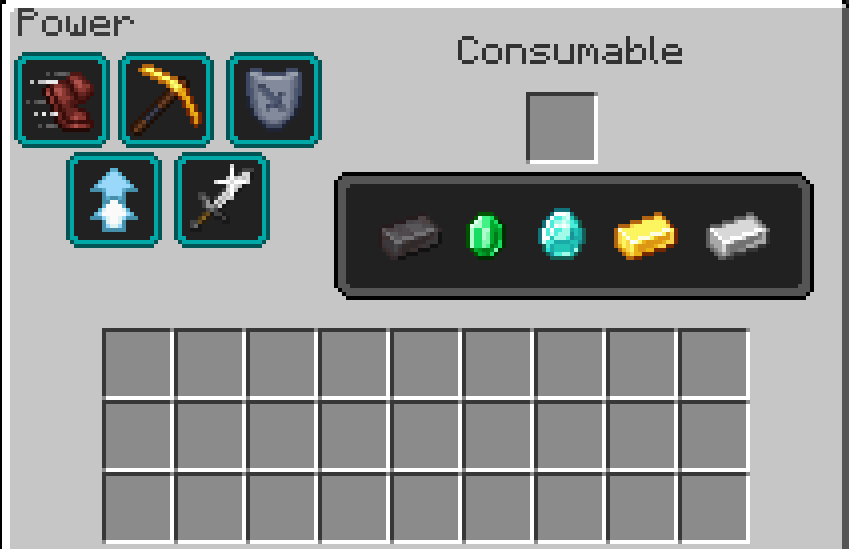
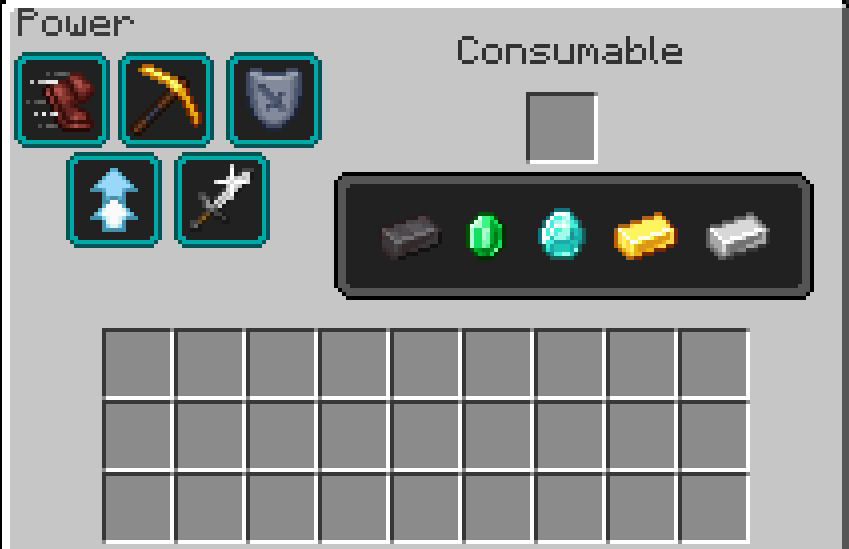
This mod adds a unique item — the Inventory Beacon — allowing you to open a beacon-like GUI right from your inventory. Simply place an ingot (iron, gold, diamond, emerald, netherite) into the slot, then select the potion effect you want with a click. (it's like a portable beacon)
Features
Intuitive GUI similar to the vanilla beacon, accessible from an inventory item
Five cosumable types: Iron, Gold, Diamond, Emerald, Netherite, each granting different effect durations and strengths
Multiple potion effects selectable via buttons (e.g., Speed, Strength, Regeneration)
Automatic consumption of the catalyst item when applying the effect
Easy to use — perfect for adventurers who want buffs without placing a beacon block
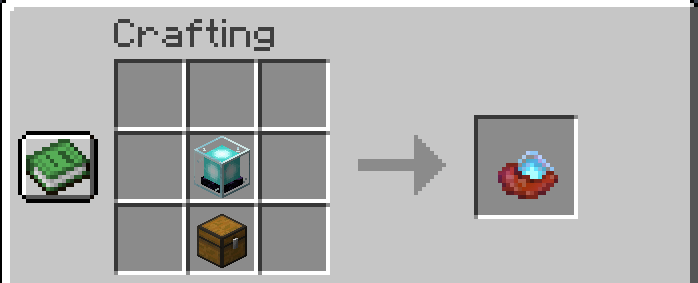
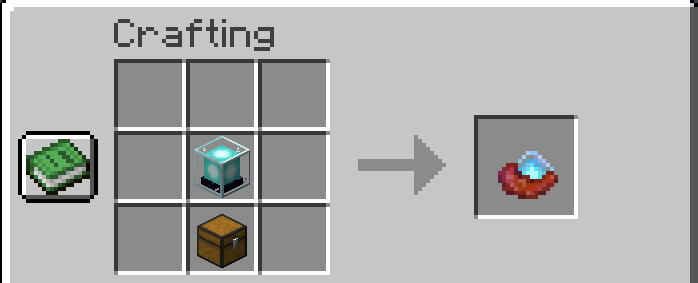
Crafting
Compatibility
Minecraft 1.21.1 NeoForge(For the moment)
Notes
This mod is under active development and will receive more effects and options in future updates. Feedback is welcome!
- Edition: Minecraft Java
- File type: .jar
- Minecraft version listed: 1.21.1
- How to install: Install the matching mod loader (Forge, Fabric or NeoForge) for your Minecraft version. → Download the .jar. → Put it in the .minecraft/mods folder and launch that loader profile.
- Where to get it: Opens on Modrinth — not every file is mirrored on our own servers.
Install steps are the general flow for this file type — How to install Minecraft Java mods & modpacks walks through it step by step.
- Ships as InventoryBeacon-1.0.2-neoforge-1.21.1.jar — drop this file into the mods folder
- Download size: 81 KB
- Download link checked 8 Sept 2026 — working
These come from our own check of the pack file, not from the source page.