
Zakuro
Java mod listed for Minecraft 1.20. Downloads from the MC Java Mods app on Android.
⬇ Download on Modrinth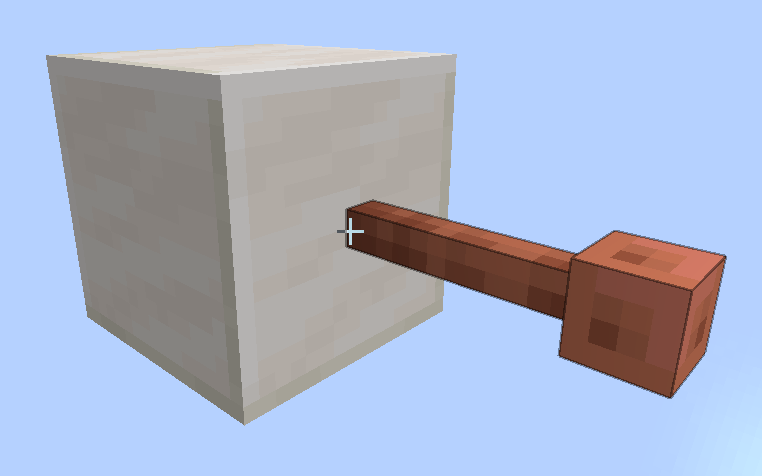
Zakuro
A mod that provides many modules for some extra modifies for vanilla survival.




📖 What's this mod?
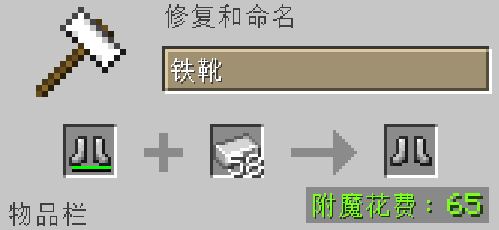
Have you ever been bothered by the prompt 'Too Expansive!' in the anvil while forging equipment?
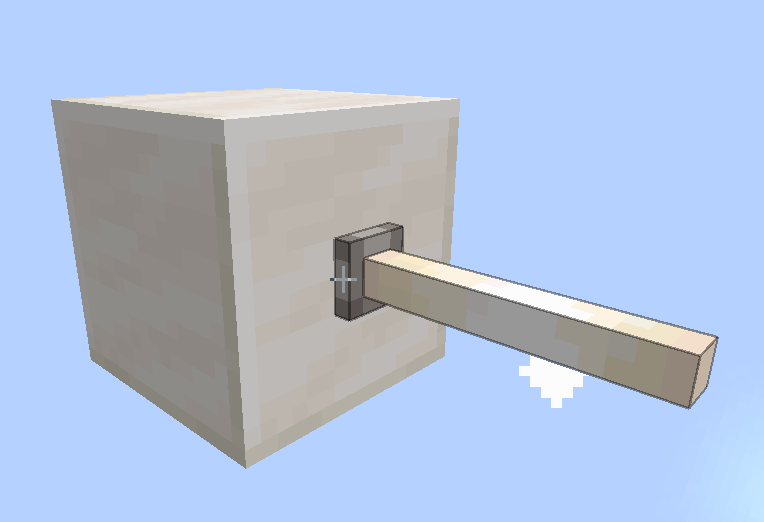
Have you ever noticed that the collision box of the end rod and lightning rod is larger than what they should actually have?
Have you...
There are many inconvenient places in Minecraft, and this mod provides some functions to may improve them.
🔧 Functions
Functions (also called Modules in this mod) are fully modular and switchable.You can get a built-in settings screen by installing ModMenu mod.
Some of the functions:
deleteTooExpensive
This module removes the "Too Expensive!" tip on the anvil and keeps the penalty level on the item.fixBlocksOutlineShape
This module fixes some blocks' outline shape and syncs it to the blocks' model.fixZombieReinforcement
This module fixes the zombie reinforcement and allows zombies and their variants to spawn clones of themselves, just like Minecraft 1.21.2 version does.
Here's the detailed modules page.
🤓 I have an idea!
Welcome to the issues page to submit your ideas! The author will do their best to implement it :)
😮 I found a bug!
Welcome to the issues page too to submit the bug! The author will do their fast to fix it :(
- Edition: Minecraft Java
- File type: .jar
- Minecraft version listed: 1.20.1
- How to install: Install the matching mod loader (Forge, Fabric or NeoForge) for your Minecraft version. → Download the .jar. → Put it in the .minecraft/mods folder and launch that loader profile.
- Where to get it: Opens on Modrinth — not every file is mirrored on our own servers.
Install steps are the general flow for this file type — How to install Minecraft Java mods & modpacks walks through it step by step.
- Ships as zakuro-1.0.1.3+1.20.1.jar — drop this file into the mods folder
- Download size: 737 KB
- Download link checked 19 Oct 2026 — working
These come from our own check of the pack file, not from the source page.