
Entity Debugger
Overview
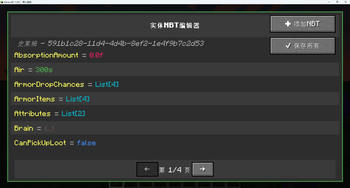
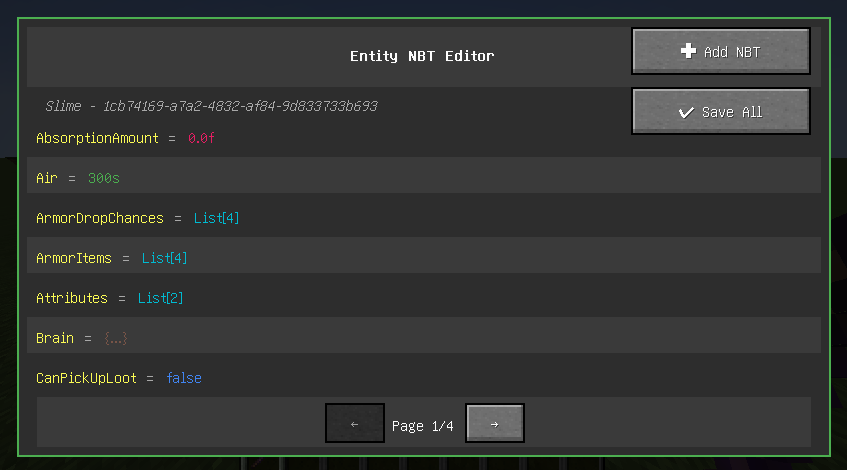
Entity Debugger is a powerful Minecraft Fabric mod that provides an intuitive entity NBT data editing interface for players and developers. With a simple right-click, you can view and modify any entity's NBT data with real-time synchronization to the game world.
Key Features
🎯 Visual NBT Editor
- Real-time Editing: Edit entity NBT data directly in-game without exiting the world
- Type Highlighting: Different NBT types displayed in distinct colors for easy identification
- Boolean Dropdown: Intuitive dropdown selection for boolean values (true/false)
- List Editor: Dedicated multi-line list editor with syntax highlighting
🔧 Advanced Editing Features
- Special Tag Synchronization: Critical tags (Pos, Rotation, Health, etc.) take effect immediately
- Batch Operations: Support for adding new NBT tags and batch saving all modifications
- Pagination System: Browse large amounts of NBT data with pagination support
- Data Validation: Input validation and error prompts to prevent invalid modifications
🎨 User-Friendly Interface
- Modern UI: Dark theme design that matches Minecraft's style
- Real-time Preview: Modifications show immediate effects without restarting the game
- Undo Protection: Prompt for unsaved changes before closing
- Keyboard Shortcuts: Support for shortcuts like Enter to save, Esc to cancel
How to Use
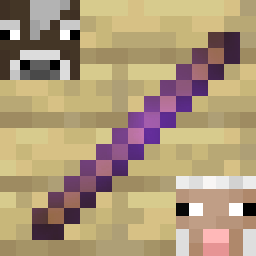
- Obtain Debug Stick: Find the "Entity Debug Stick" in creative mode operator tab
- Select Entity: Right-click any entity while holding the debug stick
- Start Editing: View and modify NBT data in the opened interface
- Save Changes: Click the "Save All" button to apply modifications
Technical Features
- Fabric API: Developed based on the latest Fabric architecture
- Multi-language Support: Complete Chinese and English localization
- Performance Optimized: Efficient memory management and rendering optimization
- Compatibility: Compatible with most mods without affecting game performance
Installation Requirements
- Minecraft 1.20+
- Fabric Loader
- Fabric API
Developer Features
For mod developers, this tool can:
- Quickly debug entity data
- Test NBT structures
- Validate data synchronization logic
- Learn Minecraft entity data structures
Safety Notice
⚠️ Warning: Incorrect NBT modifications may cause game crashes or entity corruption. Recommended to use in creative mode or test worlds. Backup your world before making important changes.
Roadmap
- Support for more NBT types
- Search and filter functionality
- Preset template system
- History tracking feature
- Export/import NBT data
Support & Feedback
If you encounter any issues or have feature suggestions, please submit an Issue on the project's GitHub page. We welcome community contributions and feedback!
- Edition: Minecraft Java
- File type: .jar
- Minecraft version listed: 1.20.1
- How to install: Install the matching mod loader (Forge, Fabric or NeoForge) for your Minecraft version. → Download the .jar. → Put it in the .minecraft/mods folder and launch that loader profile.
- Where to get it: Opens on Modrinth — not every file is mirrored on our own servers.
Install steps are the general flow for this file type — How to install Minecraft Java mods & modpacks walks through it step by step.
- Ships as entity-debugger-1.1.1.jar — drop this file into the mods folder
- Download size: 61 KB
- Download link checked 8 Sept 2026 — working
These come from our own check of the pack file, not from the source page.