
ModsJava
Remote UI Terminal
Java mod listed for Minecraft 1.19. Downloads from the MC Java Mods app on Android.
(RU) Дискорд: Терминал удалённого доступа к блокам. Управление Добавить блок: Shift + ПКМ по блоку Удалить блок: ПКМ в меню (EN) Discord: Terminal for…
⬇ Download on Modrinth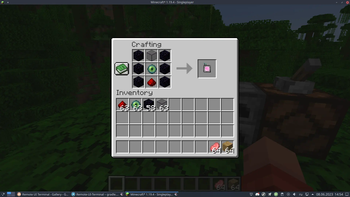
(RU)
Дискорд: https://discord.gg/WNEDhYXBKr
Терминал удалённого доступа к блокам.
Управление
Добавить блок: Shift + ПКМ по блоку
Удалить блок: ПКМ в меню
(EN)
Discord: https://discord.gg/WNEDhYXBKr
Terminal for remote access to blocks.
Management
Add block: Shift + RMB on block
Delete block: RMB in the menu
Quick facts
- Edition: Minecraft Java
- File type: .jar
- Minecraft versions listed: 1.19, 1.19.1, 1.19.2
- How to install: Install the matching mod loader (Forge, Fabric or NeoForge) for your Minecraft version. → Download the .jar. → Put it in the .minecraft/mods folder and launch that loader profile.
- Where to get it: Opens on Modrinth — not every file is mirrored on our own servers.
Install steps are the general flow for this file type — How to install Minecraft Java mods & modpacks walks through it step by step.
File checked by MCModsHub
- Ships as ruit-2.1.3.jar — drop this file into the mods folder
- Download size: 20 KB
- Download link checked 19 Oct 2026 — working
These come from our own check of the pack file, not from the source page.