
Simple Locations
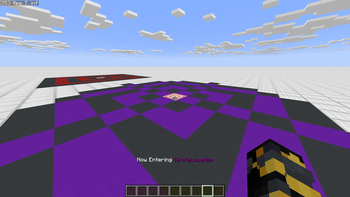
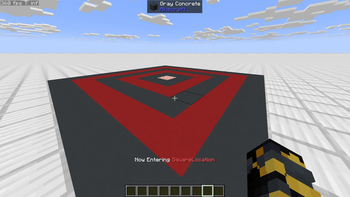
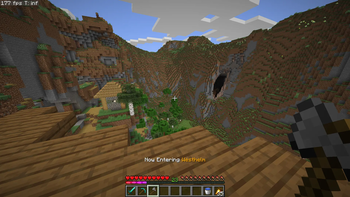
Lightweight server-side regions that show “Now Entering” text when players walk into an area. Optional “fancy” mode puts big center-screen text with a line and can play a vanilla ambient sound only to that player.

Requirements
Fabric API
Features
Create circle or square locations by name and radius
Per-location color for the action bar message
Optional “fancy” mode for Dark Souls style center title with underline
Pure server side. No client mod needed


Commands
Examples assume you are standing where you want the center.
# Create a circle with radius 25
/location create <name> 25

# Create a square with radius 30
/location create <name> 30 square

# Set the display color (name or RGB, depends on your implementation)
/location color <name> red

# Toggle fancy mode for the location you are currently inside
/location fancy true
/location fancy false

# List, remove, rename
/location list
/location remove <name>

Quick facts
- Edition: Minecraft Java
- File type: .jar
- Minecraft version listed: 1.21.11
- How to install: Install the matching mod loader (Forge, Fabric or NeoForge) for your Minecraft version. → Download the .jar. → Put it in the .minecraft/mods folder and launch that loader profile.
- Where to get it: Opens on Modrinth — not every file is mirrored on our own servers.
Install steps are the general flow for this file type — How to install Minecraft Java mods & modpacks walks through it step by step.
Verified by MCModsHub
- Ships as locations - v1.0.2 - 1.21.11.jar — drop this file into the mods folder
- Download size: 23 KB
- Download link checked 9 Sept 2026 — working
These come from our own check of the pack file, not from the source page.