
Cranberry
Java mod listed for Minecraft 1.21. Downloads from the MC Java Mods app on Android.
⬇ Download on Modrinth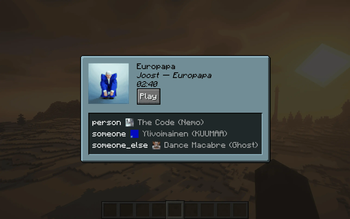
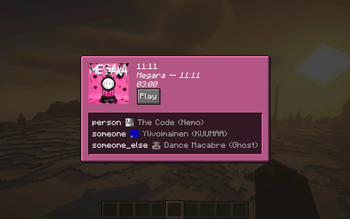
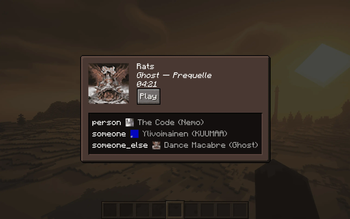
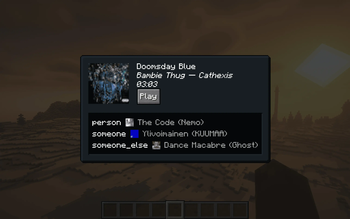
Cranberry
In-game music playback on macOS
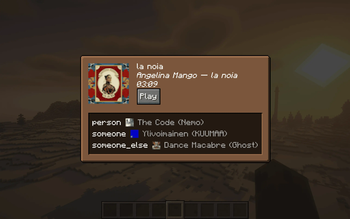
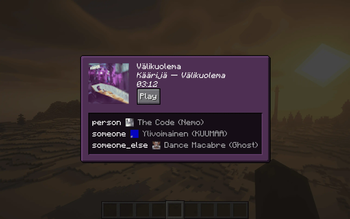
Cranberry allows you to control whatever music is playing on your computer from within Minecraft. If also installed on a server, others with the mod will be able to see what you're listening to (disableable).
Table of Contents
Images

Visit the gallery for more examples.
Client Installation
Cranberry is currently only supported on macOS and will automatically disable itself on any other platform.
If installed only on the client, pressing the keybind (M by default) will open a screen that shows what music is currently being played and allows you to play/pause it. By default, the background of the screen is dynamically tinted with the dominant color from the image - this can be disabled in the configuration (see Configuration Options).
Server Installation
Installing the mod on the server allows clients to see each other's music statuses - clients may disable sending or receiving statuses in the configuration. Note that if this mod is installed on the server, owo-lib (a library mod that this mod depends on) must be installed on every connecting client, or they will not be able to connect due to registry mismatches. The mod itself is optional.
Configuration Options
You may edit configuration values in config/cranberry-client-config.json5. Alternatively, installing Mod Menu will allow you to change the following configuration options via a GUI:
- Send music statuses (default: true; only takes effect when playing multiplayer)
- Receive music statuses (default: true; only takes effect when playing multiplayer)
- Dynamic background (default: true)
How Does It Work?
Magic.
Technical details Apple has a private framework on its platforms called `MediaRemote`, which allows for media playback information and control. Some Swift code is linked to this framework, built to a dynamic library, and called from Java using JNI.Windows / Linux?
While this sort of thing would generally be easier on Windows and Linux (Windows has MediaPlayer and Linux has MPRIS/D-Bus, both of which are well-documented and intended for public consumption, as opposed to Apple's MediaRemote), I have absolutely no experience working with WinRT or D-Bus. So although I'm interested in adding support, I don't currently actually have plans to do it.
- Edition: Minecraft Java
- File type: .jar
- Minecraft versions listed: 1.21, 1.21.1
- How to install: Install the matching mod loader (Forge, Fabric or NeoForge) for your Minecraft version. → Download the .jar. → Put it in the .minecraft/mods folder and launch that loader profile.
- Where to get it: Opens on Modrinth — not every file is mirrored on our own servers.
Install steps are the general flow for this file type — How to install Minecraft Java mods & modpacks walks through it step by step.
- Ships as cranberry-1.0.0.jar — drop this file into the mods folder
- Download size: 141 KB
- Download link checked 19 Oct 2026 — working
These come from our own check of the pack file, not from the source page.