
ModsJava
CustomFontFix
Fixes Z-fighting issues caused by TTF font rendering in Minecraft, especially when using glow ink on signs. Optimized for third-party pixel fonts like…
⬇ Download on Modrinth
CustomFontFix
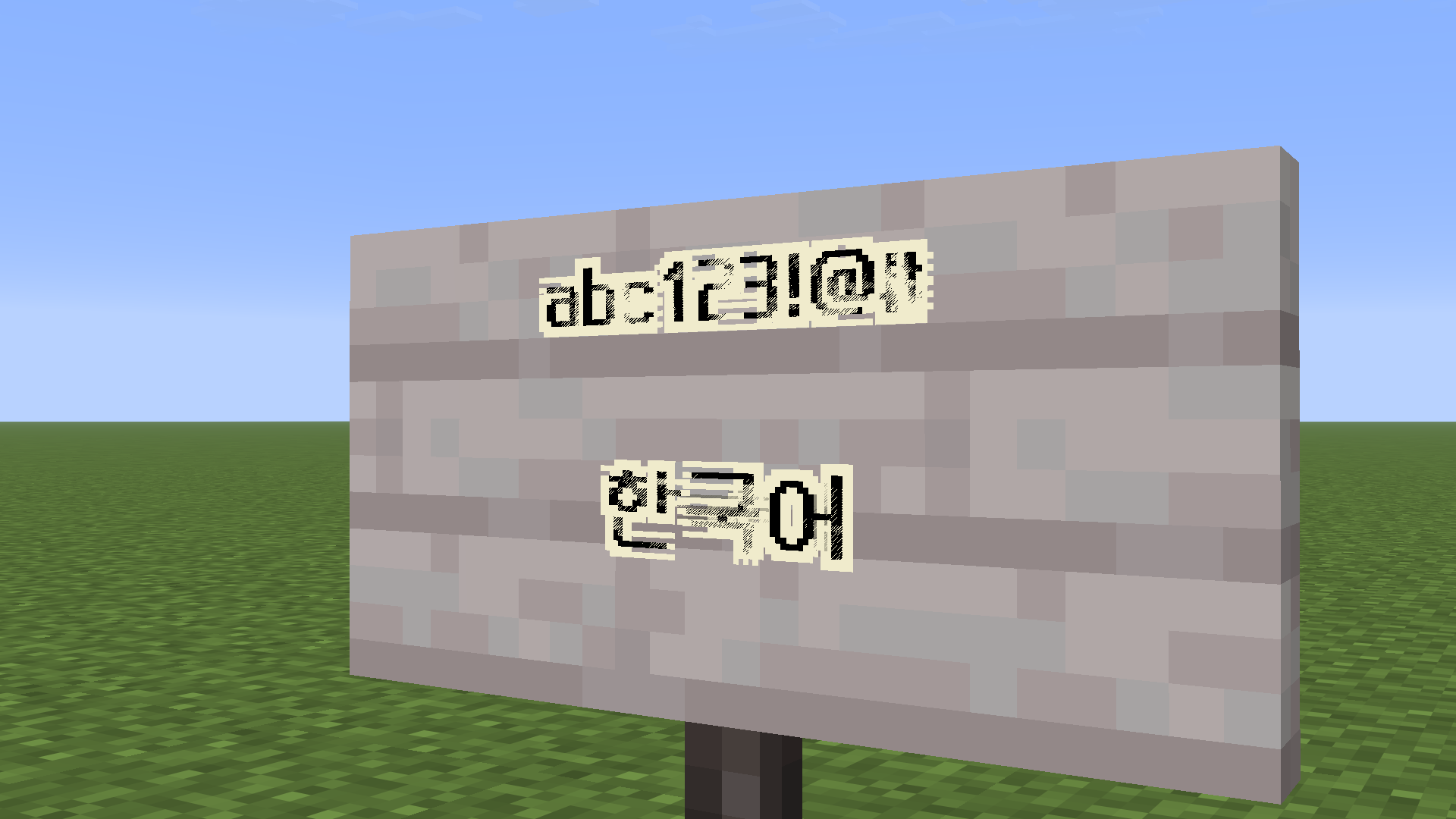
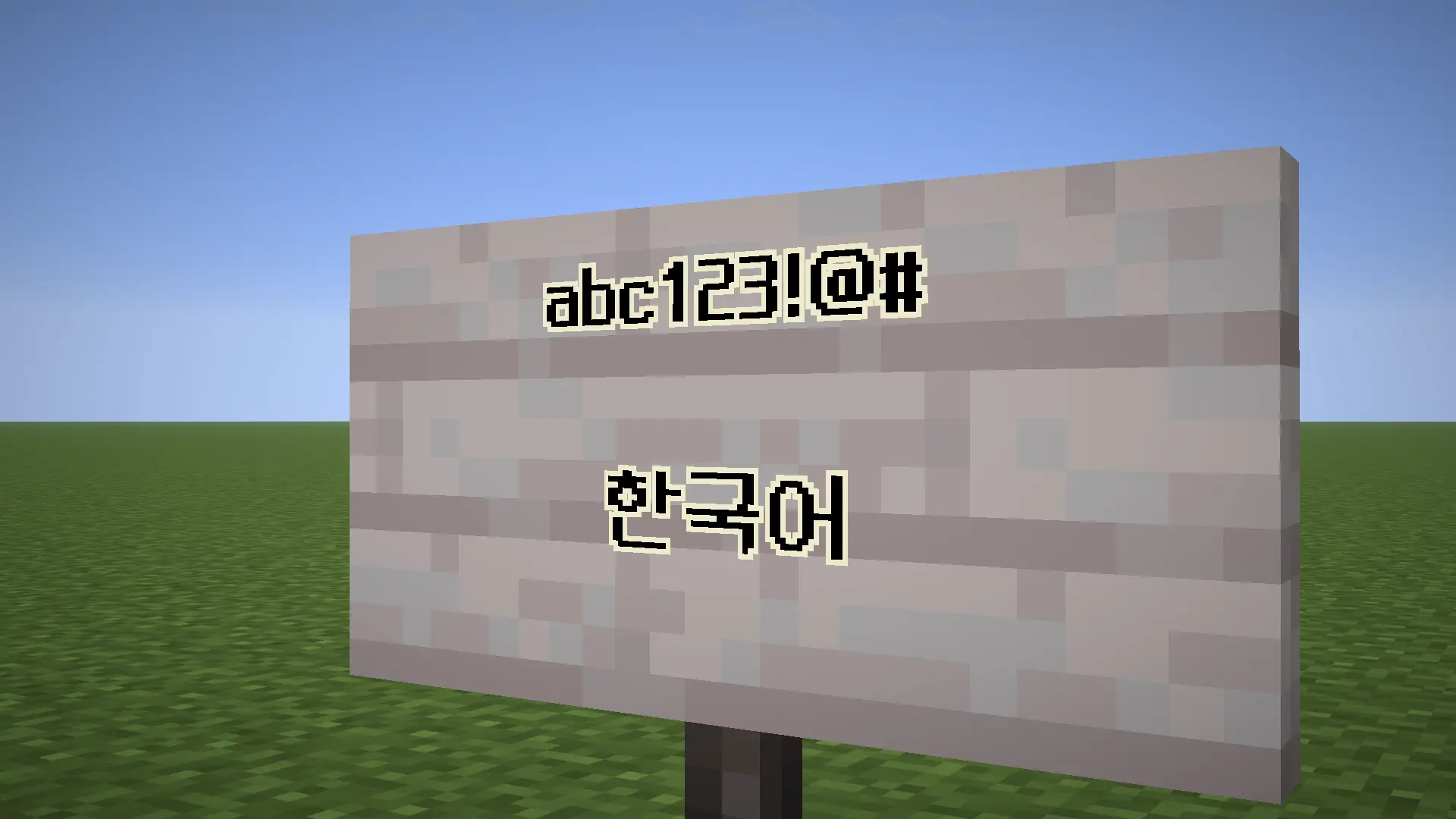
Fixes Z-fighting issues caused by TTF font rendering in Minecraft, especially when using glow ink on signs.
Features
- Reduces or eliminates Z-fighting on text
- Improves readability for pixel fonts
- Optimized for fonts like Neo둥근모 Pro
Limitations
- Some TTF fonts may still render incorrectly due to Minecraft's rendering system
- Anti-aliased fonts are not fully supported
Recommended Fonts
- Neo둥근모 Pro (best compatibility)
- Download Resource Pack: https://drive.google.com/file/d/1qopOgPFsHFJPploP9YKeqau3cmKpDkK3/view?usp=sharing
Installation
- Install Fabric Loader (>= 0.16.0)
- Place the mod in the
modsfolder - Launch Minecraft
Supported Versions
- 26.1
- 26.1.1
- 26.1.2
- 26.2
License
This project is licensed under GPL-3.0-only.
Quick facts
- Edition: Minecraft Java
- File type: .jar
- Minecraft version listed: 26.2
- How to install: Install the matching mod loader (Forge, Fabric or NeoForge) for your Minecraft version. → Download the .jar. → Put it in the .minecraft/mods folder and launch that loader profile.
- Where to get it: Opens on Modrinth — not every file is mirrored on our own servers.
Install steps are the general flow for this file type — How to install Minecraft Java mods & modpacks walks through it step by step.
Verified by MCModsHub
- Ships as customfontfix-2.0.jar — drop this file into the mods folder
- Download size: 22 KB
- Download link checked 8 Sept 2026 — working
These come from our own check of the pack file, not from the source page.