

SpyFilter-RU
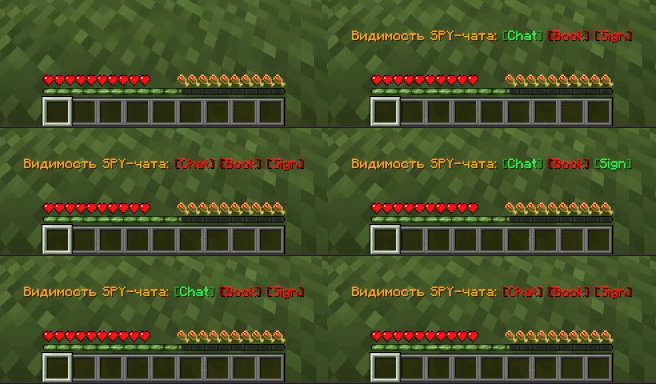
Простой мод, позволяющий переключать видимость SPY-чата. Сделан в частности под сервер MineToday, для модерации.
Использование
По умолчанию на клавишу J, но может быть переназначена в настройках управления — раздел SpyFilter.
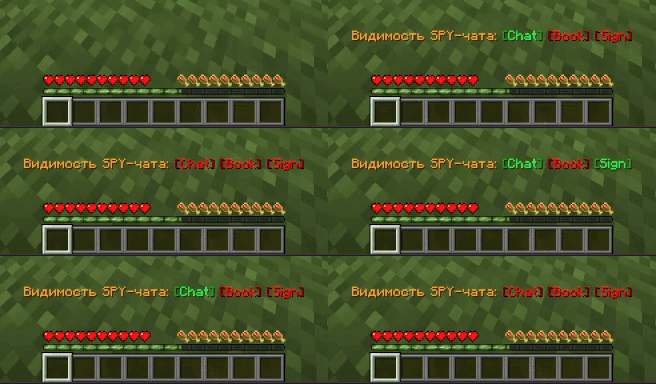
Изначально при запуске игры SPY-чат виден, и по нажатию включается фильтр, который позволяет не отображать в чате все сообщения, которые соответствуют некому паттерну.
Что фильтруется?
- По Regex:
^SPY:.*?:.*$ - Простыми словами:
SPY: ник: сообщение - Также все сообщения, в которых содержатся
[SPY BOOK]&[SPY SIGN]. Их поиск не реализован по Regex паттерну из-за технических особенностей отображения на сервере, где может быть несколько строк с разделениями через\n.
- По Regex:
Конфиг с настройками хранится в
assets/spyfilter.yml. Там можно настроить фильтрацию под себя.Есть-ли проблемы?
- Да. Из-за специфики майнкрафта мод может вызывать краш игры, если заходить на некоторые сервера с текстурами в чате (кастомные префиксы и т.п.) Я не стал перезгружать мод и ставить зависимость от других библиотек для исправления этого, так-как в актуальный момент в этом особо нет нужды.
SpyFilter-EN
A simple mod that allows toggling the visibility of SPY-chat messages.
Originally made for the MineToday server to assist with moderation.
Usage
By default, the toggle key is J, but it can be changed in the control settings under the SpyFilter category.
When the game launches, SPY-chat is visible. Pressing the toggle key activates a filter that hides all messages matching certain patterns.
What gets filtered?
- By Regex:
^SPY:.*?:.*$ - In plain terms:
SPY: username: message - Also filters any messages containing
[SPY BOOK]or[SPY SIGN]. These are not detected using Regex due to technical limitations — on the server, such messages may span multiple lines separated by\n.
- By Regex:
The configuration file is stored in
assets/spyfilter.yml. You can customize the filtering here.Are there any issues?
- Yes. Due to Minecraft's specifics, the mod may cause the game to crash on some servers with custom chat textures (custom prefixes, etc.). I chose not to overload the mod or add extra library dependencies to fix this, since currently there isn't much need for it.
GitHub
- Edition: Minecraft Java
- File type: .jar
- Minecraft version listed: 1.21.11
- How to install: Install the matching mod loader (Forge, Fabric or NeoForge) for your Minecraft version. → Download the .jar. → Put it in the .minecraft/mods folder and launch that loader profile.
- Where to get it: Opens on Modrinth — not every file is mirrored on our own servers.
Install steps are the general flow for this file type — How to install Minecraft Java mods & modpacks walks through it step by step.
- Ships as spyfilter-1.3.0+mc1.21.11.jar — drop this file into the mods folder
- Download size: 1.2 MB
- Download link checked 9 Sept 2026 — working
These come from our own check of the pack file, not from the source page.