
Smart Pause
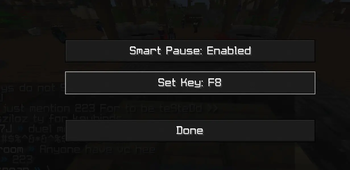
Prevents the game from pausing when you Alt+Tab out. This keeps gameplay running smoothly in the background, allowing your stream to stay active and…
⬇ Download on Modrinth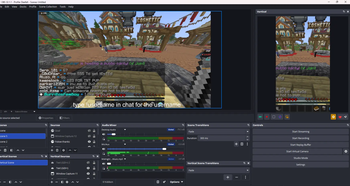
🎮 Smart Pausing (Alt+Tab)
Stay in control even when you switch tabs.
Smart Pausing prevents your game from freezing when you Alt+Tab out, keeping everything running smoothly in the background. This is perfect for streamers who want to interact with chat, adjust settings, or multitask without interrupting gameplay.
✨ Why it matters
- 🔴 Keeps your stream active and engaging
- 💬 Lets you interact with chat without freezing gameplay
- ⚡ Eliminates interruptions when multitasking
🚀 How it works
Instead of pausing when the game loses focus, Smart Pausing allows the game to continue running seamlessly—so your viewers never see a pause screen.
🎯 Perfect for
- Twitch streamers
- PvP players
- Content creators
- Anyone multitasking while gaming
💡 Stay live. Stay smooth. Stay in control.
- Edition: Minecraft Java
- File type: .jar
- Minecraft version listed: 1.21.11
- How to install: Install the matching mod loader (Forge, Fabric or NeoForge) for your Minecraft version. → Download the .jar. → Put it in the .minecraft/mods folder and launch that loader profile.
- Where to get it: Opens on Modrinth — not every file is mirrored on our own servers.
Install steps are the general flow for this file type — How to install Minecraft Java mods & modpacks walks through it step by step.
- Ships as smart-pause-1.0.0.jar — drop this file into the mods folder
- Download size: 441 KB
- Download link checked 8 Sept 2026 — working
These come from our own check of the pack file, not from the source page.