
An inventory out of time.
Variante filters your creative inventory to show only blocks that existed in a specific Minecraft version, keeping your palette historically accurate whether you're recreating a 1.8 build or staying faithful to the era you fell in love with.
Why Variante?
Modern Minecraft is overflowing with blocks. That's great, until you're trying to build in the style of an older version and find yourself second-guessing every placement. Did copper exist back then? What about deepslate? Mangrove?
Variante does the remembering for you. Pick a version, and your inventory snaps back in time.
Features
- 🧱 +1000 block entries indexed from version 1.8 all the way to 1.21.11
- ⚙️ Clean config screen, pick your target version in seconds
- 💻 Client-side only, no server install, works in any world
- 🎨 Built for builders: terraformers, organic builders, period-accurate recreations
Gallery
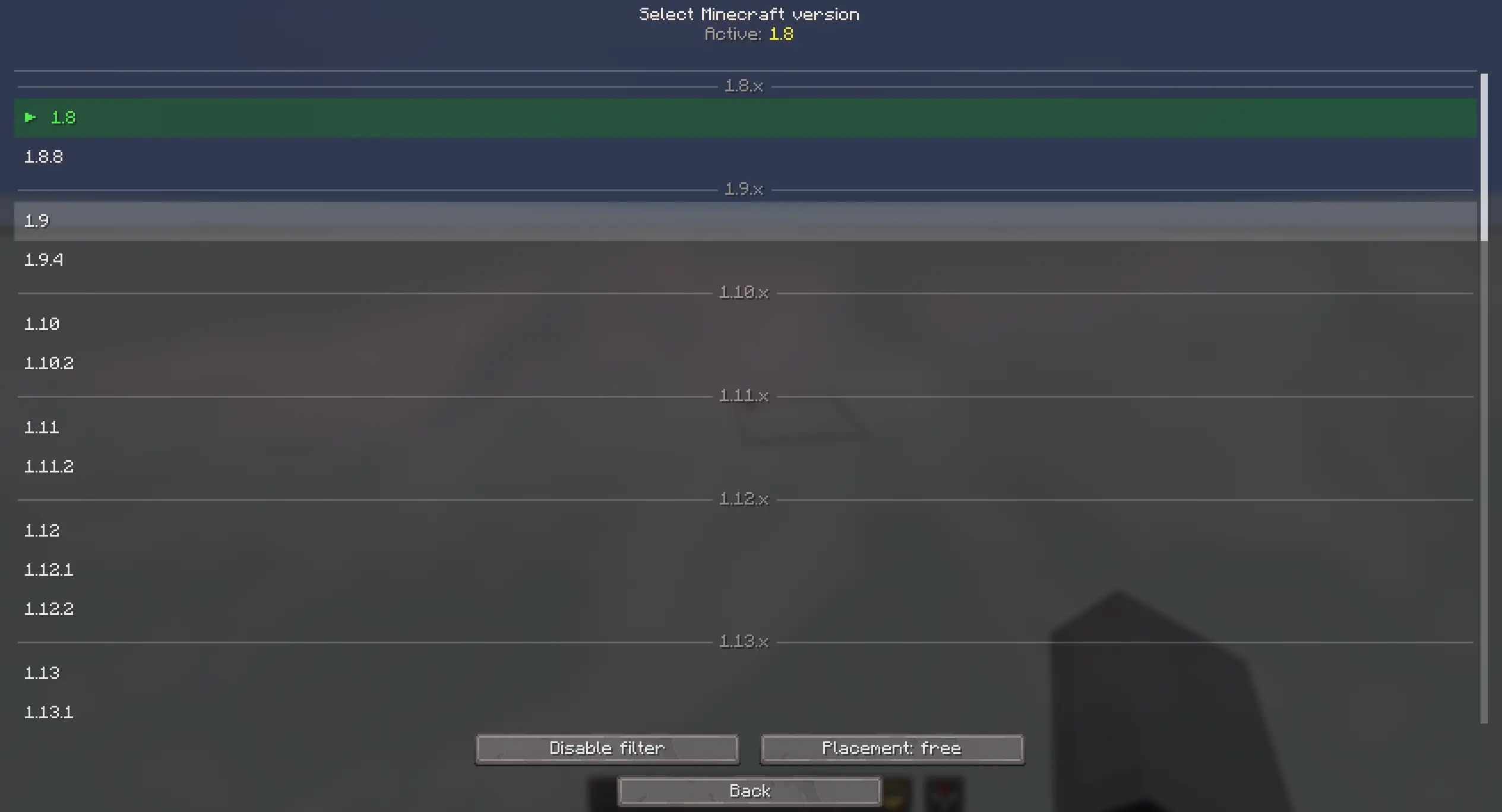
Pick your target version from a clean, native-style config screen.

Your creative inventory, trimmed to a specific era.

Bind the version picker and filter toggle to whatever fits your workflow.
Controls
Two keybinds, fully rebindable from Minecraft's standard controls menu:
- Open Version Picker: jump straight to the version selector without opening the config screen
- Toggle Version Filter: switch the filter on and off instantly, useful for quickly comparing eras or grabbing a modern block when you need one
Every toggle and version change is confirmed with a clean status message, so you never have to guess whether the filter is on, off, or set to a different version than you remember.
Who is this for?
- Builders chasing a specific aesthetic from a past version (or constraints!)
- Terraformers and organic makers who want a focused palette without modern noise
- Content creators recreating historical builds or "what if" scenarios
- Purists who think the inventory peaked in 1.12.2 xD
Compatibility
- Minecraft 1.21.11 (Java Edition)
- Fabric loader
- Client-side, no server install required
Support
Bug reports and suggestions: https://discord.gg/XpPFSMVF9Y.
- Edition: Minecraft Java
- File type: .jar
- Minecraft version listed: 1.21.1
- How to install: Install the matching mod loader (Forge, Fabric or NeoForge) for your Minecraft version. → Download the .jar. → Put it in the .minecraft/mods folder and launch that loader profile.
- Where to get it: Opens on Modrinth — not every file is mirrored on our own servers.
Install steps are the general flow for this file type — How to install Minecraft Java mods & modpacks walks through it step by step.
- Ships as variante-1.5.0+mc1.21.1.jar — drop this file into the mods folder
- Download size: 1.2 MB
- Download link checked 8 Sept 2026 — working
These come from our own check of the pack file, not from the source page.