
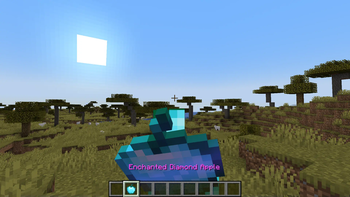
piggypiggyyoinkyoink's Apples
Why should Gold be the only material that can be used to make fancy apples? This mod changes that by adding apples and enchanted apples for other ores and materials too. Each apple provides different effects which can be useful in different situations.
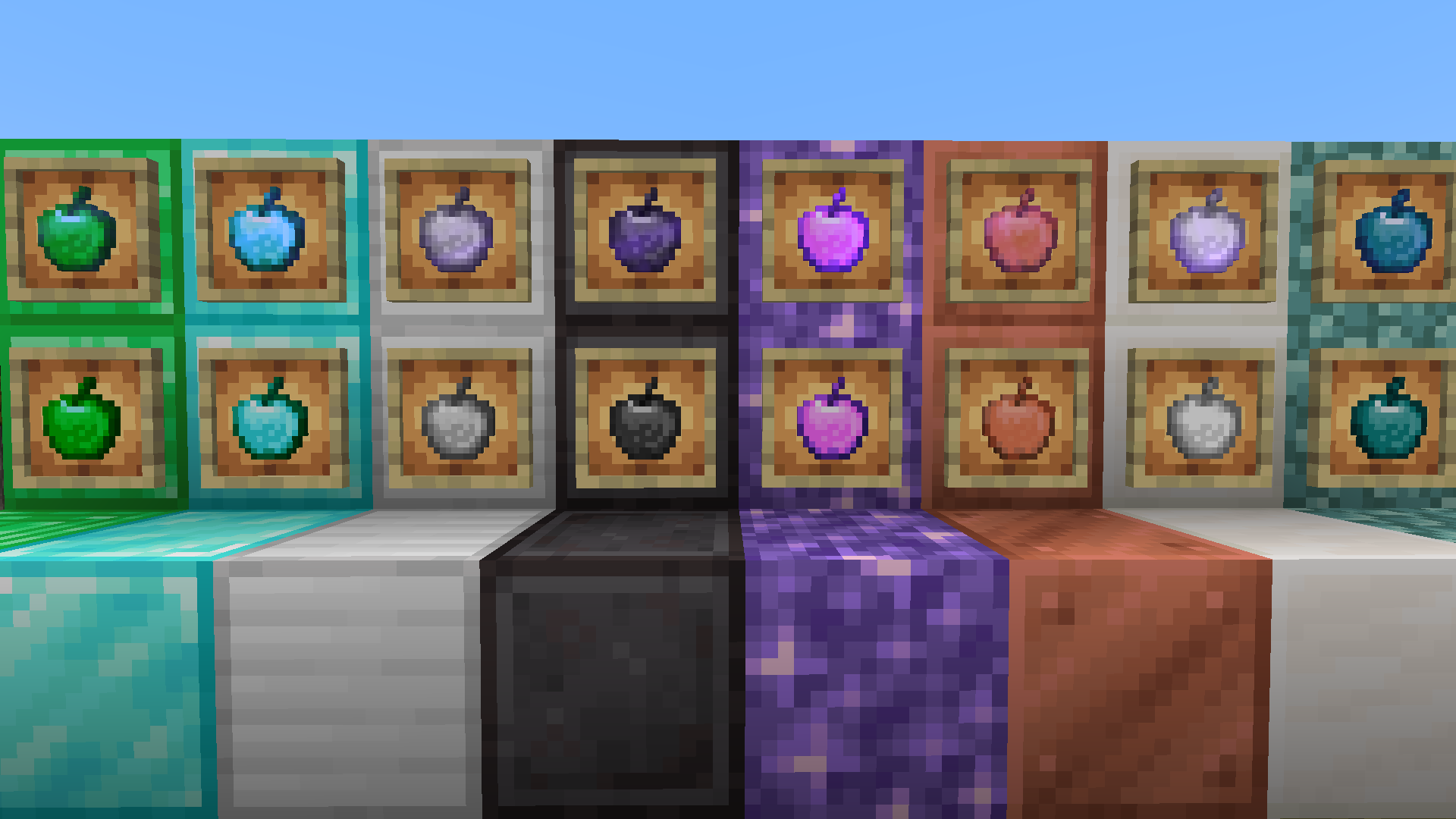
Materials currently available
- Copper
- Iron
- Diamond
- Emerald
- Netherite
- Prismarine
- Amethyst
- Quartz
Modded materials (requires a mod to add the material if you want to craft in Survival):
- Ruby
- Sapphire
- Onyx
- Jade
- Tin
- Brass
- Bronze
Feel free to make mod compatability/material requests here.
Note: No enchanted apples for modded materials yet as of v1.3.1. There is no common standard tag for Ruby Blocks etc as there are with gemstones and ingots, which means I would need to create recipes individually for each mod that adds them, which would be very time consuming. Maybe in future for more popular mods :)
Recipes
This mod re-adds the old vanilla enchanted golden apple recipe. Most apples added by this mod follow the vanilla golden apple and enchanted golden apple recipes, for example:
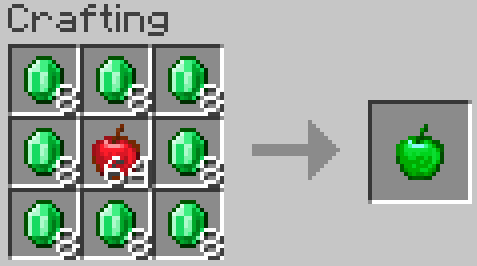
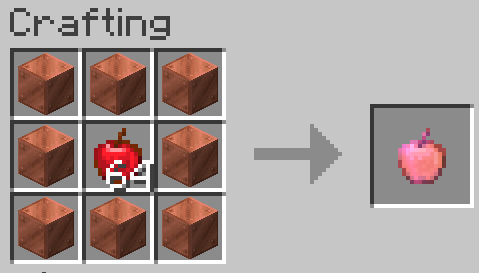
Exceptions:
- Netherite Apples and Enchanted Netherite Apples are crafted using the Smithing Table, using a (Enchanted) Diamond Apple, with a Netherite Ingot and Netherite Upgrade Template to produce a (Enchanted) Netherite Apple

- Prismarine Apples are crafted from a combination of Prismarine Crystals and Prismarine Shards:
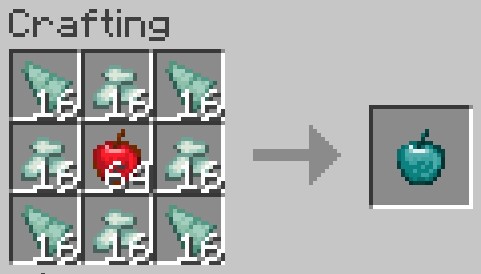
Notes:
- Enchanted Copper Apples can be crafted from all types of copper block (waxed, oxidised etc), so long as all 8 are the same type.
- Enchanted Prismarine Apples can be crafted from all types of prismarine block, again so long as all 8 are the same type
Details
I will leave the exact details of which effects each apple inflicts for you to discover :)
Planned Features
- Redstone and Lapis apple variants
- Apple variants for ores from other mods
- Feel free to report bugs or make suggestions here
- Edition: Minecraft Java
- File type: .jar
- Minecraft version listed: 1.21.1
- How to install: Install the matching mod loader (Forge, Fabric or NeoForge) for your Minecraft version. → Download the .jar. → Put it in the .minecraft/mods folder and launch that loader profile.
- Where to get it: Opens on Modrinth — not every file is mirrored on our own servers.
Install steps are the general flow for this file type — How to install Minecraft Java mods & modpacks walks through it step by step.
- Ships as ppyy_apples-1.3.1.jar — drop this file into the mods folder
- Download size: 119 KB
- Download link checked 9 Sept 2026 — working
These come from our own check of the pack file, not from the source page.