
BetterConfigSync
Save all your Minecraft settings (video, keybinds, mods, options) to a simple code with one click. Enter the code on any PC or instance to instantly…
⬇ Download on Modrinth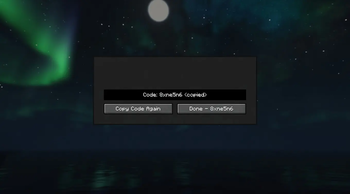
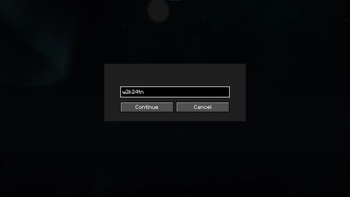
Config Sync Save your entire Minecraft setup with one click and load it anywhere. Config Sync is a lightweight client-side mod that lets you export all your settings into a simple short code. Whether you're switching PCs, testing different modpacks, or playing on a laptop and desktop — just save your settings once, copy the code, and paste it on any other instance to instantly restore everything. Features:
Save video settings, keybinds, sound, chat, resource packs, and most mod configurations Generate a short, easy-to-share code (e.g. 8xne5n6) Load your settings on any PC or Minecraft instance in seconds No file copying, no cloud storage, no hassle Works with Forge, Fabric, NeoForge & Quilt Client-side only (safe for multiplayer)
Perfect for players who use multiple computers, heavily modded setups, or just want to quickly share their optimized config with friends. One code = Your perfect setup, everywhere.
- Edition: Minecraft Java
- File type: .jar
- Minecraft versions listed: 1.21, 1.21.1, 1.21.2
- How to install: Install the matching mod loader (Forge, Fabric or NeoForge) for your Minecraft version. → Download the .jar. → Put it in the .minecraft/mods folder and launch that loader profile.
- Where to get it: Opens on Modrinth — not every file is mirrored on our own servers.
Install steps are the general flow for this file type — How to install Minecraft Java mods & modpacks walks through it step by step.
- Ships as configsync-1.1.14+mc1.21.11.jar — drop this file into the mods folder
- Download size: 25 KB
- Download link checked 8 Sept 2026 — working
These come from our own check of the pack file, not from the source page.