

⚡ QuickCoordChat
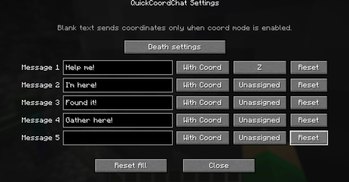
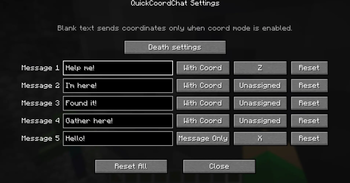
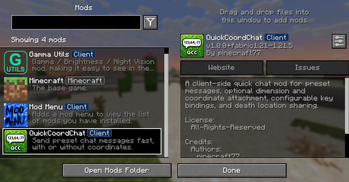
QuickCoordChat is a lightweight client-side mod that lets you instantly send predefined messages — with or without coordinates — using customizable hotkeys.
✨ Features
- Send messages instantly with hotkeys (Message1–Message5)
- Option to include coordinates and dimension
- Fully customizable key bindings (keyboard & mouse buttons)
- Prevents accidental triggers (no spam, no GUI conflicts)
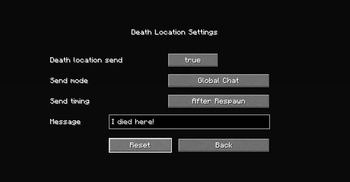
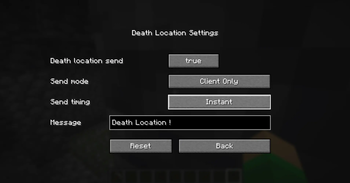
- Death location message (optional)
- YAML-based config (easy to edit)
- Multi-language support (22 languages)
- Clean and simple UI
- Works entirely client-side (no server required)
🌍 Example
Help me! [Overworld] X=123 Y=64 Z=-77
⚙️ Configuration
All settings are saved in:
config/quickcoordchat/config.yml
- Customize messages
- Enable/disable coordinate sending
- Change key bindings
- Toggle death messages
🌐 Language Support
Supports 22 languages with automatic client-language detection.
🧩 Compatibility
- Minecraft: 1.21.6 – 1.21.11
- Fabric Loader required
- Works on any server (including Vanilla)
💡 Why this mod?
In modern Minecraft, communication speed matters.
QuickCoordChat allows you to instantly share your situation without opening chat or typing coordinates manually.
👤 Author
Created by pinecraft77
📦 Notes
- This is a client-side mod — safe to use on any server
- No impact on server performance
- No required dependencies beyond Fabric API
Quick facts
- Edition: Minecraft Java
- File type: .jar
- Minecraft version listed: 26.2
- How to install: Install the matching mod loader (Forge, Fabric or NeoForge) for your Minecraft version. → Download the .jar. → Put it in the .minecraft/mods folder and launch that loader profile.
- Where to get it: Opens on Modrinth — not every file is mirrored on our own servers.
Install steps are the general flow for this file type — How to install Minecraft Java mods & modpacks walks through it step by step.
Verified by MCModsHub
- Ships as QuickCoordChat-1.0.0+fabric+26.2.jar — drop this file into the mods folder
- Download size: 170 KB
- Download link checked 9 Sept 2026 — working
These come from our own check of the pack file, not from the source page.