

WolfTailUI
THE PROJECT STILL IN BETA!
Perhaps these things seem simple, but when you start dev, you encounter difficulties ...
- Post a toast, but here is no ToastManager.
- Alignment widget and slot, with lot of time.
- Render the background, but messed it up because here is too much method.
- Find out method's docs.
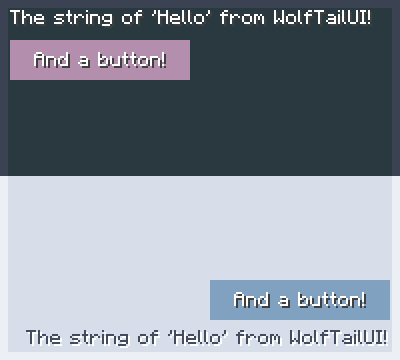
But now you have WolfTailUI, you can ...
- Post a toast by simple way.
- Create a UI in the time it takes to brew a cup of coffee.
- Get some good example code for your cool mods.
- And more!
Quick facts
- Edition: Minecraft Java
- File type: .jar
- Minecraft version listed: 1.7.10
- How to install: Install the matching mod loader (Forge, Fabric or NeoForge) for your Minecraft version. → Download the .jar. → Put it in the .minecraft/mods folder and launch that loader profile.
- Where to get it: Opens on Modrinth — not every file is mirrored on our own servers.
Install steps are the general flow for this file type — How to install Minecraft Java mods & modpacks walks through it step by step.
Verified by MCModsHub
- Ships as WolfTailUI-0.0.3.jar — drop this file into the mods folder
- Download size: 665 KB
- Download link checked 9 Sept 2026 — working
These come from our own check of the pack file, not from the source page.