
This mod will allow you to create a custom activity for discord.
Tune in as you need and get the result. :3
How to set up:
First.
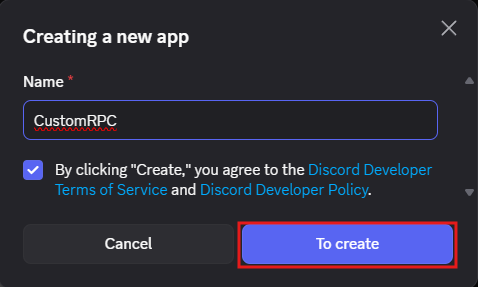
First, go to the Discord Developer Portal and create a new app.

Second.
Then give the app a name.
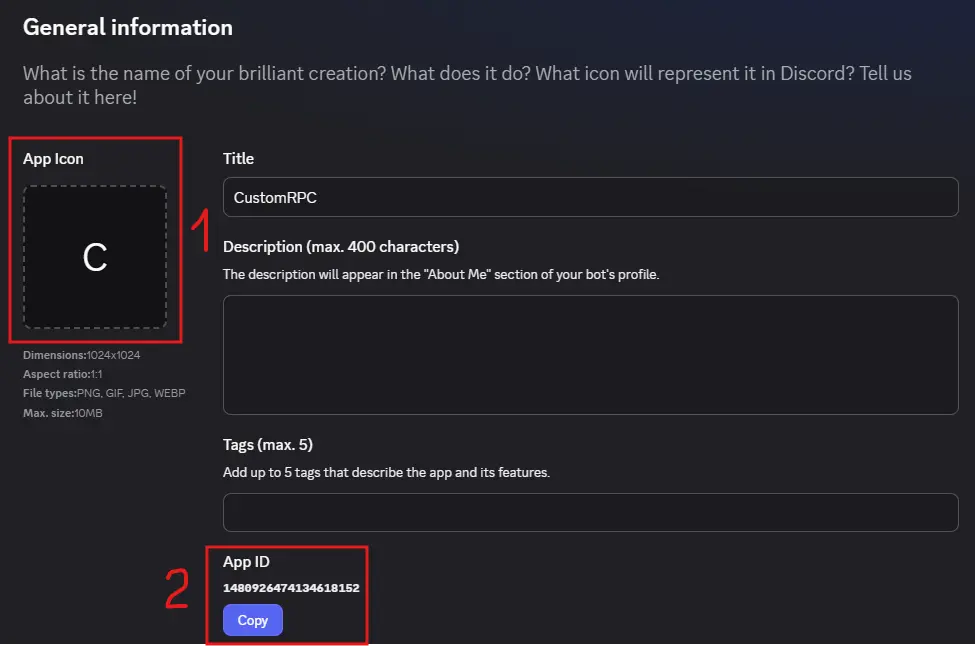
The third
- Upload the desired icon that will be displayed in the activity.
- Copy the App ID and paste it into the mod in the App ID line.
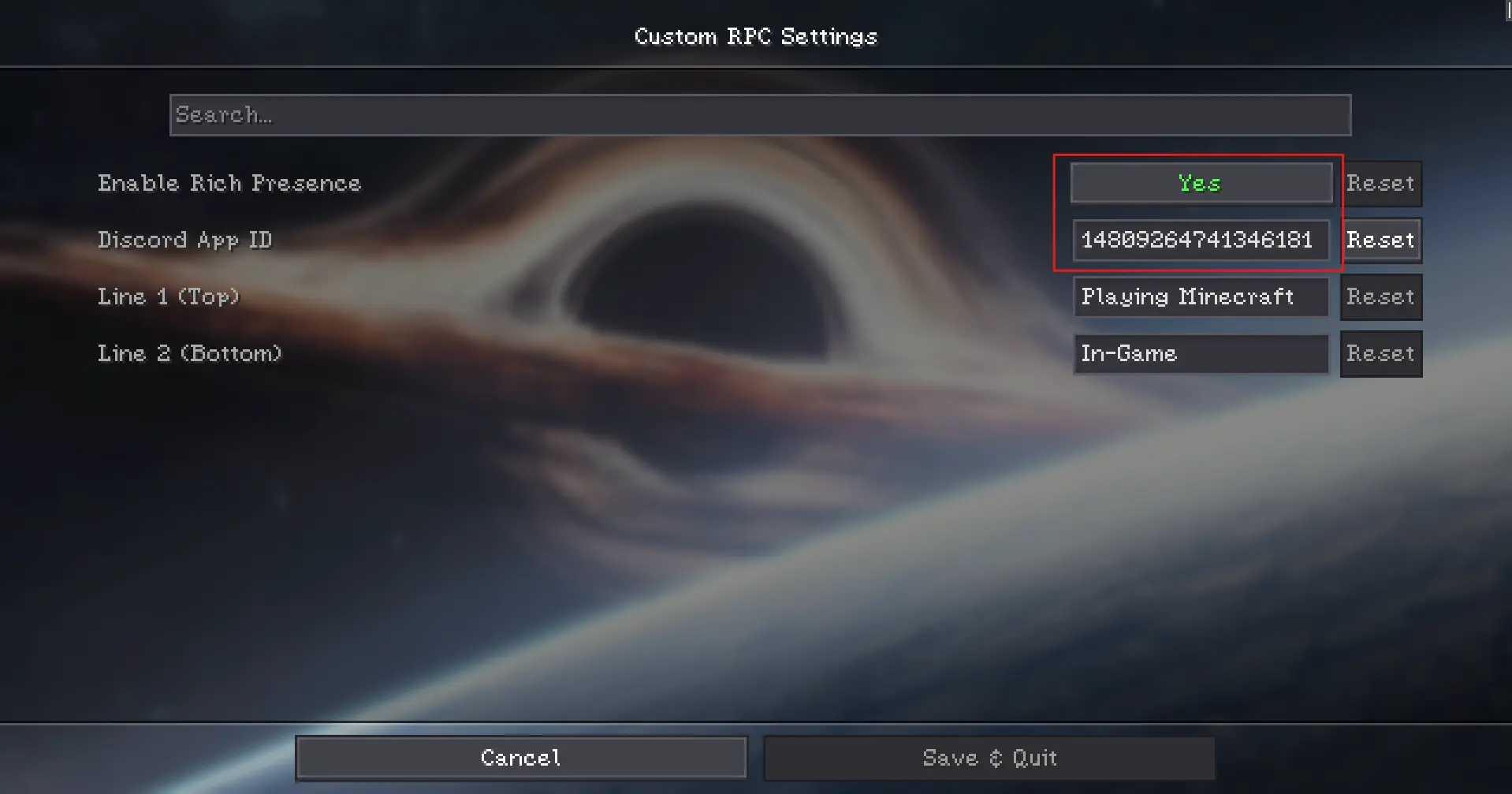
Fourth
Setting up the modification. Go to the mod settings via ModMenu, turn on Rich Presence and specify your App ID. Specify other settings as desired. Then save the settings.
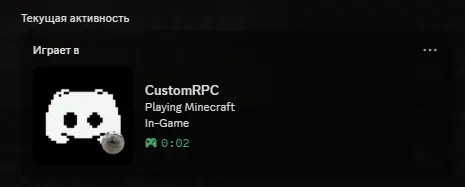
The final.
After all the settings, you will get your result.
Good use and good mood :3
Quick facts
- Edition: Minecraft Java
- File type: .jar
- Minecraft versions listed: 1.21.1, 1.21.2, 1.21.3
- How to install: Install the matching mod loader (Forge, Fabric or NeoForge) for your Minecraft version. → Download the .jar. → Put it in the .minecraft/mods folder and launch that loader profile.
- Where to get it: Opens on Modrinth — not every file is mirrored on our own servers.
Install steps are the general flow for this file type — How to install Minecraft Java mods & modpacks walks through it step by step.
Verified by MCModsHub
- Ships as CustomRPC-2.1.jar — drop this file into the mods folder
- Download size: 119 KB
- Download link checked 9 Sept 2026 — working
These come from our own check of the pack file, not from the source page.