
Random Rolls
Random Rolls is a lightweight, simple, and powerful utility mod that lets you turn any item into a consumable that triggers a fully customizable random…
⬇ Download on Modrinth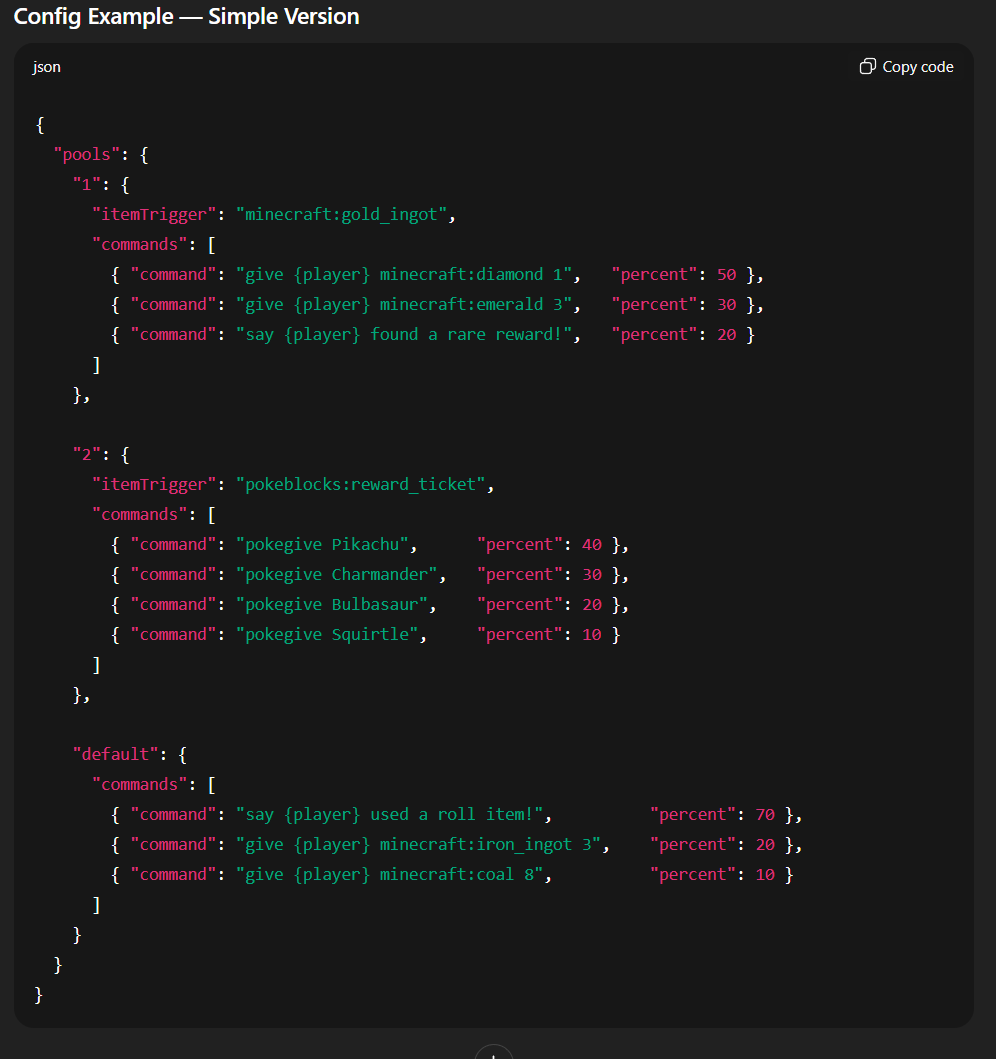
Main Features:
🔹 Turn Any Item Into a Consumable
You can designate any item — including items from other mods — as a consumable “roll item.” When the player uses it, the item triggers the command:
/roll
This allows full customization of loot items, gacha items, reward boxes, crates, keys, tokens, and more.
🔹 Create Unlimited Roll Pools
A pool is a custom list of commands that the mod will choose from. Each pool can contain as many commands as you want, such as:
Give items
Spawn entities
Run server commands
Apply effects
Trigger scripts
Grant money or tokens
Execute datapack functions
Teleport players
Anything that can be run as a command
🔹 Weighted Random Outcomes
Every command inside a pool can be assigned a custom probability/weight.
Example:
50% chance → give a common reward
30% chance → give an uncommon reward
15% chance → give a rare reward
5% chance → give a legendary reward
The mod automatically picks one command at random according to the weights you set.
Disclaimer
This mod was created with the assistance of AI to speed up development and testing. I built it originally for my own Cobble MMO server, where it has been running smoothly and reliably — and I realized it might be useful to other creators too.
Random Rolls is completely free to use. You can include it in your server, modpack, or project without restrictions. Modify it, expand it, repurpose it — do whatever you want with it.
If it helps your community or saves you development time, then it has done its job.
- Edition: Minecraft Java
- File type: .jar
- Minecraft version listed: 1.21.1
- How to install: Install the matching mod loader (Forge, Fabric or NeoForge) for your Minecraft version. → Download the .jar. → Put it in the .minecraft/mods folder and launch that loader profile.
- Where to get it: Opens on Modrinth — not every file is mirrored on our own servers.
Install steps are the general flow for this file type — How to install Minecraft Java mods & modpacks walks through it step by step.
- Ships as randomrolls-1.0.3.jar — drop this file into the mods folder
- Download size: 22 KB
- Download link checked 9 Sept 2026 — working
These come from our own check of the pack file, not from the source page.