
Armor Insight
Java mod listed for Minecraft 26.x. Downloads from the MC Java Mods app on Android.
Visualizes hidden armor mechanics — real protection %, enchantment effectiveness, toughness, durability, damage preview, and armor comparison.
⬇ Download on Modrinth
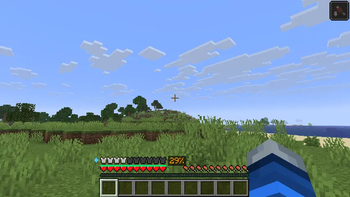
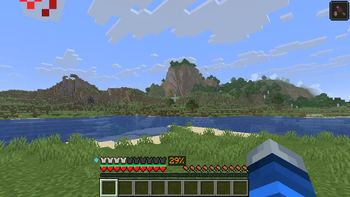
Armor Insight
The Armor Insight mod. See what your armor actually does — protection percentage, enchantment effectiveness, toughness, damage reduction, and more — directly on your HUD.
Minecraft's armor system has five hidden layers that players never see: armor points, armor toughness, enchantment protection factors (EPFs), damage type specificity, and durability across pieces. Armor Insight makes all of it visible at a glance, without replacing any vanilla HUD elements.
Features
- Protection Percentage — Shows your real effective damage reduction as a color-coded percentage next to the armor bar, calculated using Minecraft's actual armor formula including toughness and enchantments
- Enchantment Shimmer Overlay — Golden glow on each vanilla armor bar icon that intensifies with enchantment protection level — instantly see "enchanted" vs "unenchanted" at a glance
- Combined Durability Bar — Thin bar below the armor bar showing average durability across all pieces, with a flashing warning when any piece is critically low
- Toughness Indicator — Small diamond icon to the left of the armor bar showing your hidden armor toughness value (diamond/netherite only)
- Damage Type Breakdown — Hover over any armor piece to see protection against each damage type: Melee, Projectile, Fire, Blast, and Fall
- Incoming Damage Preview — Look at a hostile mob to see how much damage they'd deal through your current armor
- Armor Comparison — Hover over an unequipped armor piece to see how swapping it would change your total protection, toughness, and durability
Controls
| Key | Action |
|---|---|
| V | Toggle all overlays on/off |
Configuration
All features are individually toggleable via config/armorinsight.json. Customize overlay colors, positions, display
styles, critical thresholds, and more.
Compatibility
- Client-side only — works on vanilla servers, Realms, and multiplayer
- Compatible with AppleSkin, Sodium, Iris, Jade, and armor HUD mods
- Minecraft 1.21.11 with Fabric
Installation
- Install Fabric Loader for Minecraft 1.21.11
- Install Fabric API
- Drop the JAR into your
mods/folder
- Edition: Minecraft Java
- File type: .jar
- Minecraft version listed: 26.1.2
- How to install: Install the matching mod loader (Forge, Fabric or NeoForge) for your Minecraft version. → Download the .jar. → Put it in the .minecraft/mods folder and launch that loader profile.
- Where to get it: Opens on Modrinth — not every file is mirrored on our own servers.
Install steps are the general flow for this file type — How to install Minecraft Java mods & modpacks walks through it step by step.
- Ships as armorinsight-1.0.1.jar — drop this file into the mods folder
- Download size: 1.9 MB
- Download link checked 19 Oct 2026 — working
These come from our own check of the pack file, not from the source page.