
ModsJava
Currencies
Java mod listed for Minecraft 1.20. Downloads from the MC Java Mods app on Android.
⬇ Download on Modrinth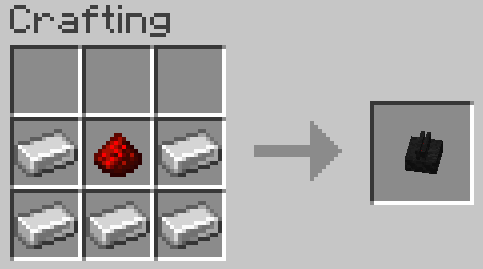
Currencies
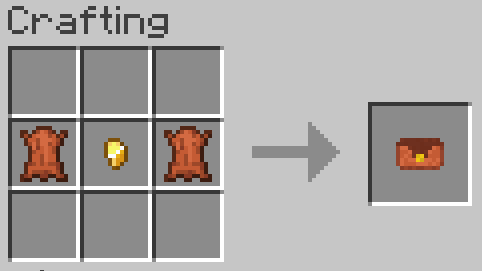
Currency
- One of the several items than can be crafted on a mint
- Save the player and location of where they were created
Mint
- A block used to create currency items
- The currency recipes are shaped
- The recipes here are ordered top-left, top-right, bottom-left, bottom-right
- Has a 2x2 crafting grid and a name field
- Allows renaming of the created items
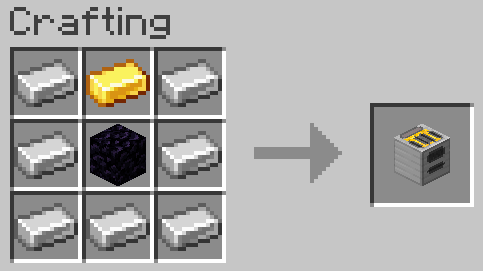
Coin scanner
- A block used to scan currency items
- Outputs the item name, player name and location of the mint where the item was created
Wallet
- A special item to score currency items
- Opened by right clicking
- Has 54 slots
Currencies
Gold coin
- Craft 4 gold ingots for 16 coins
Copper coin
- Craft 4 copper ingots for 16 coins
Diamond coin
- Craft 4 diamonds for 4 coins
Emerald coin
- Craft 4 emeralds for 4 coins
Chocolate coin
- Craft 3 cocoa beans and 1 sugar for 4 coins
- Can be eaten
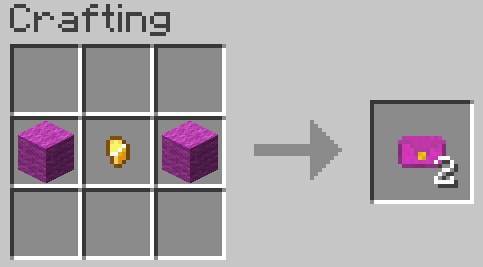
Cash
- Craft 3 paper and a dye item for 6 cash items
- Exists in green, blue and magenta variants
Quick facts
- Edition: Minecraft Java
- File type: .jar
- Minecraft version listed: 1.20.1
- How to install: Install the matching mod loader (Forge, Fabric or NeoForge) for your Minecraft version. → Download the .jar. → Put it in the .minecraft/mods folder and launch that loader profile.
- Where to get it: Opens on Modrinth — not every file is mirrored on our own servers.
Install steps are the general flow for this file type — How to install Minecraft Java mods & modpacks walks through it step by step.
File checked by MCModsHub
- Ships as currencies-0.1.0+1.20.1.jar — drop this file into the mods folder
- Download size: 82 KB
- Download link checked 19 Oct 2026 — working
These come from our own check of the pack file, not from the source page.