
Remember Url Hashes
A client-side mod for avoiding re-downloading server resource packs with no hash code present from the server. The mod remembers past hashes based on the…
⬇ Download on Modrinth

Remember Url Hashes
What It Does
This mod helps you avoid re-downloading server resource packs when you already have them.
Why Is This Mod Needed?
- Vanilla Minecraft tries to avoid re-downloading packs, but if the server doesn't provide a hash, it downloads the file every time. (Because it can't compare it with a cached copy)
- This mod remembers the last hash code of a resource pack based on its URL. (Because the URL is is obviously always present)
- If the file's URL differs between the pack updates, you won't miss any updates.
On servers with required resourcepacks with no hash code provided this can save you a lot of time when rejoining, because some packs are quite heavy.
Commands
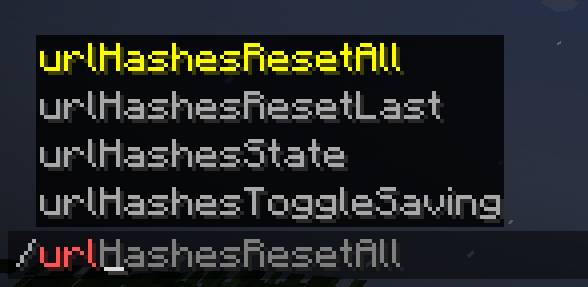
Alternatively, for cases, where the link stays the same between pack updates, or if you suppose that you have an outdated resource pack, you can simply use:
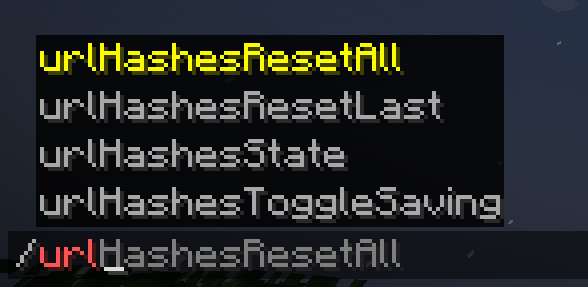
/urlHashesResetAllto reset all saved hashes/urlHashesResetLastto reset the hash for the last loaded pack.

Additionally, you can use:
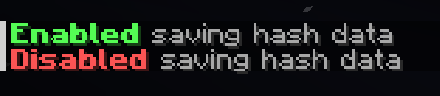
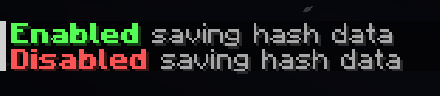
/urlHashesToggleSavingto toggle saving the hashes between game sessions. It's off by default./urlHashesStateto see what's stored in the mod's "hash storage". Useful to figure out what's going on if you're confused.

If you have data saving disabled (by default), everything is stored within the same session, and if you have saving enabled, you'll have everything ready across multiple game sessions, fully minimizing the pack loading downtime.
Notes
Fortunately, Fabric allows to have mod working for multiple versions as the same file, so the mod supports the range of 1.21.1 - 1.21.8. You can always check the source code and try to update it yourself. I'll soon try to add a good guide for that in the Github "Readme", so you have a good chance of updating the mod or doing something like that. If something non-essential breaks, remove it :D
Alternative approach
You can have the same behaviour on your server where you are an an administrator.
For this, use my Paper server-side plugin: Provide Pack Hashes
- Edition: Minecraft Java
- File type: .jar
- Minecraft versions listed: 1.21.1, 1.21.2, 1.21.3
- How to install: Install the matching mod loader (Forge, Fabric or NeoForge) for your Minecraft version. → Download the .jar. → Put it in the .minecraft/mods folder and launch that loader profile.
- Where to get it: Opens on Modrinth — not every file is mirrored on our own servers.
Install steps are the general flow for this file type — How to install Minecraft Java mods & modpacks walks through it step by step.
- Ships as RememberUrlHashes-1.1.0.jar — drop this file into the mods folder
- Download size: 25 KB
- Download link checked 9 Sept 2026 — working
These come from our own check of the pack file, not from the source page.