
mdt
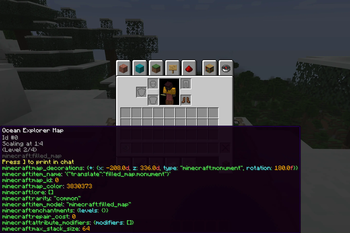
This is a pure-client mod which adds several features that may be useful.
Examples:
Here are some of the features that you can toggle via /mtoggle command:
- disableBlindness : Disables blindness effect.
- disableDarkness : Disables darkness effect.
- disableNightVision : Disables night vision effect.
- chatMaxLengthBehavior : Controls the behavior of chat field length. Useful when working with other client mods.
- showBarrier : Makes barriers visible in non-creative modes.
For more information, please use /mtoggle ... description command to see the description of each toggle.
Quick facts
- Edition: Minecraft Java
- File type: .jar
- Minecraft version listed: 1.21.4
- How to install: Install the matching mod loader (Forge, Fabric or NeoForge) for your Minecraft version. → Download the .jar. → Put it in the .minecraft/mods folder and launch that loader profile.
- Where to get it: Opens on Modrinth — not every file is mirrored on our own servers.
Install steps are the general flow for this file type — How to install Minecraft Java mods & modpacks walks through it step by step.
Verified by MCModsHub
- Ships as mdt-0.2.17.00-1.21.4.jar — drop this file into the mods folder
- Download size: 189 KB
- Download link checked 9 Sept 2026 — working
These come from our own check of the pack file, not from the source page.