Import items from external programs/generators.
For Players: Click the IAPI import option in whatever program you're using. Make sure you are in creative.
For Developers:
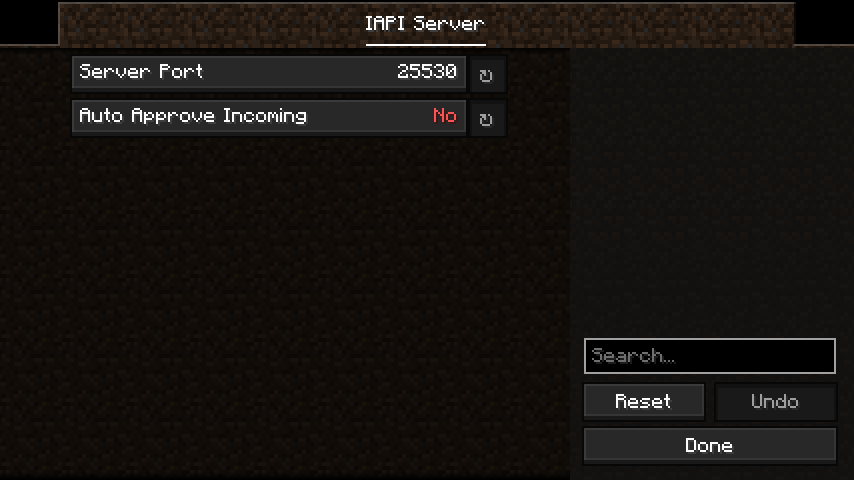
Send a POST request to the local device (127.0.0.1), with a port.
The default port is 25530.
// Web Javascript Example

port = 25530; // It is recommended that you provide an option to change this.

// Most webbrowsers do not allow getting data back from this request.
// Game logs will indicate what went wrong.
// If you are using a desktop application, this is not a problem.
fetch("http://127.0.0.1:" + port, {
  method : "POST",
  headers : {
    "Content-Type" : "text/plain"
  },
  body : "minecraft:stone{display:{Name:'\\'Happy Stone\\''},Enchantments:[{}]}"
});
Quick facts
- Edition: Minecraft Java
- File type: .jar
- Minecraft version listed: 1.20.4
- How to install: Install the matching mod loader (Forge, Fabric or NeoForge) for your Minecraft version. → Download the .jar. → Put it in the .minecraft/mods folder and launch that loader profile.
- Where to get it: Opens on Modrinth — not every file is mirrored on our own servers.
Install steps are the general flow for this file type — How to install Minecraft Java mods & modpacks walks through it step by step.
Verified by MCModsHub
- Ships as iapi-1.0.0.jar — drop this file into the mods folder
- Download size: 25 KB
- Download link checked 9 Sept 2026 — working
These come from our own check of the pack file, not from the source page.