
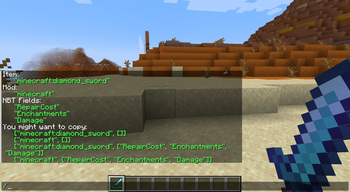
Die, NBT!
Summary
With this mod installed, you can configure which items in your inventory will lose their NBT data when you die, or select mods where all items will do the same.
This mod is targeted at modpack developers, of course.
With the release of version 2.0, the mod is now feature complete!
Current features are:
- Clear NBT on death from specific items or all items from specific mods
- Select which NBT fields get cleared from items when you die
- Curios compatilibity
- Chose if you want to clear items from inventory, armor slots or curios slots
- A lot of helpful commands to help you build config for the mod
Commands
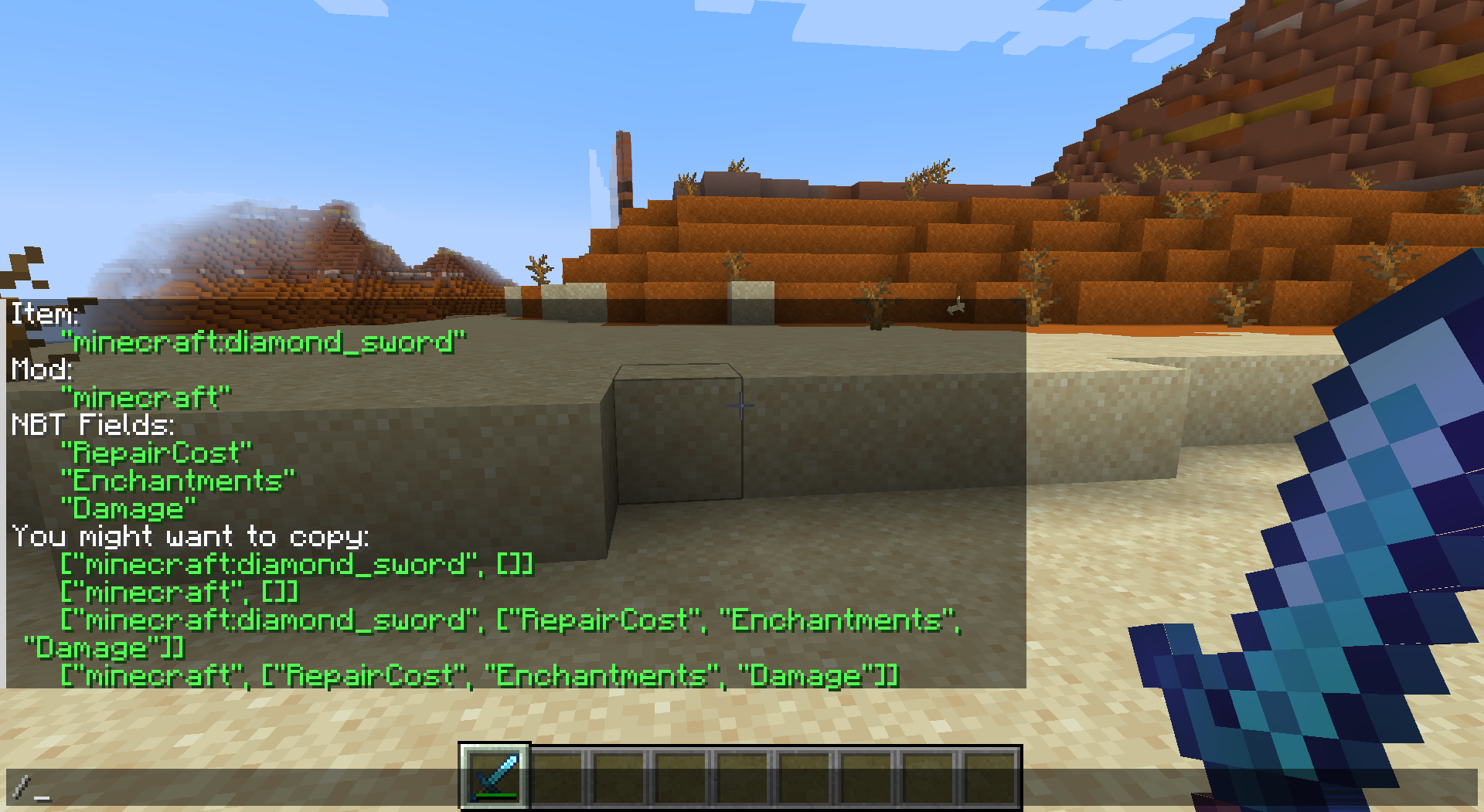
Commands are available under a prefix "die_nbt". For example, you can type "/die_nbt help" to get help about commands from the mod. The most useful command by far is "/die_nbt everything".
All green output is copy-pastable!
Config
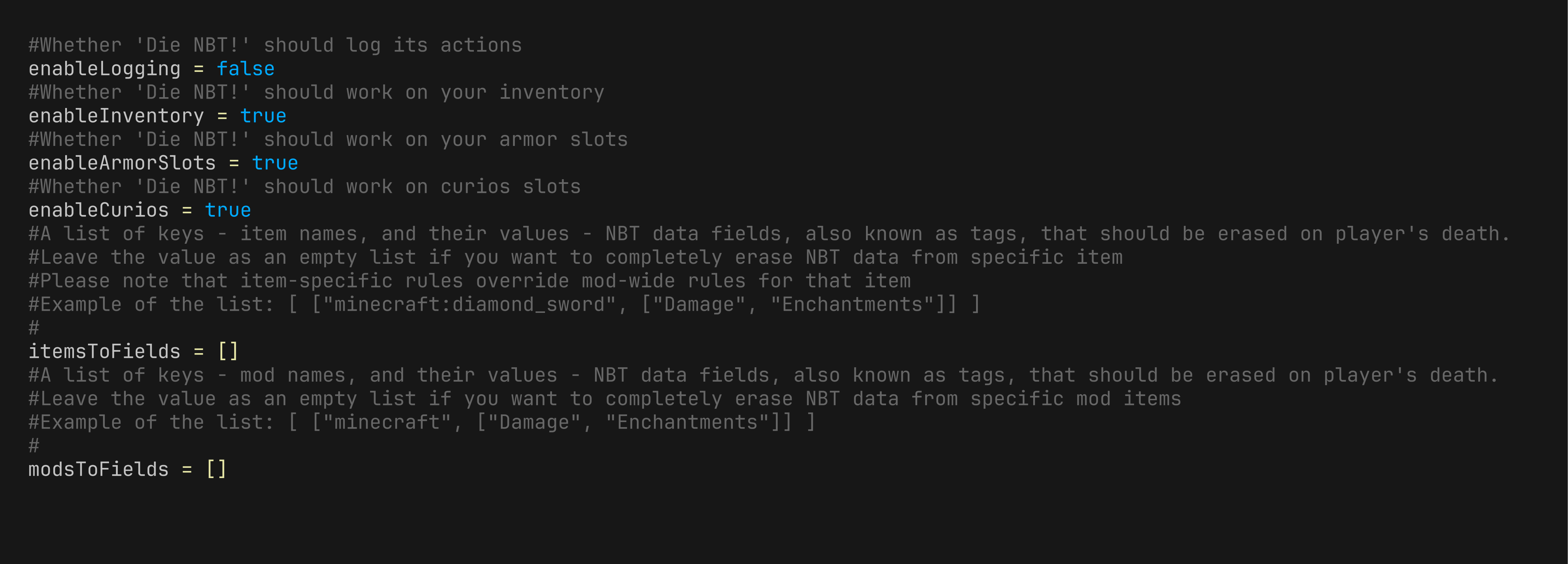
Here is a default config.
How Is This Even Helpful? I Need Use-Cases.
How I Came Up With the IdeaSo, when I was making a modpack (still in development) all about PVP for my friends, which featured many technical mods as well as magic mods, I came up with this idea. Basically, this modpack includes mods like Psi and Hex Casting. And some of my friends — let's say they're not very bright. They are like Vikings, barbarians who only know how to loot and fight. And God forbid those brutes get their hands on my carefully crafted OP magic stuff, which could destroy worlds. I just cannot let that happen. So, if I make my magical items lose their NBT data upon my death, all programmed magic will be cleared from them, and I'll be safe (as well as the entire server).
Contributing
You are welcome to suggest new features.
You can contact me on discord.
Credits
The skull icon was taken from Game-Icons.net, though slightly modified by me, and therefore falls under CC BY 3.0 license.

- Edition: Minecraft Java
- File type: .jar
- Minecraft version listed: 1.20.1
- How to install: Install the matching mod loader (Forge, Fabric or NeoForge) for your Minecraft version. → Download the .jar. → Put it in the .minecraft/mods folder and launch that loader profile.
- Where to get it: Opens on Modrinth — not every file is mirrored on our own servers.
Install steps are the general flow for this file type — How to install Minecraft Java mods & modpacks walks through it step by step.
- Ships as die_nbt-2.0.0-1.20.1.jar — drop this file into the mods folder
- Download size: 42 KB
- Download link checked 19 Aug 2026 — working
These come from our own check of the pack file, not from the source page.