Particoid (Unofficial)
I don't know my version or loader


✨ Particoid
Take Control of Minecraft's Particle Effects! ✨
📜 Overview
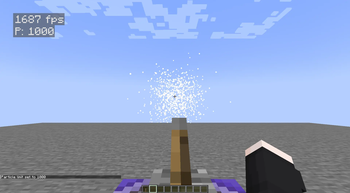
Particoid is a lightweight, performance-focused mod that gives players full control over Minecraft's particle effects. You can set a custom maximum particle limit to reduce visual clutter and improve performance-especially useful for low-end PCs or situations with heavy particle usage.
⚡ Features
- 🎯 Adjustable Particle Limits: Set your own maximum particle count.
- 🔄 Dynamic Control: Change settings instantly without restarting the game.
- 🚀 Performance Boost: Reduce lag caused by excessive particles.
- 💡 Simple Commands: No configuration files required.
- 🤝 Mod-Friendly: Works well with most mods and modpacks.
💻 How It Works
📋 Commands
Reset to Default
/particoid default
Resets the particle limit to Minecraft’s default.
Set Maximum Particles
/particoid set <value>
Replace <value> with any number you prefer.
Example:
/particoid set 300
This limits particle effects to 300, helping reduce potential lag.
Get Current Setting
/particoid get
Shows the current maximum particle limit.
🎮 Why Use Particoid?
- Improve performance during particle-heavy situations
- Customize your game experience the way you like it
- Great for lightweight or performance-focused modpacks
- Extremely small and efficient - minimal resource usage
✅ Important Notes
- Compatibility: Works with most Minecraft mods
- Dependencies: None
- Supported Versions: Minecraft 1.20.1-1.21.4
- Loader Required: Fabric 0.16.12+
- Fabric Only: Not compatible with Forge or other loaders
📎 Official Information & License
- Modrinth: https://modrinth.com/mod/particoid
- Original Developer: Novaritia001
- Modrinth Profile: https://modrinth.com/user/Novaritia001
- GitHub: https://github.com/Novaritia
- Website: https://novaovalist.dev/
⚠️ This is an unofficial modified version of Particoid.
Original work © Novaritia001
Modifications © PPekKunGzDev, 2025
- Edition: Minecraft Java
- File type: .jar
- Minecraft versions listed: 1.20.1, 1.20.2, 1.20.3
- How to install: Install the matching mod loader (Forge, Fabric or NeoForge) for your Minecraft version. → Download the .jar. → Put it in the .minecraft/mods folder and launch that loader profile.
- Where to get it: Opens on Modrinth — not every file is mirrored on our own servers.
Install steps are the general flow for this file type — How to install Minecraft Java mods & modpacks walks through it step by step.
- Ships as Particoid-mc1.20.1-forge-1.0.0.jar — drop this file into the mods folder
- Download size: 21 KB
- Download link checked 19 Aug 2026 — working
These come from our own check of the pack file, not from the source page.