CrafterEarly
Java mod listed for Minecraft 1.20. Downloads from the MC Java Mods app on Android.
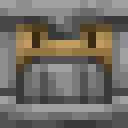
Port the Crafter from Minecraft 1.21 to Minecraft 1.20.1, with compatibility for schematics and world save upgrades.
⬇ Download on ModrinthCrafter Early
简体中文
This is a mod that perfectly ports the Minecraft 1.21 Crafter to Minecraft 1.20.1, bringing the full Crafter features and advancements back to Minecraft 1.20.1.
Since this mod uses vanilla namespaces and data formats, it is compatible with Crafters in higher-version schematics loaded by Litematica Mod, and upgraded world saves can also be recognized and preserved in higher versions.
Description
This project is modified from QuackImpala7321-AutoCrafterEarly
Compared to the original ported mod:
- Fixed Crafter cooldown to 4gt (was 1gt previously)
- Fixed unexpected GUI behavior for mouse double-click events and slot swap events
- Fixed resource files to use vanilla namespace for resource pack compatibility
- Fixed incorrect texture rotation
- Added porting of related advancements
- Added porting of Chinese language file
Requirements
Game Version: Minecraft 1.20.1
Loader Version: Fabric 0.14.22+
Fabric API: 0.92.3+ (since 0.92.3 fixes a bug that may cause issues with this mod)
Multiplayer: Must be installed on both Server and Client
Singleplayer: Only need to install on Client
Incompatibilities
- BBOR (Bounding Box Outline Reloaded) – This mod has a serious bug that causes abnormal mining time increases for this mod's blocks and may lead to blocks not dropping any items when broken. Since BBOR is no longer maintained, this incompatibility will not be fixed.
Note
- If installed only on the server and not on the client, issues such as “Missing mod” or “Block ID cannot be resolved” may occur when connecting to this server.
- If installed only on the client, you can still join a server that does not have this mod installed (the client-side mod blocks will not take effect on that server).
- Edition: Minecraft Java
- File type: .jar
- Minecraft version listed: 1.20.1
- How to install: Install the matching mod loader (Forge, Fabric or NeoForge) for your Minecraft version. → Download the .jar. → Put it in the .minecraft/mods folder and launch that loader profile.
- Where to get it: Opens on Modrinth — not every file is mirrored on our own servers.
Install steps are the general flow for this file type — How to install Minecraft Java mods & modpacks walks through it step by step.
- Ships as crafter-early-1.0.1+1.20.1.jar — drop this file into the mods folder
- Download size: 89 KB
- Download link checked 19 Oct 2026 — working
These come from our own check of the pack file, not from the source page.