
PolarBooks
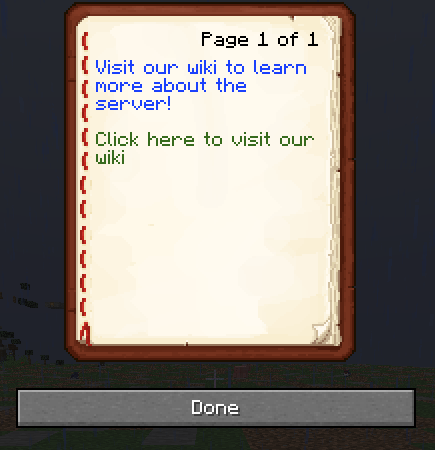
This mod is aimed at allowing servers to create books that allow you to inform players through a simple book GUI.
The mod has three main components that you can include for every piece of text you add:
- text itself
- A link, if you wish for the text to lead to a website
- A color for the text.
- A command to run upon clicking the text.
Sidenote: A link takes precedence over a command, make sure to only include a command or a link.
If you do not wish to include a color, a command or a link, you can omit them in the config file.
This mod also allows you to dynamically add commands to access the different books, which can also be configured in the JSON files.
The default config looks as follows:
{
      "Pages": [
        {
          "text": [
            {
              "text": "Visit our store:\n",
              "color": "1B41FF"
            },
            {
              "text": "Click me",
              "link": "https://www.minecraft.net/en-us",
              "color": "CDFF00"
            }
          ]
        }
      ]
}
The configs work as follows:
By adding a new dictionary inside "pages" (A dictionary is anything wrapped in {}), you will add a new page with the text components you add in the text list.
When you run the command to get the book, it will automatically load all the pages and text contents inside it.
🛠️ Adding new commands
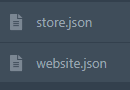
If you wish to add a new command using this mod, you need to create a new file with the same format as the default config. Upon restarting your server, they will be loaded in.
In the following example, a website and store command will load:
❓ Need Help?


- Edition: Minecraft Java
- File type: .jar
- Minecraft version listed: 1.21.1
- How to install: Install the matching mod loader (Forge, Fabric or NeoForge) for your Minecraft version. → Download the .jar. → Put it in the .minecraft/mods folder and launch that loader profile.
- Where to get it: Opens on Modrinth — not every file is mirrored on our own servers.
Install steps are the general flow for this file type — How to install Minecraft Java mods & modpacks walks through it step by step.
- Ships as PolarBooks-1.3.jar — drop this file into the mods folder
- Download size: 870 KB
- Download link checked 10 Sept 2026 — working
These come from our own check of the pack file, not from the source page.