
ScreenTextMod
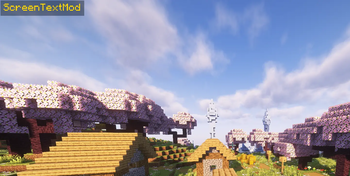
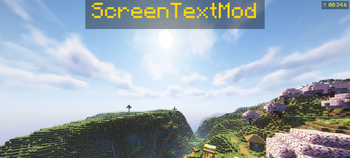
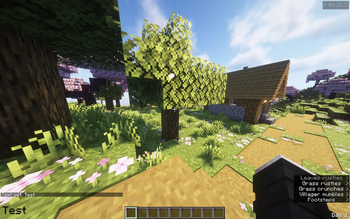
Display custom text anywhere on your HUD — with colors, timers, and a stopwatch.
Features
- Display any text on screen with /stext
- 6 screen positions — top/bottom, left/center/right
- Custom colors via name (red, green, blue, gold...) or HEX code
- Adjustable text scale from 0.5x to 5x
- Chat-style background for always-readable text
- Auto-hide timer with optional countdown display
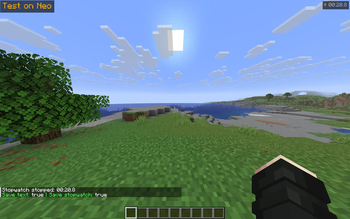
- Built-in stopwatch with pause support — freezes on ESC, resumes when unpaused
- Per-world text and stopwatch — each world and server saves its own state
- Worlds with the same name share the same text (useful for linked worlds)
- Settings persist between game sessions with configurable save behavior
- Full localization — English and Russian supported out of the box
- Saving properties —
/ssave
Commands
| Command | Description |
|---|---|
/stext <text> |
Show text on screen |
/stext |
Clear text |
/stimer <sec> |
Auto-hide after N seconds |
/stimer <sec> countdown |
Show countdown next to text |
/stimer off |
Disable timer |
/scolor <name|hex> |
Set color (red, green, ff0000...) |
/scolor reset |
Reset to white |
/spos <position> |
Set position (top_center, bottom_left...) |
/ssize <scale> |
Set scale (0.5 – 5.0) |
/ssize reset |
Reset scale |
/sbg on|off |
Toggle background |
/swatch start|stop|reset |
Stopwatch |
/ssave text true|false |
Save text between sessions |
/ssave stopwatch true|false |
Save stopwatch between sessions |
/ssave |
Show current save settings |
Positions
top_left · top_center · top_right
bottom_left · bottom_center · bottom_right
Requirements
- Minecraft 1.21.11
- Fabric Loader + Fabric API or NeoForge
Tested on
- Fabric 1.21.11
- NeoForge 1.21.11
Quick facts
- Edition: Minecraft Java
- File type: .jar
- Minecraft version listed: 1.21.11
- How to install: Install the matching mod loader (Forge, Fabric or NeoForge) for your Minecraft version. → Download the .jar. → Put it in the .minecraft/mods folder and launch that loader profile.
- Where to get it: Opens on Modrinth — not every file is mirrored on our own servers.
Install steps are the general flow for this file type — How to install Minecraft Java mods & modpacks walks through it step by step.
Verified by MCModsHub
- Ships as Neo--screen-text-mod-1.0.0_1.21.11.jar — drop this file into the mods folder
- Download size: 27 KB
- Download link checked 19 Aug 2026 — working
These come from our own check of the pack file, not from the source page.