
Chunk Border Redstone Highlighter
Java mod listed for Minecraft 1.21. Downloads from the MC Java Mods app on Android.
A client-side performance debugging tool that highlights redstone components sitting on chunk borders — the #1 cause of server lag. Toggle with one…
⬇ Download on Modrinth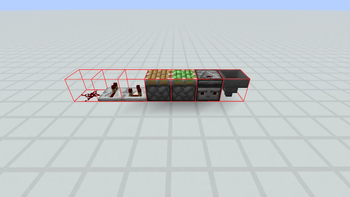
Chunk Border Redstone Highlighter
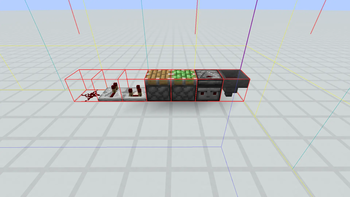
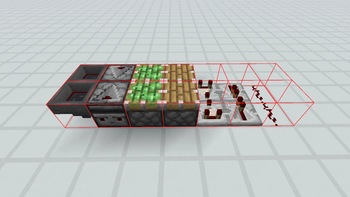
One of the biggest causes of lag on high-performance servers: redstone circuits placed across chunk borders. This client-side mod highlights those risky blocks around you with a red wireframe box, letting you spot chunk-boundary issues before they hurt your TPS.
Why Are Chunk-Border Redstone Components Bad?
Minecraft splits the world into 16x16 chunks. Each chunk is loaded, saved, and ticked independently. When a redstone signal crosses a chunk boundary:
- Both chunks need to be updated every tick
- Observers, pistons, and hoppers trigger extra chunk load/save cycles
- Paper, Purpur, and Folia suffer the most because of their async chunk systems
- Synchronization locks are held across the boundary on async chunk implementations
Features
- One-key toggle — default
O(rebindable in Options > Controls) - 32-block radius scan around the player — finds every risky block nearby
- Smart boundary detection — uses
localX == 0 || localX == 15 || localZ == 0 || localZ == 15math (works correctly on negative coordinates too) - Detected blocks:
- Redstone
- Repeater
- Comparator
- Observer
- Piston (normal + sticky)
- Hopper
- Minimal performance impact — scans every 10 ticks, only inspects border columns
- Uses 1.21.11's new Gizmo render API — clean, bug-free rendering
- No server-side install needed — client-only, works on any server
Usage
- Download this mod and Fabric API
- Drop both into your
.minecraft/mods/folder - Join a world or server
- Press O — nearby chunk-border redstone components get wrapped in a red wireframe
- Press O again to disable
Compatibility
| Feature | Support |
|---|---|
| Minecraft | 1.21.11 |
| Mod Loader | Fabric (Loader 0.18.0+) |
| Fabric API | Required |
| Java | 21+ |
| Side | Client-only |
Untested
- Quilt: Not tested, but should work since Quilt supports Fabric mods
- Forge/NeoForge: Not supported
- Edition: Minecraft Java
- File type: .jar
- Minecraft version listed: 1.21.11
- How to install: Install the matching mod loader (Forge, Fabric or NeoForge) for your Minecraft version. → Download the .jar. → Put it in the .minecraft/mods folder and launch that loader profile.
- Where to get it: Opens on Modrinth — not every file is mirrored on our own servers.
Install steps are the general flow for this file type — How to install Minecraft Java mods & modpacks walks through it step by step.
- Ships as chunk-border-redstone-highlighter-1.0.0.jar — drop this file into the mods folder
- Download size: 31 KB
- Download link checked 20 Oct 2026 — working
These come from our own check of the pack file, not from the source page.