
Cobblemon Catch Ball Rules
Java mod listed for Minecraft 1.21. Downloads from the MC Java Mods app on Android.
Cobblemon: Catch Ball Rules is a Fabric mod for Minecraft 1.21.1 that lets server owners decide which Pokemon species can only be caught with specific…
⬇ Download on Modrinth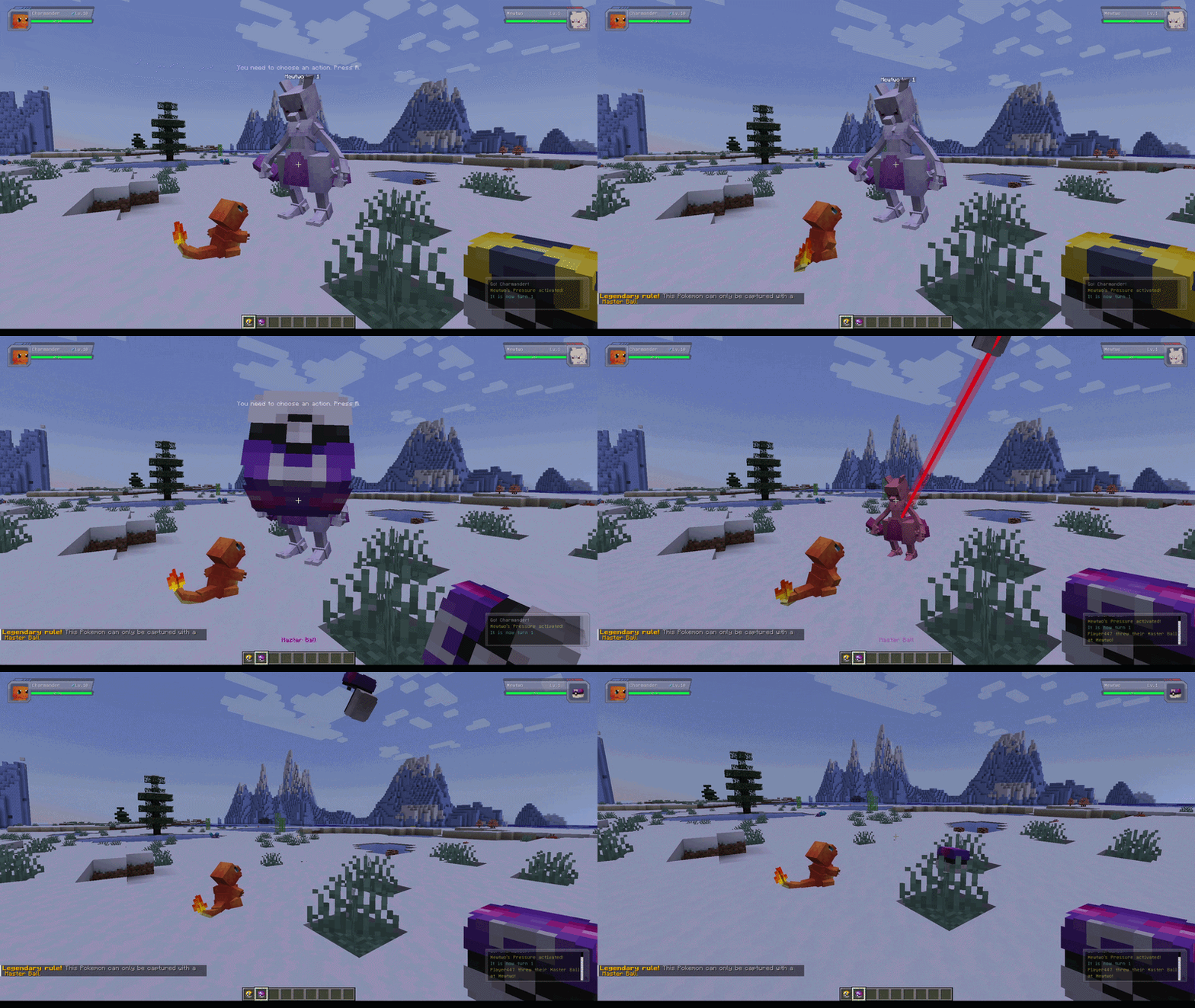

Cobblemon Catch Ball Rules
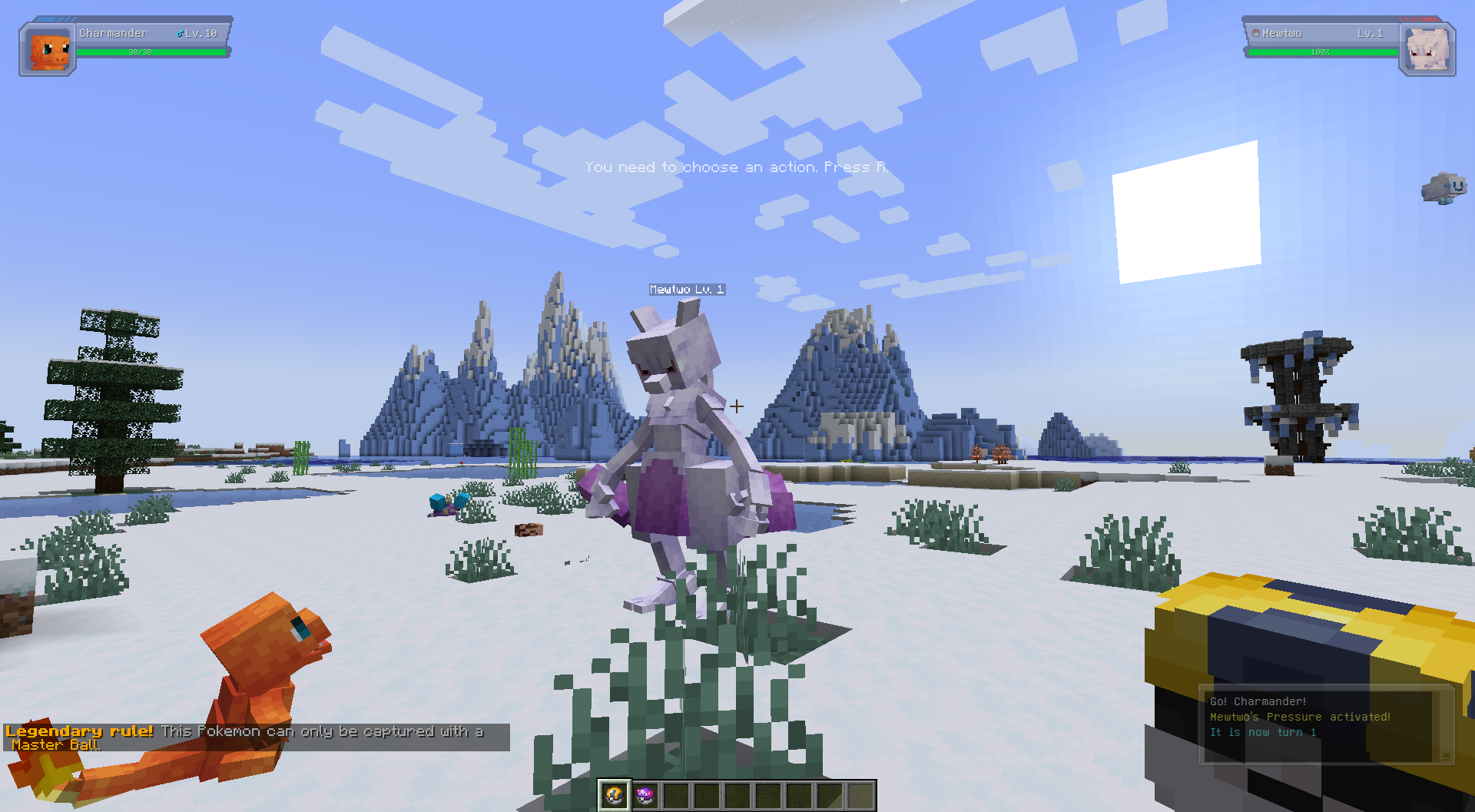
Cobblemon Catch Ball Rules is a Fabric mod for Minecraft 1.21.1 that lets server owners decide which Pokemon species can only be caught with specific Poke Balls, including custom balls added by Cobblemon add-ons or modpacks.
If a species is restricted and the player throws the wrong ball, the capture fails immediately. If the ball is allowed, the mod hands the attempt back to Cobblemon's normal capture logic.
Why Use This Mod
- Create legendary or mythical catch rules without editing code.
- Make rare encounters feel more special.
- Keep rules in a simple JSON file that can be changed at any time.
- Support both Cobblemon's standard balls and custom balls from add-ons or modpacks, as long as you use the correct item ID.
- Preserve Cobblemon's normal catch formulas for valid balls instead of replacing the whole system.
- Reload config changes with a command instead of restarting the whole server.
Requirements
- Minecraft
1.21.1 - Fabric Loader
- Cobblemon
>=1.7.3 <1.8.0
Config File
Path:
config/cobblemon_catch_ball_rules.json
Example:
{
  "consumeBlockedBall": false,
  "showPlayerMessage": true,
  "rules": [
    {
      "pokemon": ["mew", "mewtwo", "lugia"],
      "allowedBalls": ["cobblemon:master_ball"],
      "message": "&6&lLegendary rule! &r&7This Pokemon can only be captured with a &6Master Ball&7."
    }
  ]
}
Config Options
consumeBlockedBall
Controls whether a blocked capture should still consume the thrown ball.
false: the mod refunds the ball after blocking the capturetrue: the ball is consumed even though the capture was blocked
showPlayerMessage
Controls whether the player receives the rule's message when a blocked capture happens.
true: send the configured messagefalse: block silently
rules
List of species-specific restrictions.
Each rule contains:
pokemon: list of species IDs or species paths to matchallowedBalls: list of allowed Poke Ball IDsmessage: message shown when the rule blocks a capture
Styled Messages
The message field supports Minecraft legacy formatting codes.
You can use either:
&codes, like&6&lLegendary!
Example:
{
  "pokemon": ["mewtwo"],
  "allowedBalls": ["cobblemon:master_ball"],
  "message": "&4&lBlocked! &r&7This Pokemon can only be captured with a &6Master Ball&7."
}
- For the full list of Minecraft color/style codes and usage details, see the Minecraft Wiki: https://minecraft.wiki/w/Formatting_codes#Color_codes
Writing Rules
Pokemon IDs
You can use either:
- short species names like
"mew" - full IDs like
"cobblemon:mew"
Ball IDs
Use full item-style IDs such as:
"cobblemon:master_ball""cobblemon:ultra_ball""cobblemon:poke_ball"
Custom balls work too. If another mod or add-on adds a new catch ball, you can use that ball's item ID in allowedBalls the same way.
Example Rules
Only Master Balls for some legendaries:
{
  "pokemon": ["mew", "mewtwo", "lugia"],
  "allowedBalls": ["cobblemon:master_ball"],
  "message": "&6&lLegendary rule! &r&7This Pokemon can only be captured with a &6Master Ball&7."
}
Only Beast Balls for Ultra Beasts:
{
  "pokemon": ["nihilego", "buzzwole", "pheromosa"],
  "allowedBalls": ["cobblemon:beast_ball"],
  "message": "This Pokemon reacts only to a Beast Ball."
}
Allow several ball choices:
{
  "pokemon": ["articuno"],
  "allowedBalls": ["cobblemon:ultra_ball", "cobblemon:master_ball"],
  "message": "Articuno can only be captured with an Ultra Ball or Master Ball."
}
Reload Command
You can reload the config without restarting the server.
This is useful when you are adjusting rules on a live server or testing config changes in a singleplayer world.
Commands:
/ccbr reload
/cobblemoncatchballrules reload
Requirements:
- operator/admin level permission
What it does:
- reloads
config/cobblemon_catch_ball_rules.json - applies updated rules immediately to future capture attempts
Troubleshooting
If the config file is missing, the mod creates a default one automatically.
If the config file is invalid JSON, the mod regenerates it with defaults and logs the error during startup.
If your rules seem ignored:
- verify the species name or ID matches the target species
- verify the ball ID matches Cobblemon's actual Poke Ball ID
- check whether the species has a matching rule in your config
- Edition: Minecraft Java
- File type: .jar
- Minecraft version listed: 1.21.1
- How to install: Install the matching mod loader (Forge, Fabric or NeoForge) for your Minecraft version. → Download the .jar. → Put it in the .minecraft/mods folder and launch that loader profile.
- Where to get it: Opens on Modrinth — not every file is mirrored on our own servers.
Install steps are the general flow for this file type — How to install Minecraft Java mods & modpacks walks through it step by step.
- Ships as cobblemon-catch-ball-rules-1.0.0.jar — drop this file into the mods folder
- Download size: 45 KB
- Download link checked 20 Oct 2026 — working
These come from our own check of the pack file, not from the source page.