
CustomOverlay
Java mod listed for Minecraft 1.21. Downloads from the MC Java Mods app on Android.
CustomOverlay allows placing images over your Minecraft screen. Access the menu with I, edit with O, and use Shift for grid snapping. Supports many…
⬇ Download on Modrinth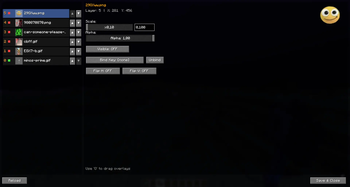
Overview
CustomOverlay is a lightweight yet powerful Minecraft mod that allows you to place custom images directly onto your screen. Whether you want to add a unique aesthetic touch, display helpful reference charts, or keep your favorite memes in sight while playing, this mod gives you full control over your in-game visuals.
Keybindings:
- I: Opens the Image Menu. Browse and select the images you want to display.
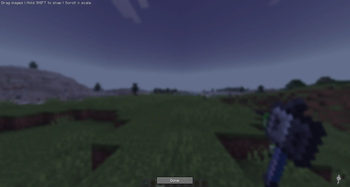
- O: Opens the Overlay Editor. Move, scale, and reposition your images anywhere on the screen.
- Shift (while in Editor): Activates the Grid System to help you align your overlays with pixel-perfect precision.
How to Add Images
- Navigate to your Minecraft directory: .minecraft\config\CustomOverlay\images.
- Drop your desired image files into this folder.
- Back in the game, open the Image Menu (I) and click the Reload button to refresh your library.
Supported Formats
CustomOverlay supports a wide range of file types to ensure compatibility with almost any image:
- Standard: .png, .jpg, .jpeg, .bmp
- Animated: .gif
- Advanced/Design: .webp, .tga, .tiff, .tif, .ico
Tip: Use transparent .png or .webp files for the cleanest look, allowing your images to blend seamlessly with the Minecraft UI!
- Edition: Minecraft Java
- File type: .jar
- Minecraft version listed: 1.21.4
- How to install: Install the matching mod loader (Forge, Fabric or NeoForge) for your Minecraft version. → Download the .jar. → Put it in the .minecraft/mods folder and launch that loader profile.
- Where to get it: Opens on Modrinth — not every file is mirrored on our own servers.
Install steps are the general flow for this file type — How to install Minecraft Java mods & modpacks walks through it step by step.
- Ships as customoverlay-1.2-1.21.4.jar — drop this file into the mods folder
- Download size: 312 KB
- Download link checked 20 Oct 2026 — working
These come from our own check of the pack file, not from the source page.