
Rubix
Java mod listed for Minecraft 26.x. Downloads from the MC Java Mods app on Android.
QoL Mod for Hypixel Skyblock - Primarily made for Bestiary Features with additional QoL features I personally find useful.
⬇ Download on Modrinth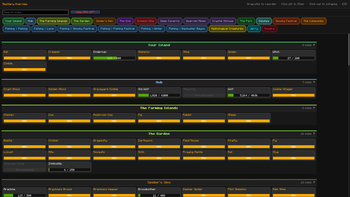
Rubix is available as a Fabric mod. It currently offers QoL HUD options for Bestiary & other smaller QoL features in Hypixel Skyblock.
Bestiary Features
- Bestiary HUD
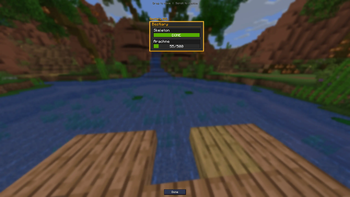
- Bestiary HUD shows an on-screen HUD that displays either a selected list of Bestiary mobs (Broken down by bestiary category.)
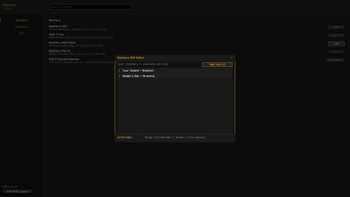
- Bestiary HUD Editor
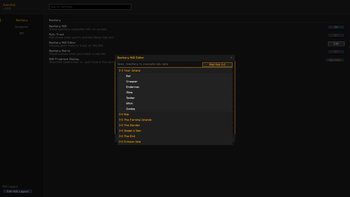
- This feature opens up an additional UI that lets you customize/add/remove mobs onto your Bestiary HUD.
- Auto Track
- Instead of picking the mobs you want added to your HUD list, this feature allows your list to be built off of the most recent mob killed that is not maxed out. (If a mob that was added onto your list through this feature hasn't been killed within a 3 minute period, it gets taken off the of HUD until it's killed again.) - This can also be toggled on/off using the "/Rubix autotrack" command.
- Bestiary Alerts
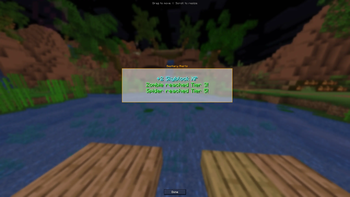
- This feature allows for a popup to happen on your screen letting you know when you've gotten a new tier on your bestiary! (Special popup for when you get a max bestiary tier!)
- Bestiary Overview
- Use the "/Rubix Bestiary" or "/Rubix Be" command in chat to open a full screen UI displaying all of your bestiary tiers for each category. This is meant to be a more visual appealing UI to see your bestiary completion.
- Bestiary Highlight
- This feature will highlight/glow mobs that are within your bestiary HUD.
How to Use
Use the "/Rubix" command to open the mod's GUI to turn options on/off.
When first loading into your game, open up the /Bestiary through your chat, and click through each Category one by one to load your current Bestiary data into the mod's config. (Make sure each page is opened.)
Make sure the Bestiary widget is turned on in /Widgets & actively showing in your TAB list. This is what will keep your HUD actively updating when doing bestiary LIVE. If this is not turned on, the Auto-track feature will not work, nor will the kill count be updated unless you open the /Bestiary categories once more.
Dungeon Features
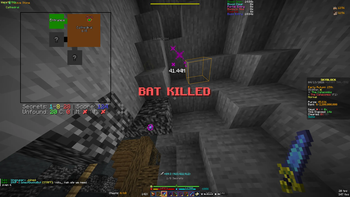
- Bat Death Alert
- Sends a quick popup alert when a bat is killed near you in Dungeons.
Mining Features
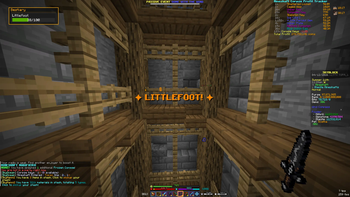
- Littlefoot Tracker
- Locates Littlefoots when you get near them, giving you a popup alert & draws an outline around the littlefoot. This will also notify your party that you found a littlefoot & provides coordinates as well for the location of the littlefoot.
- Edition: Minecraft Java
- File type: .jar
- Minecraft version listed: 26.1.2
- How to install: Install the matching mod loader (Forge, Fabric or NeoForge) for your Minecraft version. → Download the .jar. → Put it in the .minecraft/mods folder and launch that loader profile.
- Where to get it: Opens on Modrinth — not every file is mirrored on our own servers.
Install steps are the general flow for this file type — How to install Minecraft Java mods & modpacks walks through it step by step.
- Ships as rubixmod-0.0.5-BETA.jar — drop this file into the mods folder
- Download size: 210 KB
- Download link checked 21 Oct 2026 — working
These come from our own check of the pack file, not from the source page.