
ModsJava
DeckTweaks
Control render distance, simulation distance, and master volume on the fly with simple keyboard shortcuts, no menus, no pause screen. Comes with a clean…
⬇ Download on Modrinth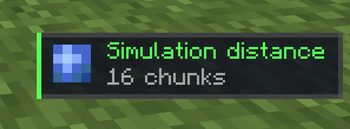
DeckTweaks
DeckTweaks lets you control render distance, simulation distance, and master volume on the fly, directly from your keyboard or Stream Deck, without ever opening a menu.
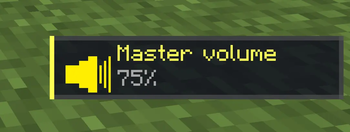
Every change shows as a clean, minimal toast notification in the bottom-right corner of your screen, so you always know what's happening.
Features
- Render distance — increase or decrease on the fly, chunks reload instantly
- Simulation distance — tweak how far the game simulates without restarting
- Master volume — adjust in 5% steps while staying in-game
- Toast notifications — subtle, styled HUD notification for every change, no chat spam
- Stream Deck ready — all shortcuts are simple two-key combos that map perfectly to macro buttons
Keybinds
| Keybind | Action |
|---|---|
Ctrl + . |
Render distance +1 |
Ctrl + , |
Render distance -1 |
Ctrl + ] |
Simulation distance +1 |
Ctrl + [ |
Simulation distance -1 |
Ctrl + = |
Master volume +5% |
Ctrl + - |
Master volume -5% |
macOS users:
Ctrlmeans Control (⌃), not Command (⌘).
Installation
- Install Fabric Loader for Minecraft 1.21.11
- Download and install Fabric API
- Drop
decktweaks.jarinto yourmods/folder - Launch Minecraft and start tweaking
Compatibility
- Minecraft 1.21.11
- Fabric only
- Client-side — works on any server
Quick facts
- Edition: Minecraft Java
- File type: .jar
- Minecraft version listed: 1.21.11
- How to install: Install the matching mod loader (Forge, Fabric or NeoForge) for your Minecraft version. → Download the .jar. → Put it in the .minecraft/mods folder and launch that loader profile.
- Where to get it: Opens on Modrinth — not every file is mirrored on our own servers.
Install steps are the general flow for this file type — How to install Minecraft Java mods & modpacks walks through it step by step.
Verified by MCModsHub
- Ships as decktweaks-1.1.0.jar — drop this file into the mods folder
- Download size: 20 KB
- Download link checked 10 Sept 2026 — working
These come from our own check of the pack file, not from the source page.