HomeJavaModsSkinmatics
Skinmatics
Skinmatics — screenshot 1Skinmatics — screenshot 2Skinmatics — screenshot 3Skinmatics — screenshot 4

Skinmatics

A versatile yet minimal player customization mod. Vanilla-friendly!


About

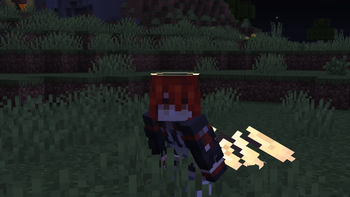
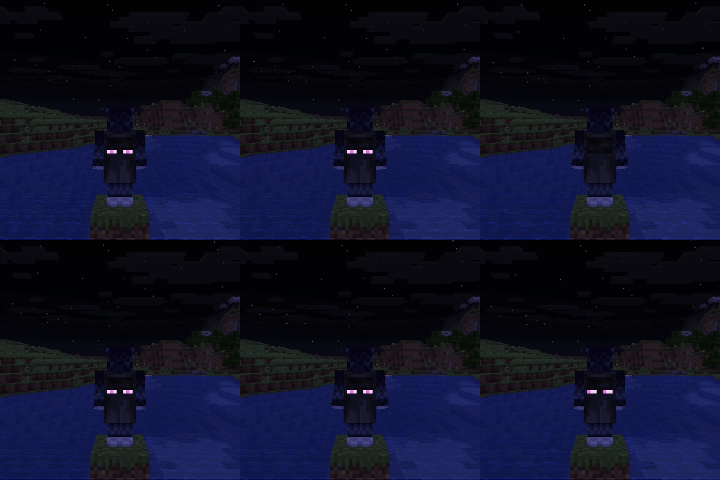
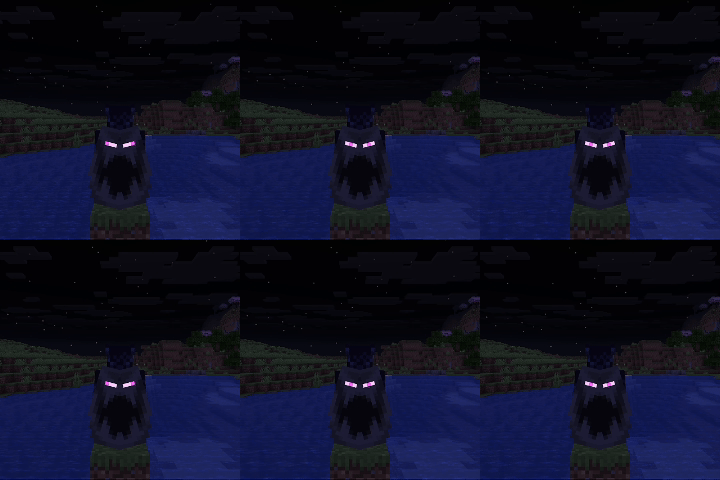
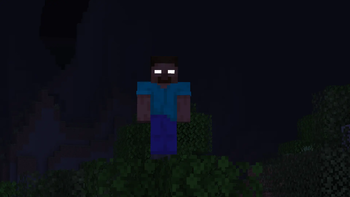
Want custom animated skins? emissive (glowing) skins? and maybe even animated and reactive eyes?

Skinmatics gives you just that. Adding customization to existing aspect of the game without overriding it, while staying relatively vanilla-friendly

Utilitary is required to use this mod

Features

Note:


Documentation

Currently, the editor screen for the mod is still a work-in-progress, and only serves as a shortcut to open files. To open it, open Options > Skin Customizations > Skinmatics... or from Mod Menu

You can change your profile in the config (config/skinmatics/config.json > profile). Textures are stored in config/skinmatics/textures.

You can safely ignore the config's "identity" field in the config, it serves as an identification for Utilitary to load the config file.

Alternatively, you can use commands:

Profile (In JSON)

You can use Notepad or any other JSON file manipulation app to modify this

{
  "identity": "skinmatics:profiles/<profile>", // Change <profile> to your profile file name, this is Utilitary way of loading config files
  "enabled": true, // Wheter this Skinmatics profile is enabled
  "maxTicks": 0, // In ticks, numbers above 0 will tick your skin, resulting in an animated texture. The amount of ticks to do a texture change is maxTicks - 1
  "strongerEmissiveGlow": false, // Use the same rendering method as spider eyes (glow in the dark and not affected by light)
  "useCustomSkin": false, // Use the profile's skin texture instead of your Minecraft account skin texture
  "addEmissiveSkin": false, // Add emissive layers to your skin
  "showCape": true, // Show cape texture, elytra cape texture included
  "useCustomCape": false, // Use custom cape texture, elytra cape texture affected if not using custom elytra texture
  "addEmissiveCape": false, // Add emissive layer to your cape
  "useCustomElytra": false, // Use custom elytra texture
  "addEmissiveElytra": false, // Add emissive layer to your elytra
  "showEyes": false, // Show eyes
  "addEmissiveEyes": false, // Add emissive eyes to your skin (if showEyes is true)
  "rightEyeHidden": false, // Hide your right eye
  "leftEyeHidden": false, // Hide your left eye
  "blinkingChance": 48, // Chance to blink for every tick
  "holdBlinkingFor": 4, // How many tick it took to blink
  
  // These fields use the same format
  // "<Image Path>": [<Ticks>]
  // <Image Path> refers to the image texture, can be from the game resource packs (minecraft:textures/...) or imported from `config/skinmatics/textures`
  // [<Ticks>] refers to the tick time for the texture to switch
  "skin": {
    // Example (if maxTicks is 20, textures can be changed between 0-19)
    "skin/my_skin": [5, 15] // Use this texture at tick 5 and 15 (if no textures start at tick 0, then it will use the end tick's texture). This texture file path is config/skinmatics/textures/skin/my_skin.png
    "minecraft:textures/entity/player/wide/steve": [10, 19] // Switch to this texture at tick 10 and 19 (and use this texture at tick 0-4 since there's no texture at tick 0)
  },
  "emissiveSkin": {},
  "cape": {},
  "emissiveCape": {},
  "elytra": {},
  "emissiveElytra": {},
  "rightEye": {
    "closed": {},
    "front": {},
    "up": {},
    "down": {},
    "right": {},
    "rightUp": {},
    "rightDown": {},
    "left": {},
    "leftUp": {},
    "leftDown": {}
  },
  "leftEye": {
    "closed": {},
    "front": {},
    "up": {},
    "down": {},
    "right": {},
    "rightUp": {},
    "rightDown": {},
    "left": {},
    "leftUp": {},
    "leftDown": {}
  },
  "emissiveRightEye": {
    "closed": {},
    "front": {},
    "up": {},
    "down": {},
    "right": {},
    "rightUp": {},
    "rightDown": {},
    "left": {},
    "leftUp": {},
    "leftDown": {}
  },
  "emissiveLeftEye": {
    "closed": {},
    "front": {},
    "up": {},
    "down": {},
    "right": {},
    "rightUp": {},
    "rightDown": {},
    "left": {},
    "leftUp": {},
    "leftDown": {}
  }
}

Got more questions? Join the Discord server!


Incompatibilities

There are currently no known incompatibilities with other mods.

Quick facts

Install steps are the general flow for this file type — How to install Minecraft Java mods & modpacks walks through it step by step.

Verified by MCModsHub

These come from our own check of the pack file, not from the source page.

Explore more