
No Sound PvP
Java mod listed for Minecraft 1.21. Downloads from the MC Java Mods app on Android.
⬇ Download on Modrinth
🛡️ No Sound PvP
Focus on skill — not noise.
No Sound PvP lets you individually control or completely mute every PvP-related sound in Minecraft. Explosions, eating, totems, potions, pearls, water, lava, footsteps, wind charges — every sound that distracts you during fights can now be silenced or adjusted.
Whether you want total silence or just lower annoying sounds, you have full control.
🖼️ Screenshot
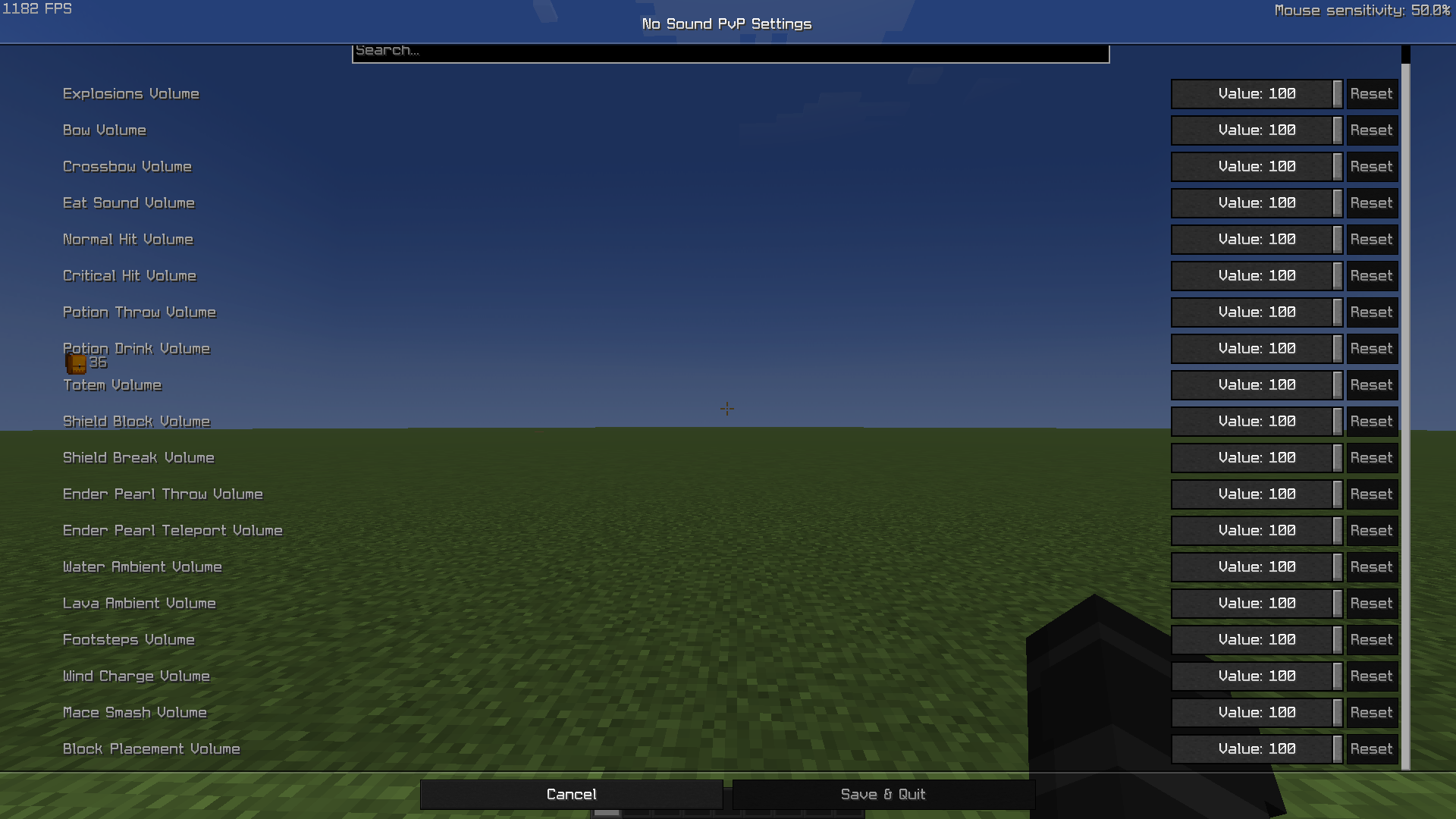
⚙️ Features
🎚️ Individual volume sliders for each PvP sound (0–100).
Explosions
Bow & Crossbow
Eating & Drinking
Normal & Critical hits
Totem activation
Ender Pearls (throw & teleport)
Shield Block & Shield Break
Wind Charge
Block placement
Water & Lava ambience
Footsteps
Mace Smash (new in 1.21!)
🧩 Fully client-side (works on any server).
🖥️ Works seamlessly with ModMenu and Cloth Config.
💡 Set any value:
100 → normal volume
50 → half volume
0 → completely silent
🧱 Dependencies
Fabric API (required)
Cloth Config (required)
ModMenu (optional, for settings menu)
📦 Compatibility
✅ Minecraft 1.21.x
🧩 Fabric Loader 0.15+
Works with any PvP modpack — purely client-side, no server installation needed.
💬 Why use it?
Because PvP is about reaction and precision — not sound spam. Mute distractions like explosions, pearls, or totems, and keep your focus sharp.
🧑💻 Author
Created by Varlock
- Edition: Minecraft Java
- File type: .jar
- Minecraft version listed: 1.21.7
- How to install: Install the matching mod loader (Forge, Fabric or NeoForge) for your Minecraft version. → Download the .jar. → Put it in the .minecraft/mods folder and launch that loader profile.
- Where to get it: Opens on Modrinth — not every file is mirrored on our own servers.
Install steps are the general flow for this file type — How to install Minecraft Java mods & modpacks walks through it step by step.
- Ships as nosoundpvp-2.0.0.jar — drop this file into the mods folder
- Download size: 21 KB
- Download link checked 21 Oct 2026 — working
These come from our own check of the pack file, not from the source page.