
foottrail
Particle Trail Mod transforms your Minecraft experience with mesmerizing enchanting table particle effects that can be fully customized. Adjust particle…
⬇ Download on Modrinth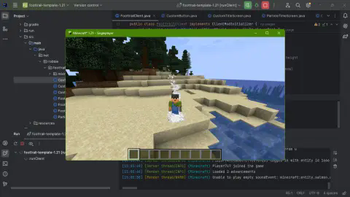
Particle Trail Mod
Enhance your Minecraft experience with the Particle Trail Mod, which adds customizable enchanting table particle effects to your character. Tailor the appearance to your liking with the following features:
Particle Settings Screen: Access a dedicated settings screen from the title menu to adjust particle effects. Adjustable Particle Amount: Control the number of particles to achieve the desired visual effect. Particle Height Customization: Set the height at which particles appear around your character. Upcoming Features:
Expanded Particle Selection: Choose from various particle types to personalize your experience. Enhanced Settings Accessibility: Access settings directly from the in-game pause menu for convenience. Toggle Functionality: Easily enable or disable particle effects without adjusting settings. Note: Currently, to disable the effect, set the particle amount to 0.
Download the Particle Trail Mod today to add a touch of magic to your Minecraft adventures!
- Edition: Minecraft Java
- File type: .jar
- Minecraft version listed: 1.21
- How to install: Install the matching mod loader (Forge, Fabric or NeoForge) for your Minecraft version. → Download the .jar. → Put it in the .minecraft/mods folder and launch that loader profile.
- Where to get it: Opens on Modrinth — not every file is mirrored on our own servers.
Install steps are the general flow for this file type — How to install Minecraft Java mods & modpacks walks through it step by step.
- Ships as foottrail-1.2.0_mc_vertion-1.21.jar — drop this file into the mods folder
- Download size: 198 KB
- Download link checked 10 Sept 2026 — working
These come from our own check of the pack file, not from the source page.